85
Installing/Removing
Anti-Rebound Bar
TO INSTALL ANTI-REBOUND BAR
Step 1
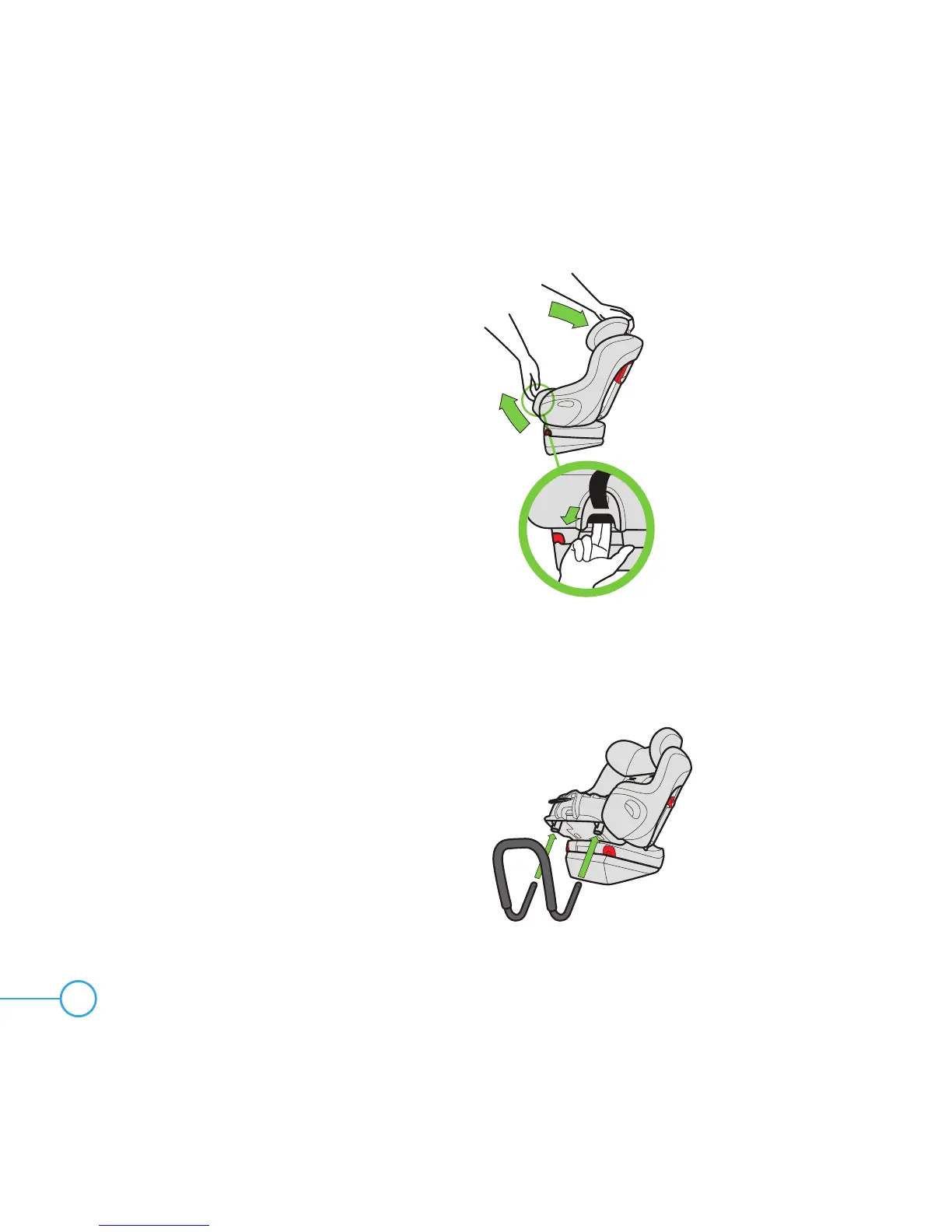
With Rear-Facing Base installed, fully recline
the seat to Recline Position 3 by pulling
Recline Handle out and rotating car seat
back as shown in Figure 132.
Step 2
Remove Seat Cushion, see “Removing/
Installing Seat Cushion” on page 83.
Remove Rear-Facing LATCH Connectors
from their storage location, see “Rear-Facing
LATCH Storage” on page 87.
Step 3
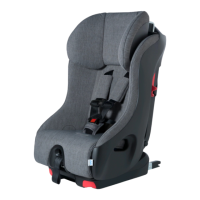
Insert the Anti-Rebound Bar into the holes in
the bottom of the seat in front of the base as
shown in Figure 133.
Figure 133
Figure 132


 To Next Page