Disassembly
Removing the Battery 2 - 5
2.Disassembly
Removing the Battery
1. Turn the computer off, and turn it over.
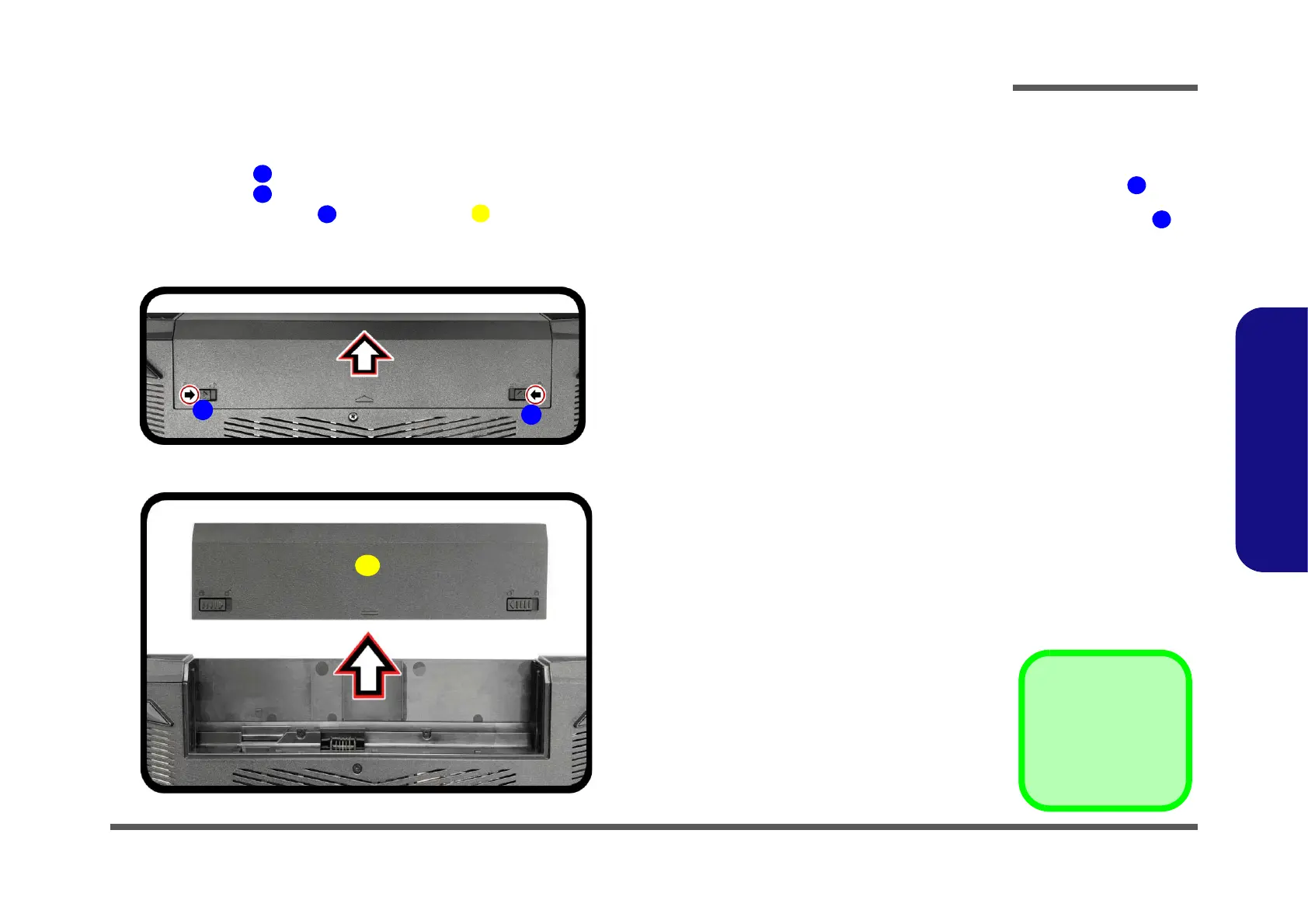
2. Slide the latch in the direction of the arrow (Figure 1a).
3. Slide the latch in the direction of the arrow.
4. While holding the latch , slide the battery out of the compartment (Figure 1b
).
5. Reverse the process to install a new battery.
Figure 1
Battery Removal
a. Slide the latch in the
direction of the arrow.
and slide the latch in
the direction of the arrow.
b. Remove the battery.


 To Next Page