Disassembly
2 - 14 Removing the M.2 SSD Module
2.Disassembly
Removing the M.2 SSD Module
1. Turn off the computer, turn it over, remove the battery (page 2 - 5).
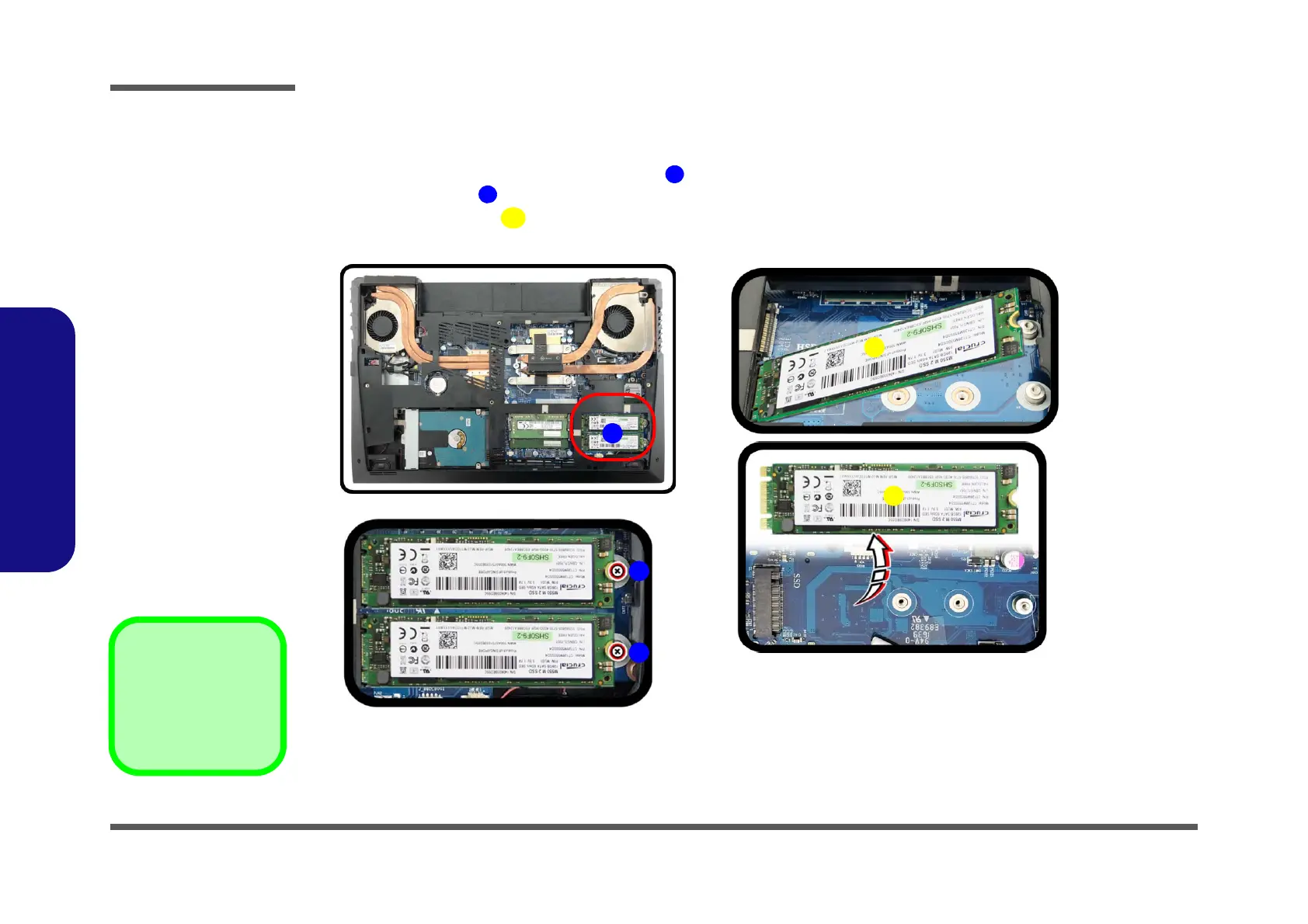
2. The M.2 SSD module will be visible at point on the mainboard (Figure 10a).
3. Remove the screw
(Figure 10b)
4. The M.2 SSD module (Figure 10c) will pop-up, and you can remove it from the computer.
5. Reverse the process to install a new module (do not forget to replace all the screws).
Figure 10
M.2 SSD Module
Removal
a. Locate the M.2 SSD.
b. Remove the screw.
c. The M.2 SSD module
will pop up.


 To Next Page