Disassembly
2 - 10 Removing and Installing the Processor
2.Disassembly
Removing and Installing the Processor
Processor Removal Procedure
1. Turn off the computer, remove the battery (page 2 - 5) and bottom cover (page 2 - 6).
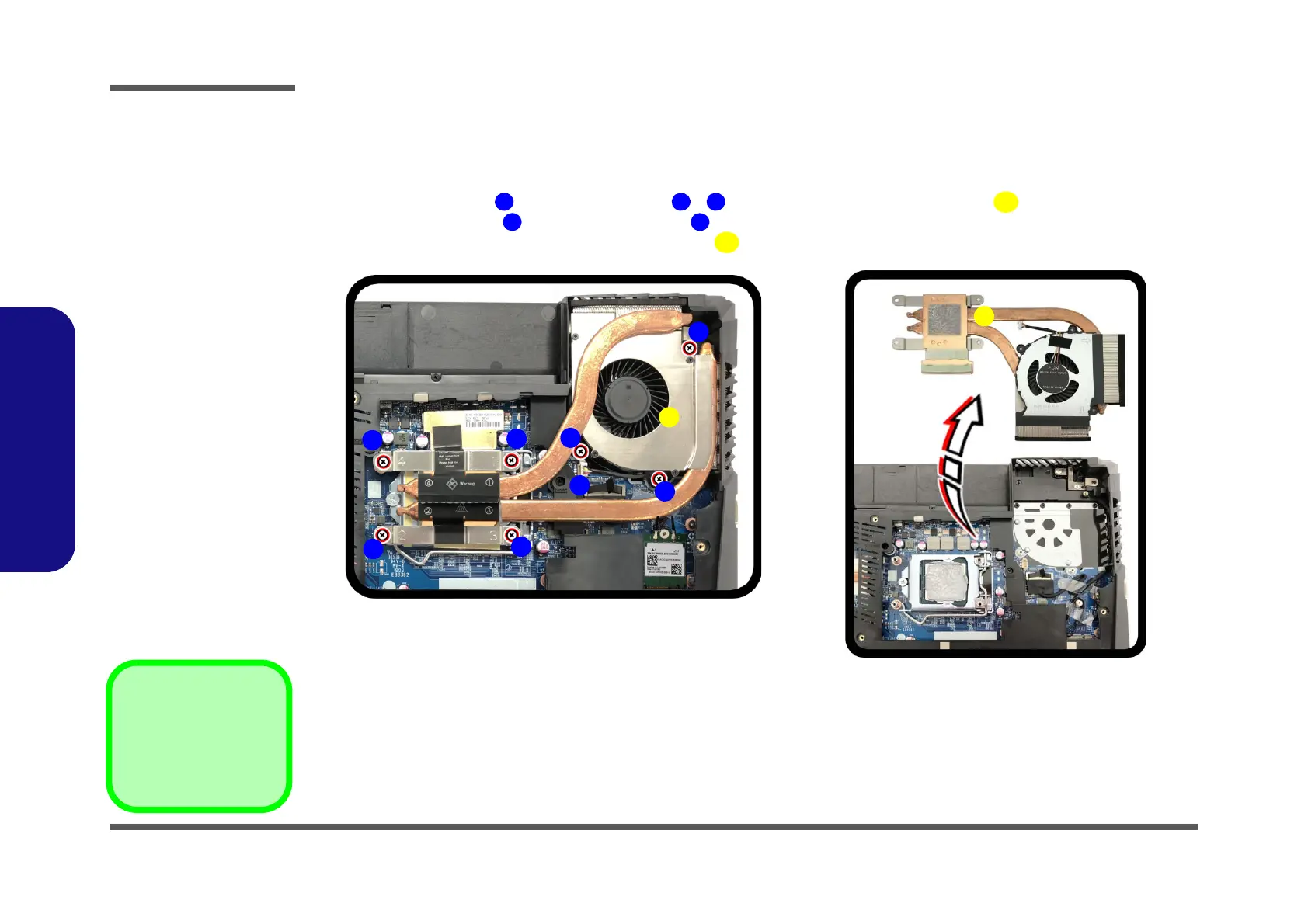
2. Disconnect the cable and remove screws - from the CPU fan & heat sink unit in the order indicated
on the label (i.e screw first through to screw last Figure 6a)
.
3. Carefully (it may be hot) remove the heat sink unit as shown by the arrow (Figure 6b).
Figure 6
Processor
Removal
Procedure
a. Disconnect the fan
cable and remove
the screws in the
correct order.
b. Carefully remove
the heat sink unit as
shown.
9. Heat Sink Unit
•7 Screws


 To Next Page