Advanced M52 Microprocessor User's Guide
ADVANCED M52UMCT2019 COLOR 27
Programming the Timer On/Off Schedule
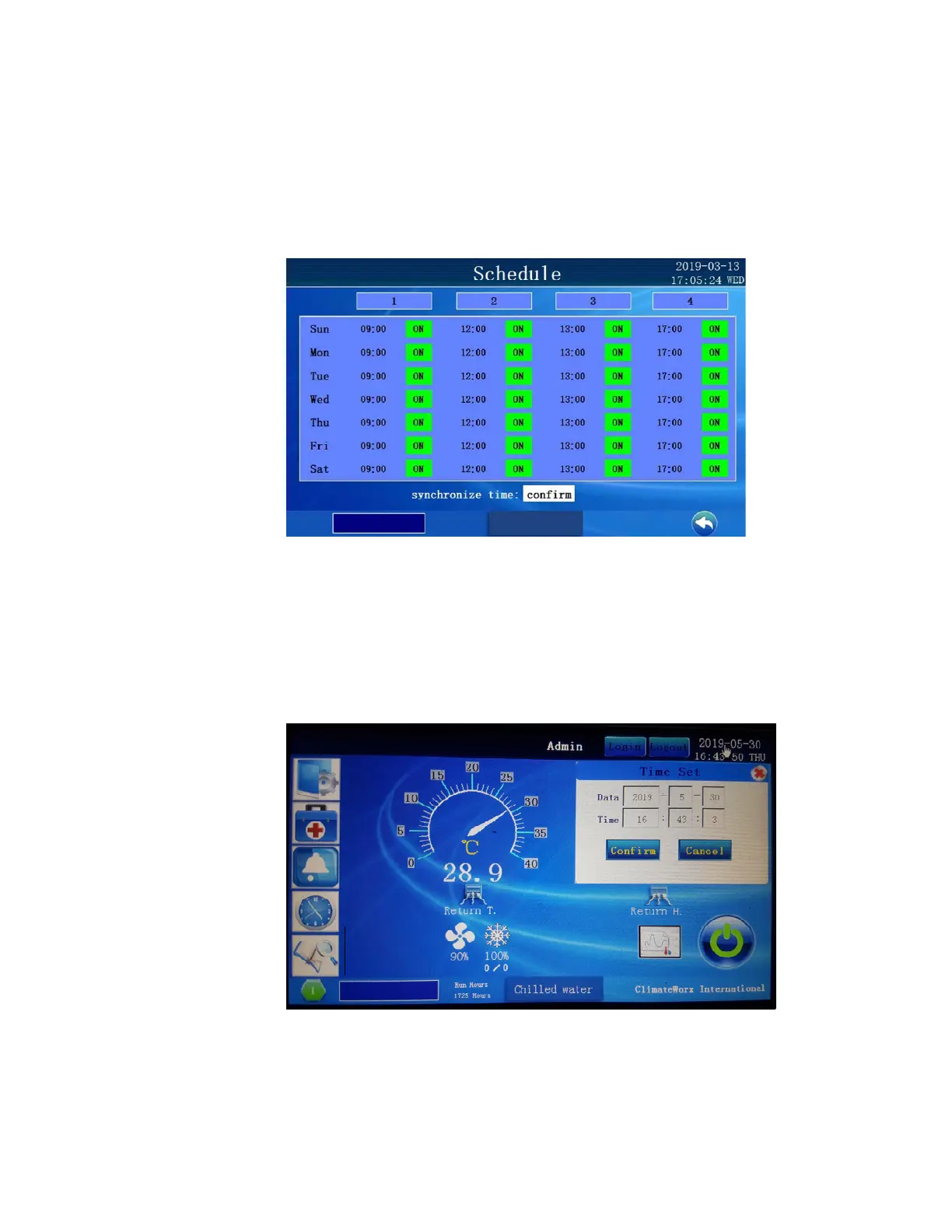
If security access is granted, you can alter the Timer On/Off Schedule settings from the
following screen: Touching the time will provoke a pop up to appear for changing the schedule
time. The on/ off and rlx functions can be changed simply touching the text on the screen.
Make sure to press confirm once all change have been completed.
Set Clock
The clock can only be set by simply touching the date and time in the upper right hand corner of
the status screen. A pop up will appear as shown below. Change the date and time and then
press confirm or cancel to have the time update of revert to current setting.



 To Next Page