Advanced M52 Microprocessor User's Guide
ADVANCED M52UMCT2019 COLOR
22
High Temperature Alarm note:
The factory default response is set to turn on the next available standby unit when back-up units are
connected in a Co-Work network. This means additional cooling capacity is automatically added to the
space when a high temperature alarm is registered regardless of the Alarm Configurations set for this
alarm. See Co-Work functioning chart on pages 53-55.
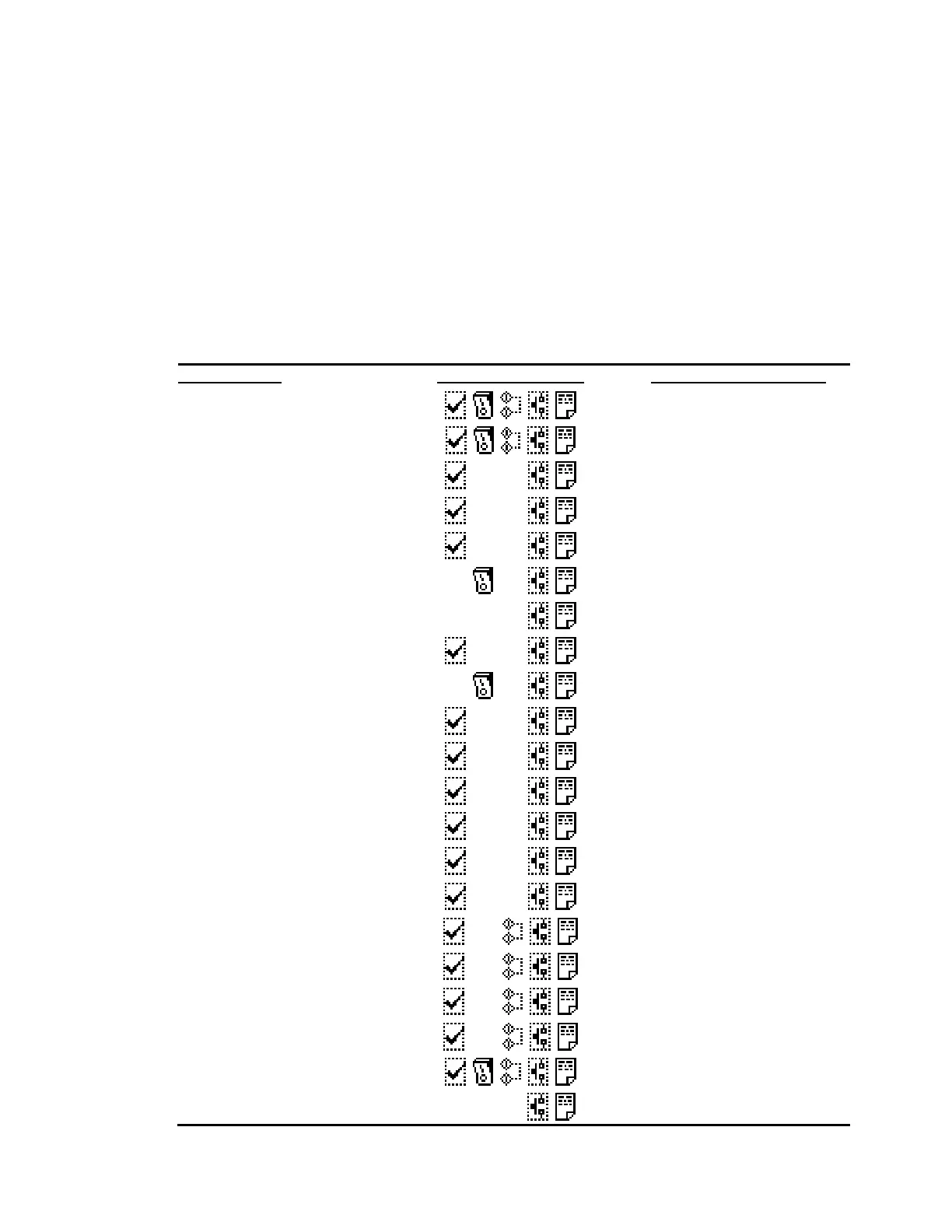
Alarm Response Summary
The following table summarizes the default configuration for all the alarms and their corresponding
system action:
Alarm Message
Default Configuration Mandatory System Action
Fan Fault
Immediate all devices shutdown
Low Air Flow
Immediate all devices shutdown
Humidifier Service
Humidifier shutdown
Heater Overheat
Heater shutdown
Filter dirty
Only show alarm
Fire Alarm/ Emergency Power Off
Immediate all devices shutdown
1
Liquid Detection
Liquid High Limit
Power Phase Loss
Immediate all devices shutdown
High pressure Comp. 1
Immediate compressor shutdown
Low pressure Comp. 1
Immediate compressor shutdown
Overload Comp. 1
Immediate compressor shutdown
2
High pressure Comp. 2
Immediate compressor shutdown
Low pressure Comp. 2
Immediate compressor shutdown
Overload Comp. 2
Immediate compressor shutdown
2
High R. Temp
Only show alarm
Low R. Temp
Only show alarm
High R. Humidity
Only show alarm
Low R. Humidity
Only show alarm
Loss of R. Sensor
Immediate all devices shutdown
High S. Temp



 To Next Page