Chapter 2: To get started
98-143082-D To unpack and assemble the EXPLORER 510 7
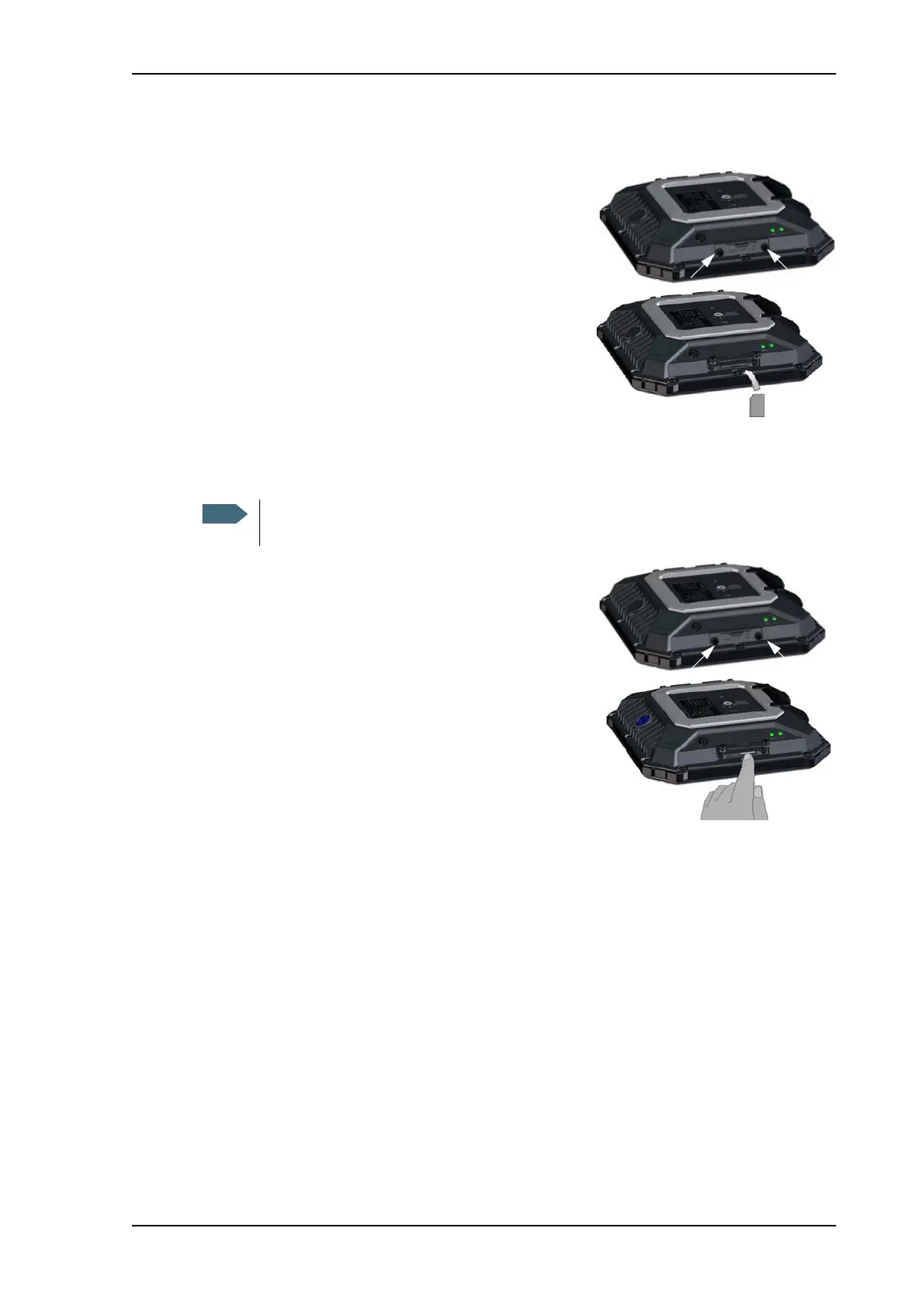
To insert the SIM card
The SIM card is provided by your Airtime Provider.
Insert the SIM card as follows:
1. Loosen the two screws holding the SIM cover.
2. Lift the cover.
3. Insert the SIM card in the SIM slot with the chip
side facing down.
4. Press gently until it clicks.
5. Close the cover and tighten the two screws gently.
To remove the SIM card
To remove the SIM card, do as follows:
1. Loosen the two screws holding the SIM cover.
2. Lift the cover.
3. Push the SIM card gently and let it pop out.
4. Remove the SIM card.
5. Close the cover and tighten the two screws gently.
When the SIM card is removed you cannot make calls or data sessions, but you can
still use the built-in web interface to set up the terminal.



 To Next Page