Chapter 2: Operation
20 Anchor Watch
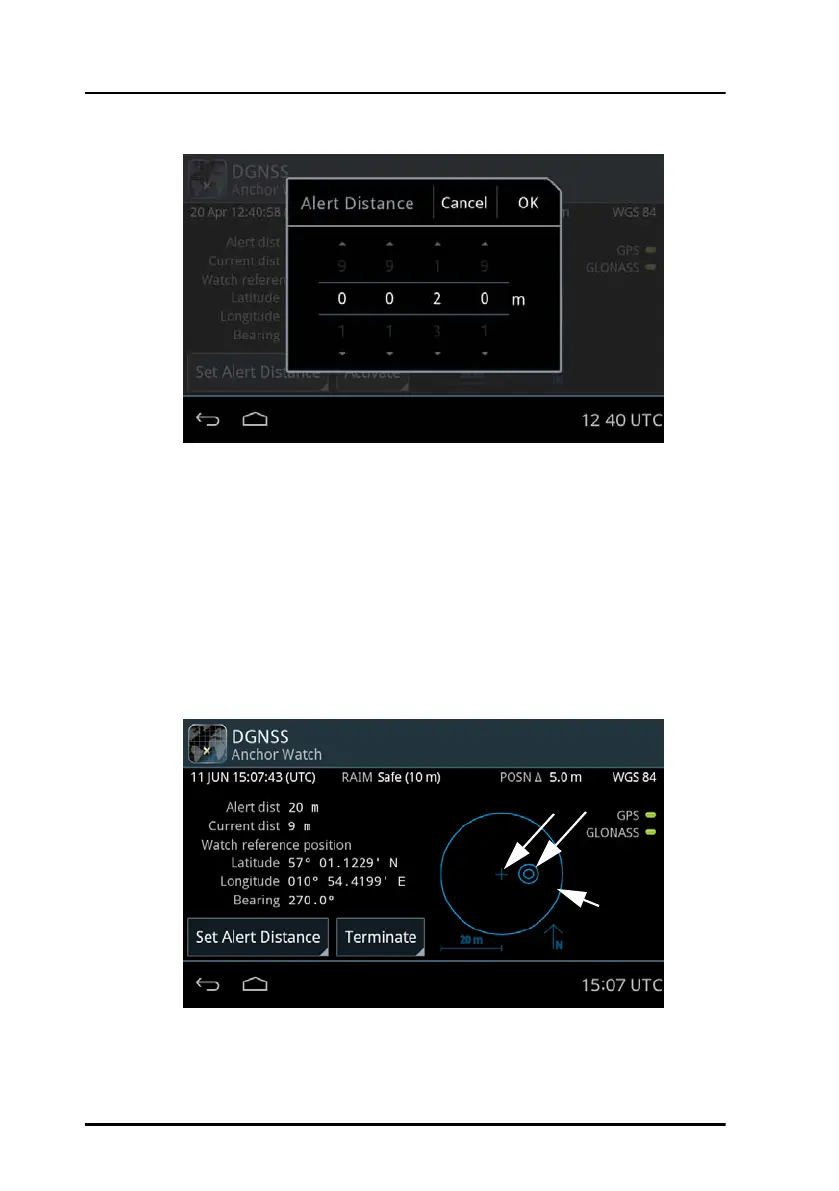
When Anchor Watch is active multiple indicators appear: The double circle
indicates the position of the vessel (1), the cross in the middle indicates the
Watch reference position (2) and the outer circle indicates the alert
distance (3).
The position of the vessel is always shown relative to the Watch reference
position. If the position of the vessel exceeds the alert distance the alert
distance circle will shrink to be able to show the position of the vessel
beyond the alert distance.
4. To terminate the Anchor Watch function tap the button Terminate.
Figure 21: Alert Distance for Anchor Watch (example)
Figure 22: Anchor Watch - vessel and watch reference position
(1)(2)
(3)



 To Next Page