14
1300 663 907
After Sales Support
help@cocoonproducts.com.au
Model number:
HE210303
02/2022
8CH 1080P SECURITY CAMERA SYSTEMDVR OPERATION
Logging into the main menu
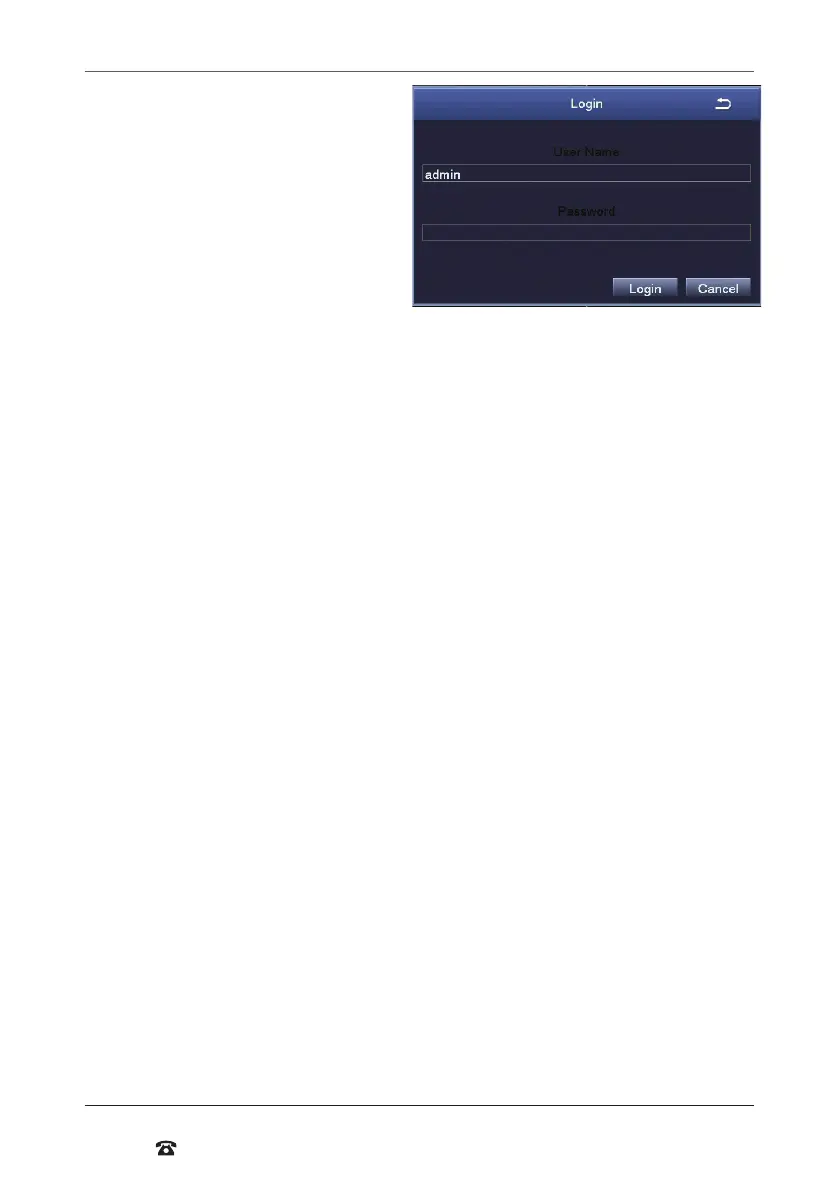
1. Using the mouse, input your user
name. If this is your irst time logging
in, then leave user name as ‘admin’
2. Using the mouse, input your
password. If this is your irst use,
leave password blank
3. Press ‘Login’
You will now have access to the main
menus functions which are outlined in
“Main Menu - Setup” on page 21.
Setting a password for ‘admin’
For security, it is highly recommended to set a password for the administrator account.
To do this, RMB on the viewing screen and a quick pop up menu will appear click on the
main menu option.
1. From the main menu, select ‘Setup’, then ‘Users’
2. Double-click on the ‘admin’ account to open the ‘Change Password’ popup. If this is
your irst time setting a password the old password will be le blank
3. Using the mouse, input your desired password in the ‘New Password’ ield
4. Input your password again in the ‘Conirm Password’ ield
5. Press ‘Ok’. Your new password has now been set
NOTE: The ‘admin’ account cannot be removed. Please ensure that a secure password is
set. Always keep your password safe. If you wish, you may use the space provided below to
write your password, then keep this manual in a secure location.
User (Device) Name:___________ (Device) Password:___________



 To Next Page