24
1300 663 907
After Sales Support
help@cocoonproducts.com.au
Model number:
HE210303
02/2022
8CH 1080P SECURITY CAMERA SYSTEMADVANCED SETTINGS
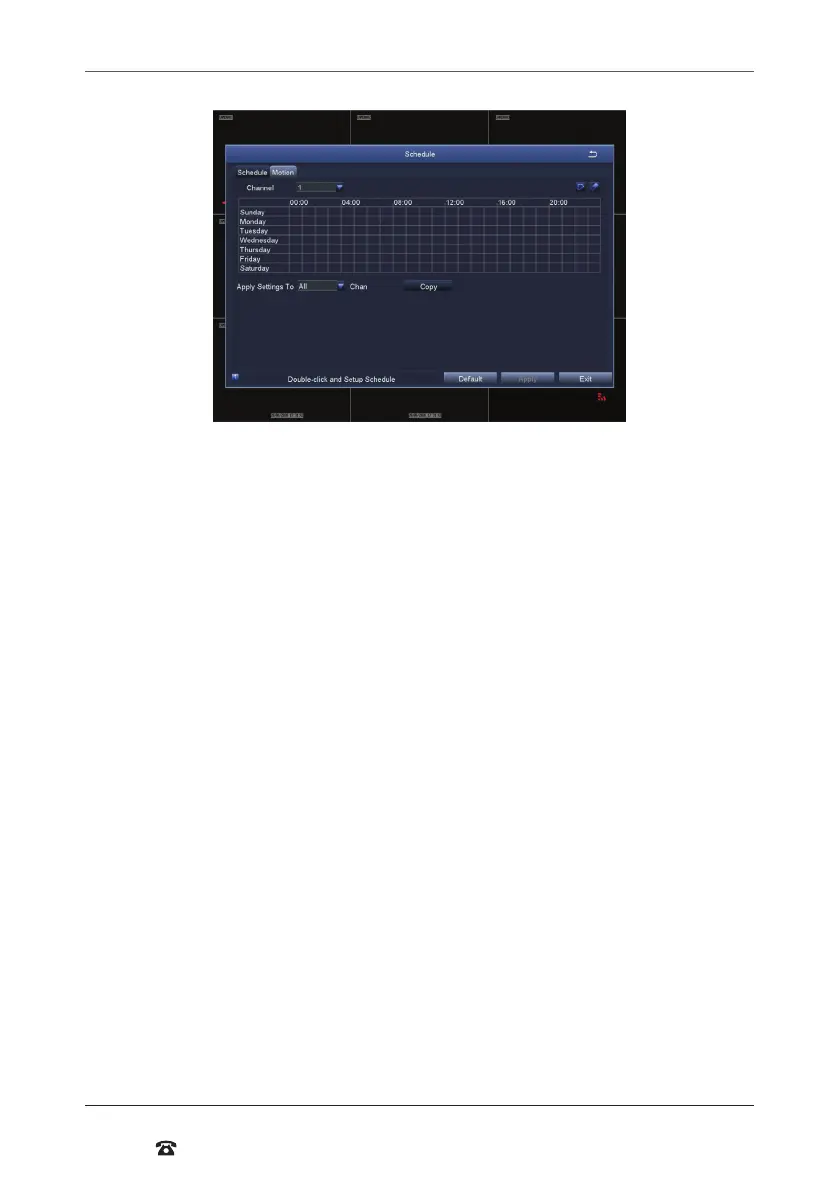
Schedule
Allows manual record and motion record times to be scheduled to set an active record
time, follow these steps:
1. Select ‘Schedule’ for manual recording or ‘Motion’ for motion recording schedule
settings
2. Double-click an area on the graph where you would like to schedule recording
3. Ensure that the correct day is shown on the top le corner
4. Select ‘Add’, then use the dropdown menu to set a star and end time
5. Once set, press the tick button to add the time to the schedule
6. To copy the schedule between days, use the dropdown menu at the top right corner
to select a day, then press ‘Copy’
7. Press ‘Ok’ when complete
8. To copy the schedule between cameras, use the dropdown menu at the bottom of the
schedule screen to select a camera, then select ‘Copy’
9. To save settings, press ‘Apply’
NOTE: Time selected will be highlighted in blue blocks. As default, the DVR is scheduled for
24/7 motion recording, but no scheduled manual recordings



 To Next Page