21
1300 663 907
After Sales Support
help@cocoonproducts.com.au
Model number:
HE210303
02/2022
8CH 1080P SECURITY CAMERA SYSTEMADVANCED SETTINGS
Advanced Settings
This section gives you a better understanding of all the menu options available on your
DVR unit.
Tailor these settings to your requirements.
Main Menu - Setup
The Setup menu provides access to features relating to setting up your DVR in order to
get the desired perormance. There are multiple sub-menus within setup.
IMPORTANT NOTE: Always click ‘Apply’ aer making any changes within the menu system.
If you do not click ‘Apply’, your changes will not be saved
Basic
Here you will ind the basic settings on your DVR.
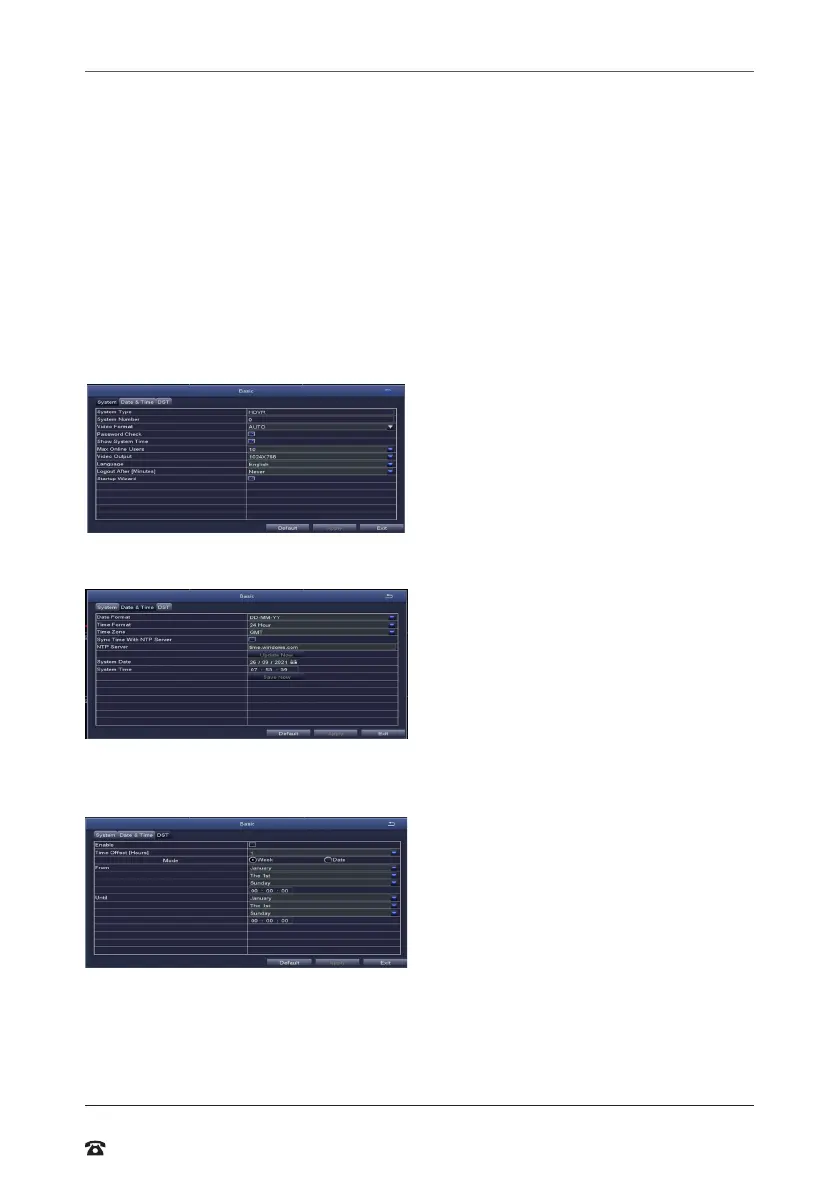
System tab
Set the default system settings by selecting
an option on the right-hand side of the
menu.
• Max Online Users: Limit the amount of
simultaneous viewers of the DVR
• Video Output: Change your default
output from 1024x768 to match your
display
Date & Time tab
Ensure your recordings are capturing the
correct date and time. Change the current
date and time by clicking on the date and
time boxes and following the on-screen
prompts.
DST tab (daylight savings time)
Set your system to automatically adjust the
time to suit daylight savings times.



 To Next Page