22
1300 663 907
After Sales Support
help@cocoonproducts.com.au
Model number:
HE210303
02/2022
8CH 1080P SECURITY CAMERA SYSTEMADVANCED SETTINGS
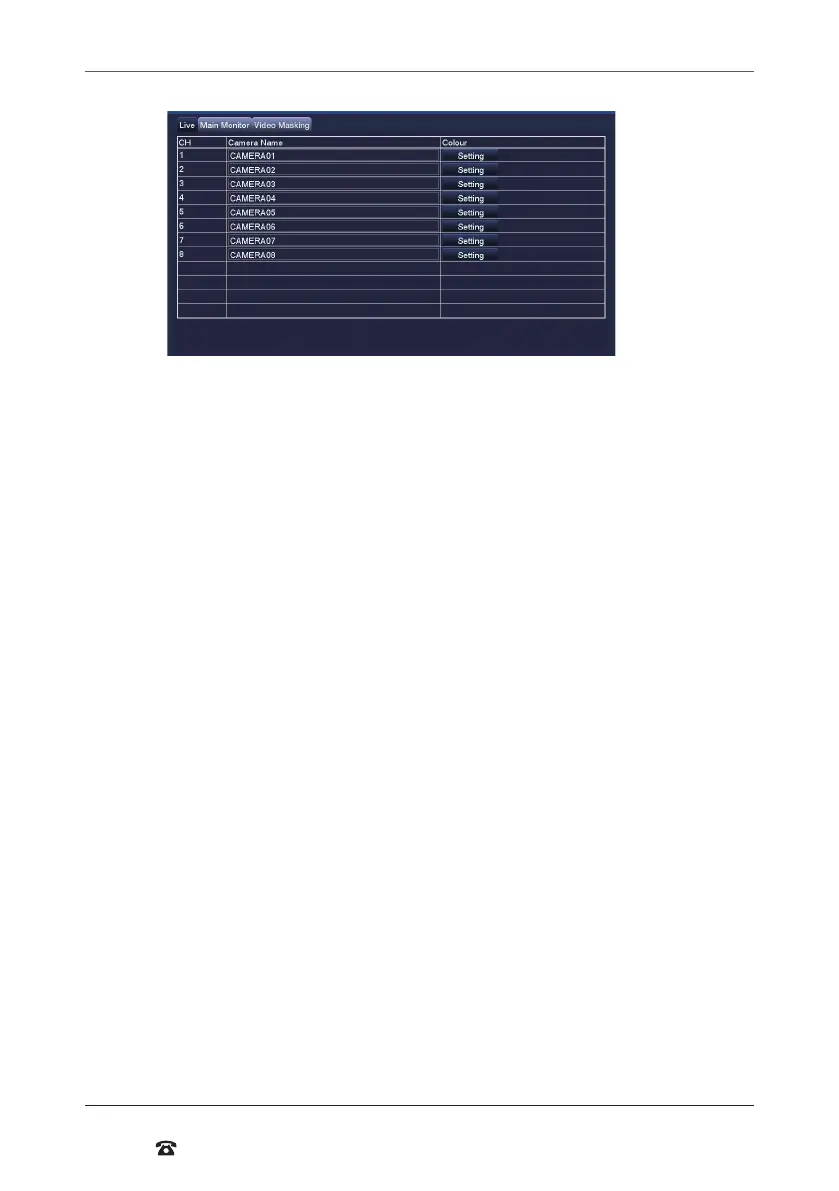
Live
Live tab
• Camera Name: Label the selected camera (up to 31 characters). Defaults names are
Camera 1, 2, 3, 4, 5, 6, 7 & 8. Rename to your preferred
• Colour: Click on ‘Setting’ to adjust Brightness, Hue, Saturation, Contrast, and
Sharpness settings for each camera
Main Monitor tab
• Display Mode: Select among 1x1, 2x2, 2x3 or 3x3 view
NOTE: If 1x1 is used, Star/Stop Scan can be used on the viewing screen to automatically
change between cameras
• Interval[S]: Select the interval that Star/Stop Scan should use
• Previous/Next Group: If 1x1 display mode is used, cameras can be re-ordered for
when Star/Stop Scan is used
Video Masking tab
• Mask Area Setting: Mask areas of the camera that you don’t want recorded. Useful
for hiding personal information from recordings. To activate, select ‘Setting’, then use
the mouse to draw a rectangle over the area you want ‘masked’. To remove the masks,
select ‘Default’ from the
Live menu
• Default: Reset the displayed settings to factory defaults
• Apply: Aer all changes are made, click the ‘Apply’ button to save
• Exit: If you want to cancel aer making any changes, click ‘Exit’ to exit the menu
without changes
IMPORTANT NOTE: Always click ‘Apply’ aer making any changes within the menu system.
If you do not click ‘Apply’, your changes will not be saved



 To Next Page