Horizon Imager User’s Manual 10-19
3UHYHQWLYH0DLQWHQDQFH
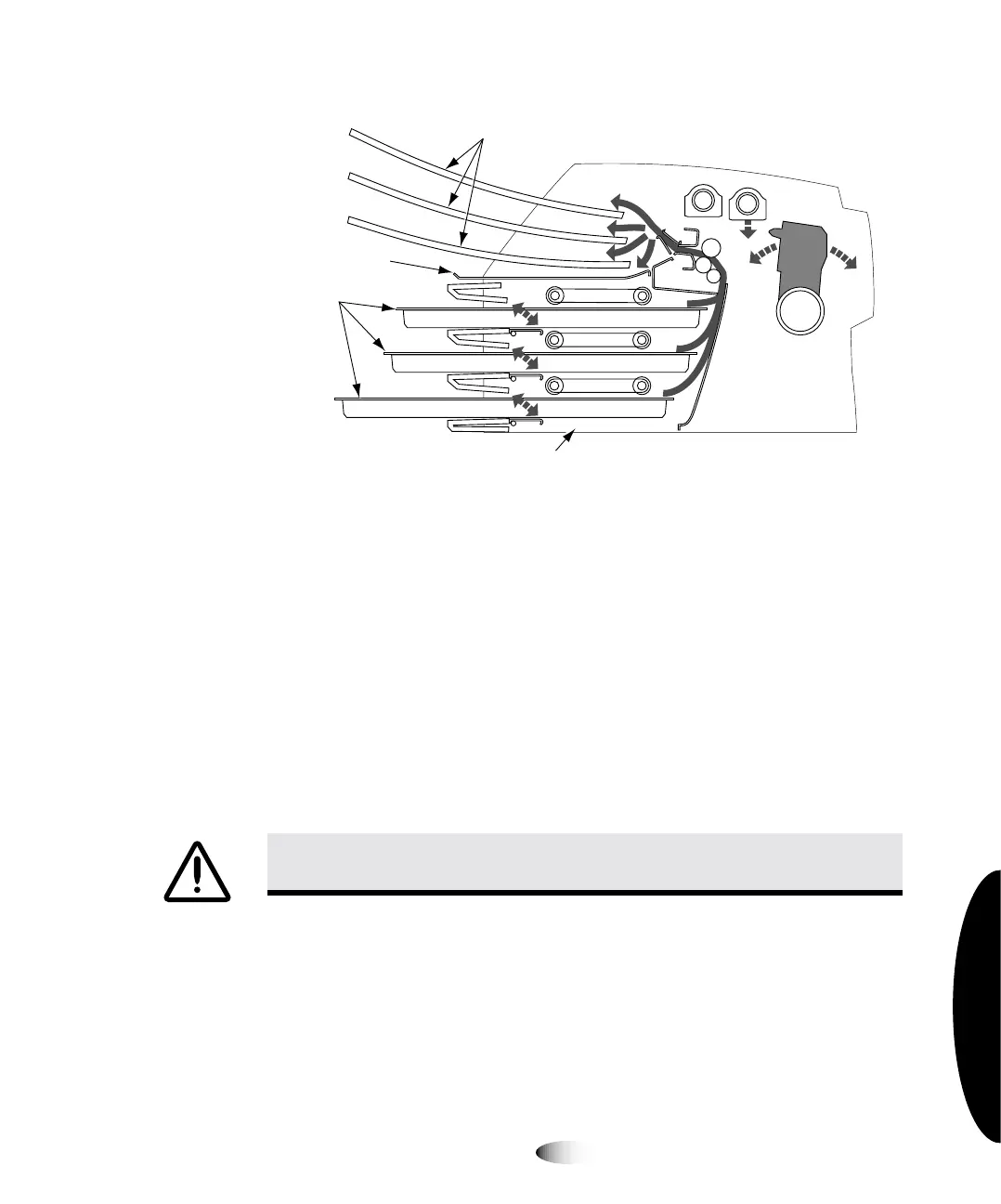
&URVV6HFWLRQRI,PDJHU6KRZLQJ/RFDWLRQRI+LGH7UDFNDQG
%DVHPHQW
`äÉ~åáåÖ=íÜÉ=_~ëÉãÉåí
The
basement
is the polished sheet metal at the bottom, inside of
the imager (see the figure on page 10-19). When printing a
ChromaVista
sheet, the imager backs up the unfinished sheet into
the basement for all but the final color pass.
Using a platen roller wipe (refer to “Horizon Cleaning Kits” on
page 10-2), gently clean the basement of any dust or debris.
&$87,21
'RQRWVFUDWFKRUQLFNWKHVKHHWPHWDO6FUDWFKHVDQGQLFNVLQWKH
EDVHPHQWZLOOGDPDJHWKHSULQWHGVLGHRI
&KURPD9LVWD
VKHHWV
Receive
trays
assettes
Hide track
Basement



 To Next Page