2-8 Setting Up the Imager
The Horizon imager supports the following network cables and
hubs:
Category 5, RJ-45 [also referred to as unshielded twisted pair
(UTP)] network patch cables and crossover cables
10/100/1000 Base-T Ethernet hubs
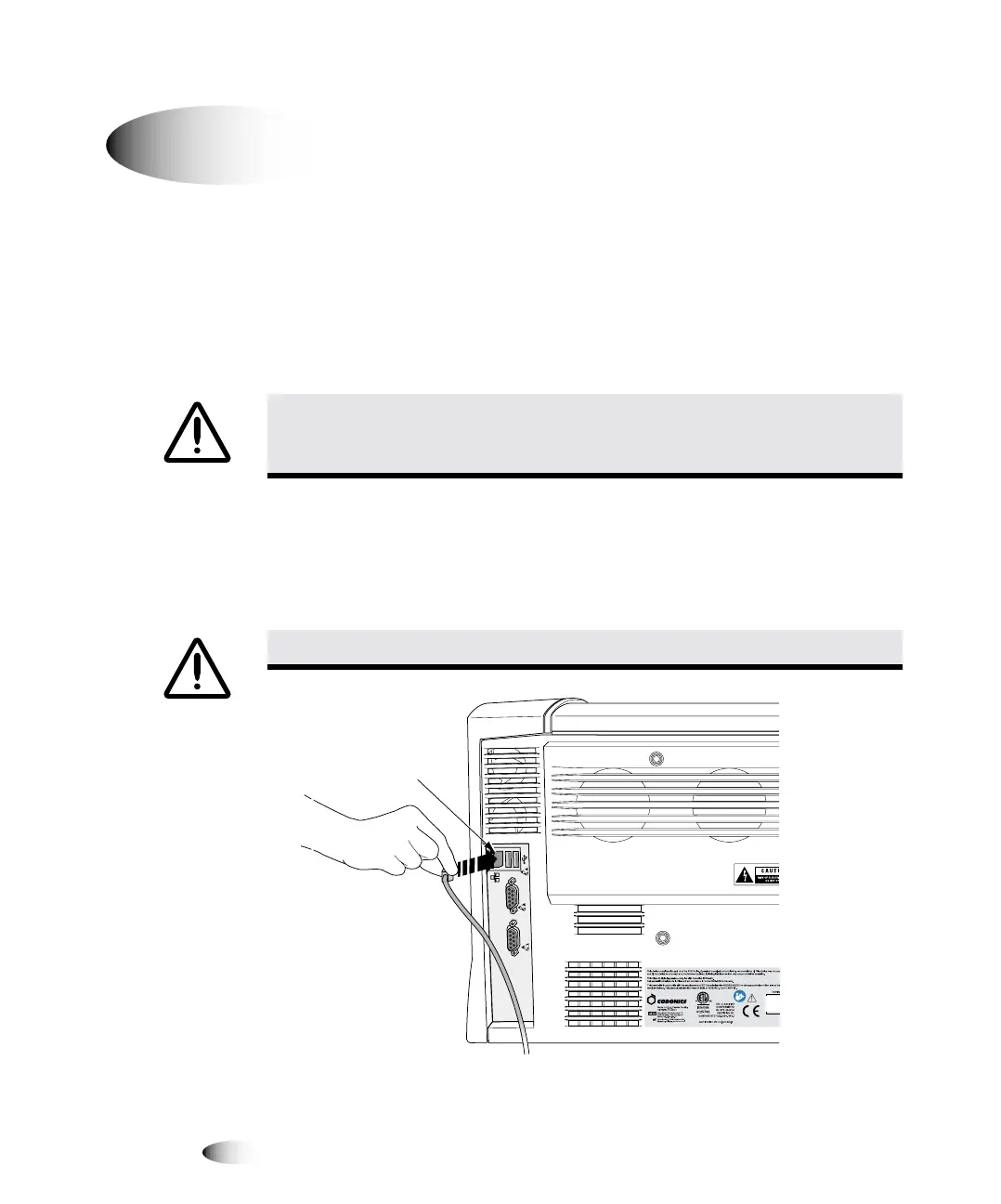
1. Locate the Ethernet cable jack at the back of the imager and
insert the Ethernet cable, as shown in the following illustrations.
1HWZRUNFRQQHFWRU
`çååÉÅíáåÖ=íÜÉ=bíÜÉêåÉí=`~ÄäÉ
&$87,21
0DNHVXUHWKDWWKHLPDJHULVSRZHUHGRIIEHIRUHFRQQHFWLQJWKH(WKHUQHW
FDEOH)RULQIRUPDWLRQDERXWSRZHULQJWKHLPDJHURQDQGRIIUHIHUWR³3RZHULQJWKH
,PDJHU2QDQG2II´RQSDJH
&$87,21
'RQRWWRXFKDQ\RIWKHFRQQHFWRUSLQV
8
7RFRQQHFWWKH
(WKHUQHWFDEOH
WRWKHLPDJH
C
O
N
S
O
L
E
U
P
S
Network
connector



 To Next Page