Horizon Imager User’s Manual 2-25
6HWWLQJ8SWKH,PDJHU
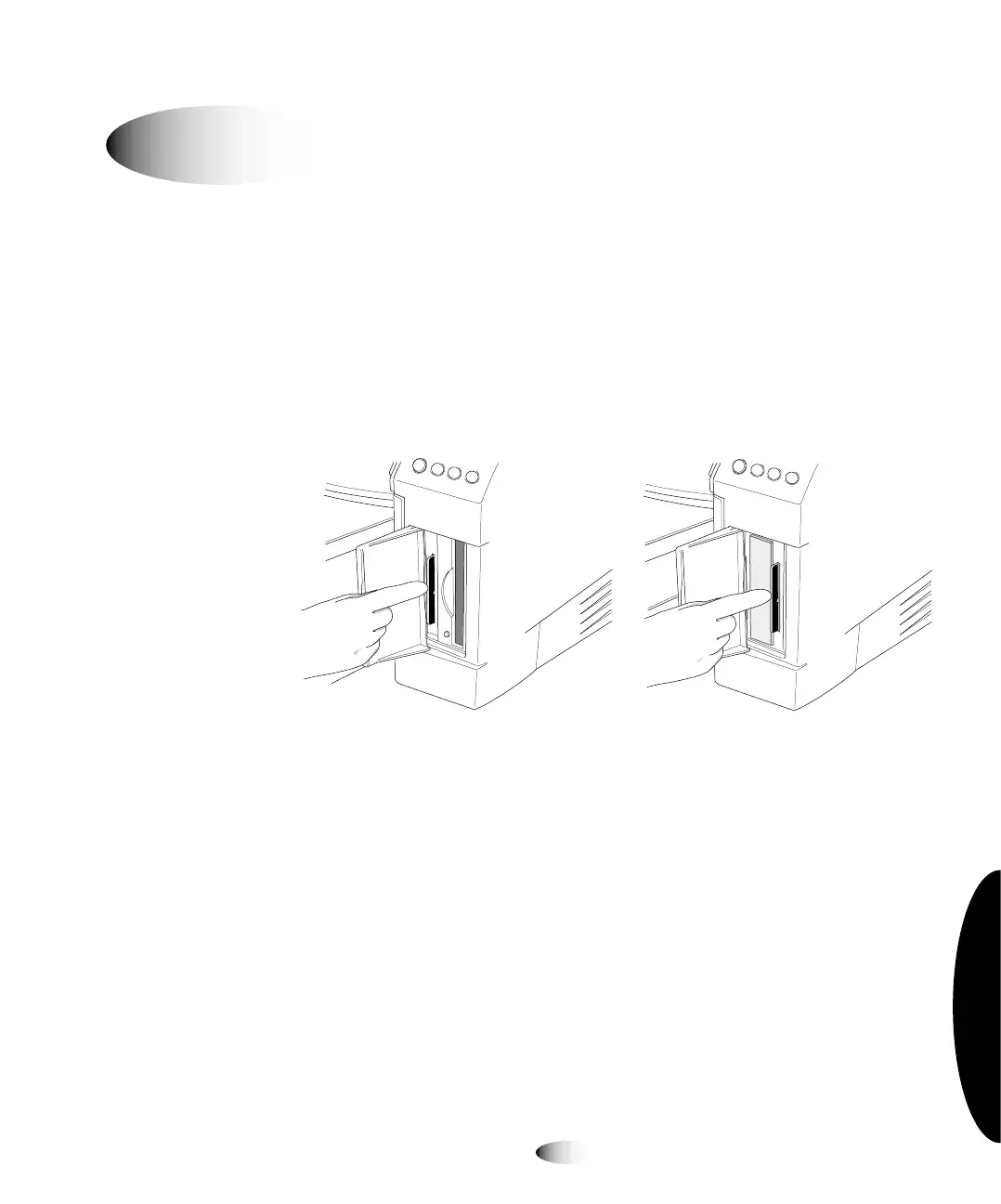
When swapping imagers for service reasons, the swap imager does
not come with a Smart Card, You have to move the imager’s Smart
Card, with all its unique information—that is, its license code,
configuration data, and so on—to the swap imager.
1. Power off both imagers.
2. Remove the Smart Card from the imager requiring service, then
insert it into the swap imager.
6PDUW&DUGLQVORW²+RUL]RQ 6PDUW&DUGLQVORW²+RUL]RQ
ZLWK=LSGULYH ZLWKQR=LSGULYH
3. Power on the swap imager.
When reinserted back into the original imager that required service,
the Smart Card—and, thus, the original imager—will have any
changes made on the Smart Card while in the swap imager.
jçîáåÖ=pã~êí=`~êÇ=íç=~=pï~é=fã~ÖÉê
8
7RPRYHWKH
6PDUW&DUGWR
DVZDSLPDJH



 To Next Page