Horizon Imager User’s Manual 2-5
6HWWLQJ8SWKH,PDJHU
7. Plug the other end of the power cord into a suitable receptacle
or into a UPS.
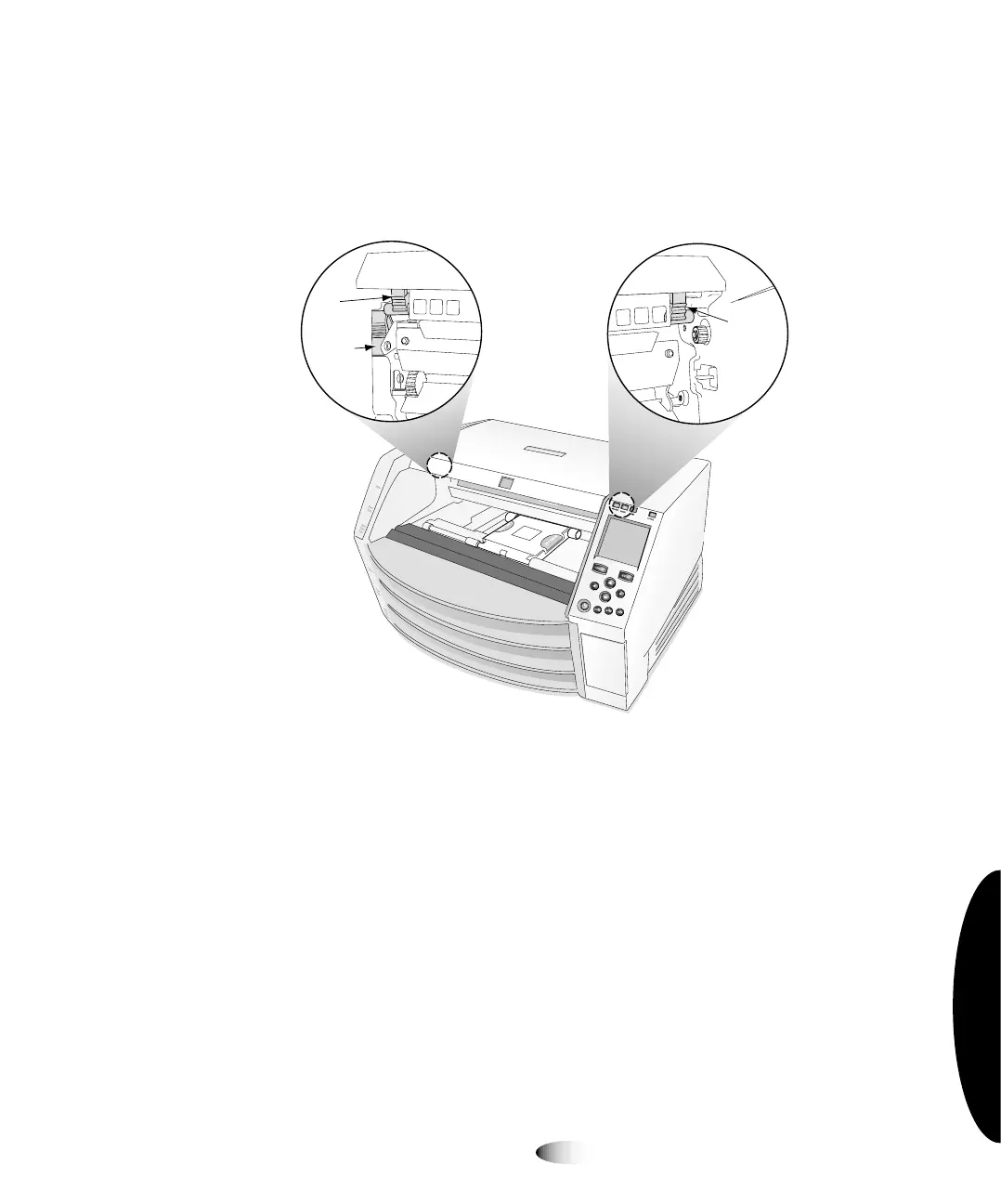
8. Open the top cover by pressing any of the green releases shown
in the following figure.
9. Remove any packing material that is inside the imager.
127(
,IXVLQJD836PDNHVXUHWKDWLWLVSOXJJHGLQWRDVXLWDEOHUHFHSWDFOHDQGSRZHUHG
RQ,IQHFHVVDU\UHIHUWRLWVDFFRPSDQ\LQJGRFXPHQWDWLRQ
Right
release
Left
release
Master
release
3



 To Next Page