21
DEC 2021
INSTALL GUIDE
2
SOFTWARE SETUP
COGNEX DataMan 374
REV 00
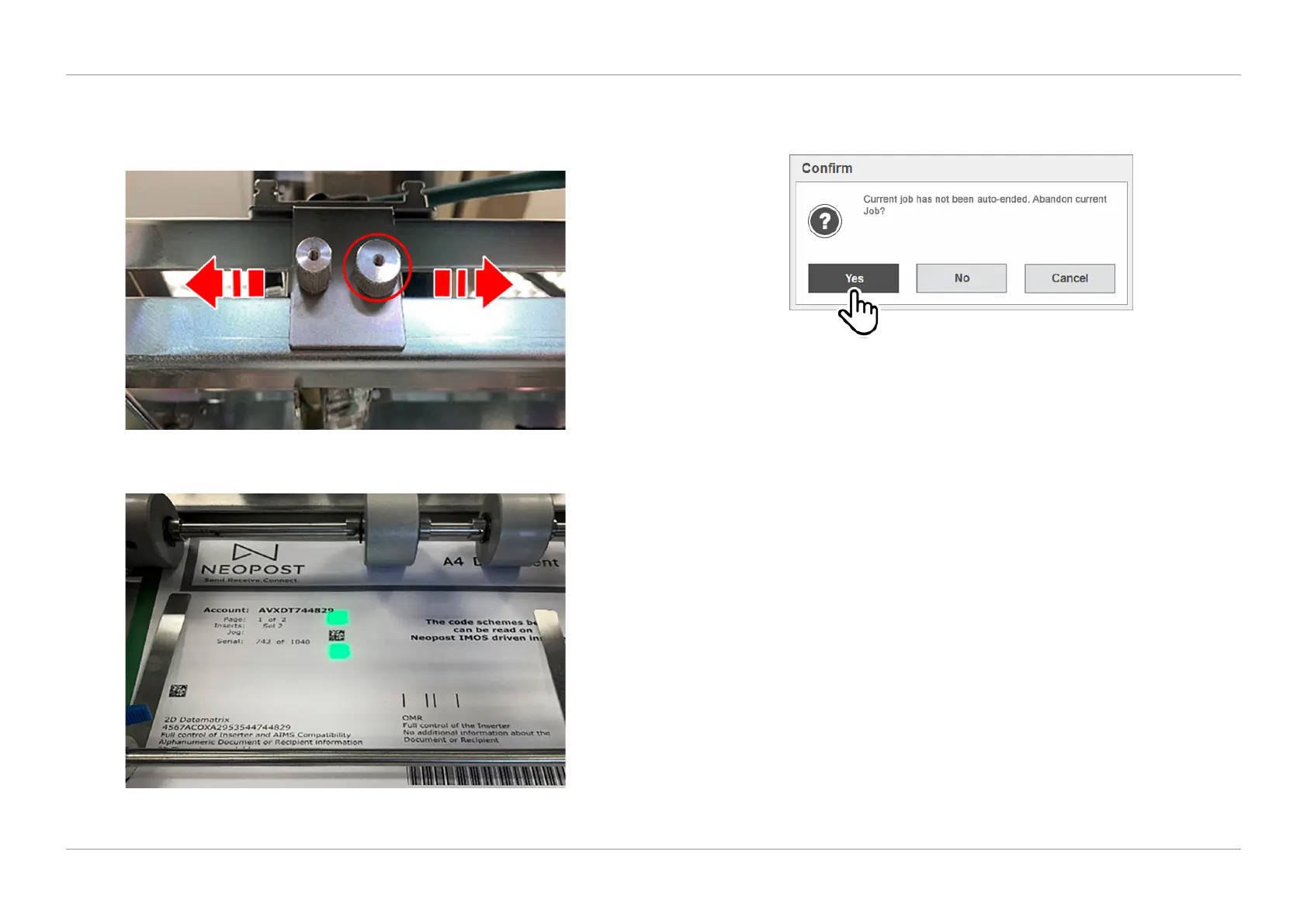
7. Then use the large adjustment knob indicated in Figure 2.16 to slide the reader
across and adjust it until the label is between the two green lights as shown in
Figure 2.17.
QTL-RND-OPS-00000331-A-00
Figure 2.16 – Adjusting the reader
QTL-RND-OPS-00000332-A-00
Figure 2.17 – Label positioned between the two green lights
8. Once the adjustments have been made, exit the IMOS run screen, conrming
‘Yes’ to abandon the job as shown in Figure 2.18.
QTL-RND-SCR-00000271-A-00
Figure 2.18 – Selecting Yes to abandon current job
9. The reader will then need to be aligned, see section 2.5 Reader Alignment for
further assistance.












 To Next Page