Connection Options
This section provides descriptions on the connection options of DataMan 8050 including details about Ethernet-, RS-
232- and USB-based connections. In the following sub-sections, you will learn how to connect your DataMan 8050
reader through RS-232, or USB, and in the case of a wireless reader, how to connect to a base station and how to pair
your reader with the active base station.
Connecting a DataMan 8050 Through RS-232
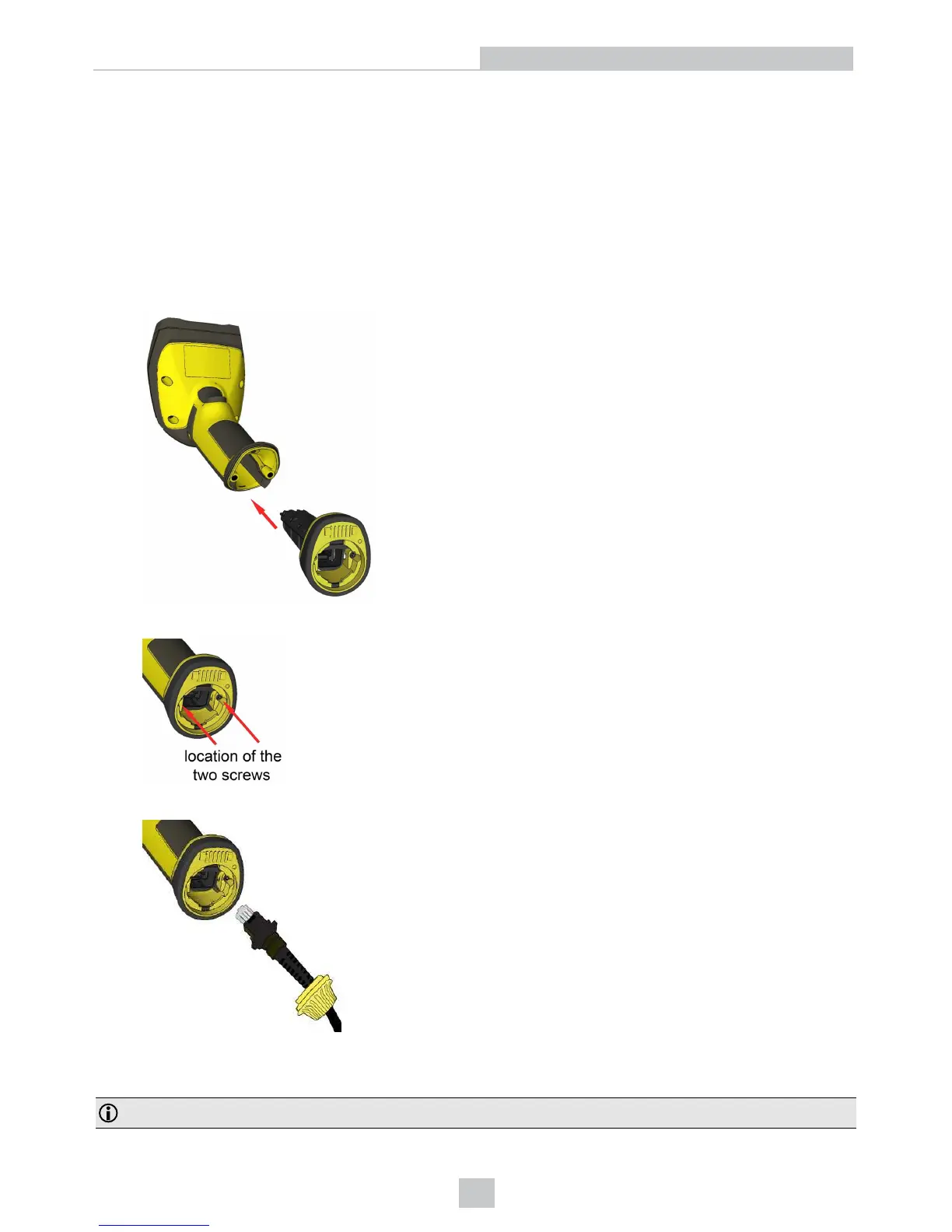
1. Connect the serial slide-in (DMCM-SERIALM-00) to your DataMan 8050.
2. With a 2.5 mm Allen wrench, tighten the screws so that the slide-in is firmly locked.
3. Insert the plug and slide the cable lock up to the reader and twist the cable lock in place.
Use the DM8000-RS232-02 cable (2.5 meters) or the DM8000-RS232-05 cable (5 meters). For power supply, use the
DataMan 8000 Power Supply (DM100-PWR-000).
Note: Disconnect the DataMan 8050 reader from power before inserting/removing the communication modules.
14
Connection Options













 To Next Page