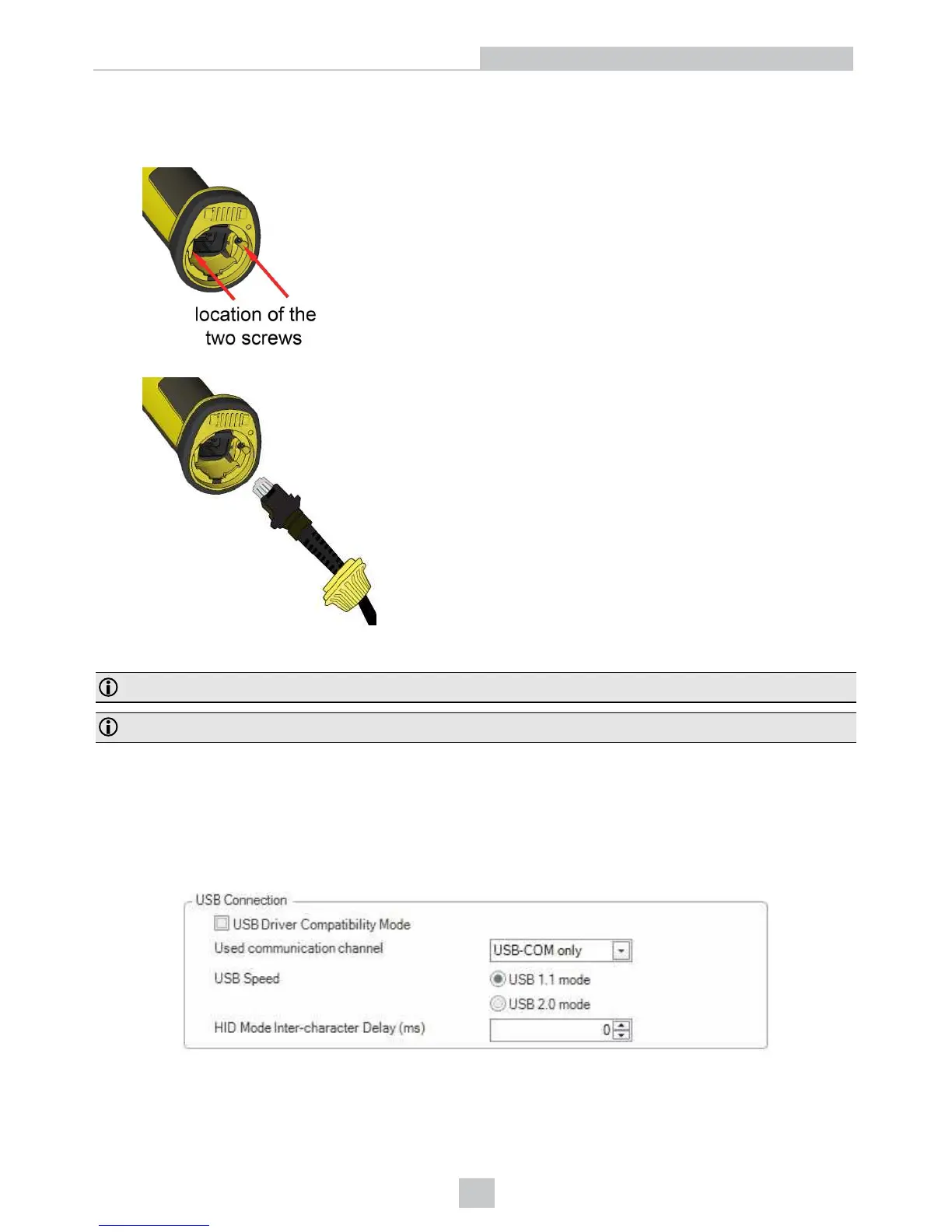
2. With a 2.5 mm Allen wrench, tighten the screws so that the slide-in is firmly locked.
3. Insert the plug, slide the cable lock up to the reader and twist the cable lock in place.
Use the DM8500-USB-00 cable (2.5 meters) or the DM8500-USBC-02 cable (2.5 meters).
Note: DataMan 8050 does not require an external power supply.
Note: Disconnect the DataMan 8050 reader from power before inserting/removing the communication modules.
Using Your Device Through USB
If you connect your reader with the coiled USB cable, you must use your device in USB 1.1 mode. With a straight USB
cable, you can use your device in both modes.
Change the USB Connection in the Serial tab of the Communication Settings pane in DataMan Setup Tool, or scan the
appropriate code from the DataMan Configuration Codes document.
You can also switch the USB mode (CDC or HID) of both the reader and the base station with a pair of RP codes.
Perform the following steps:
16
Connection Options













 To Next Page