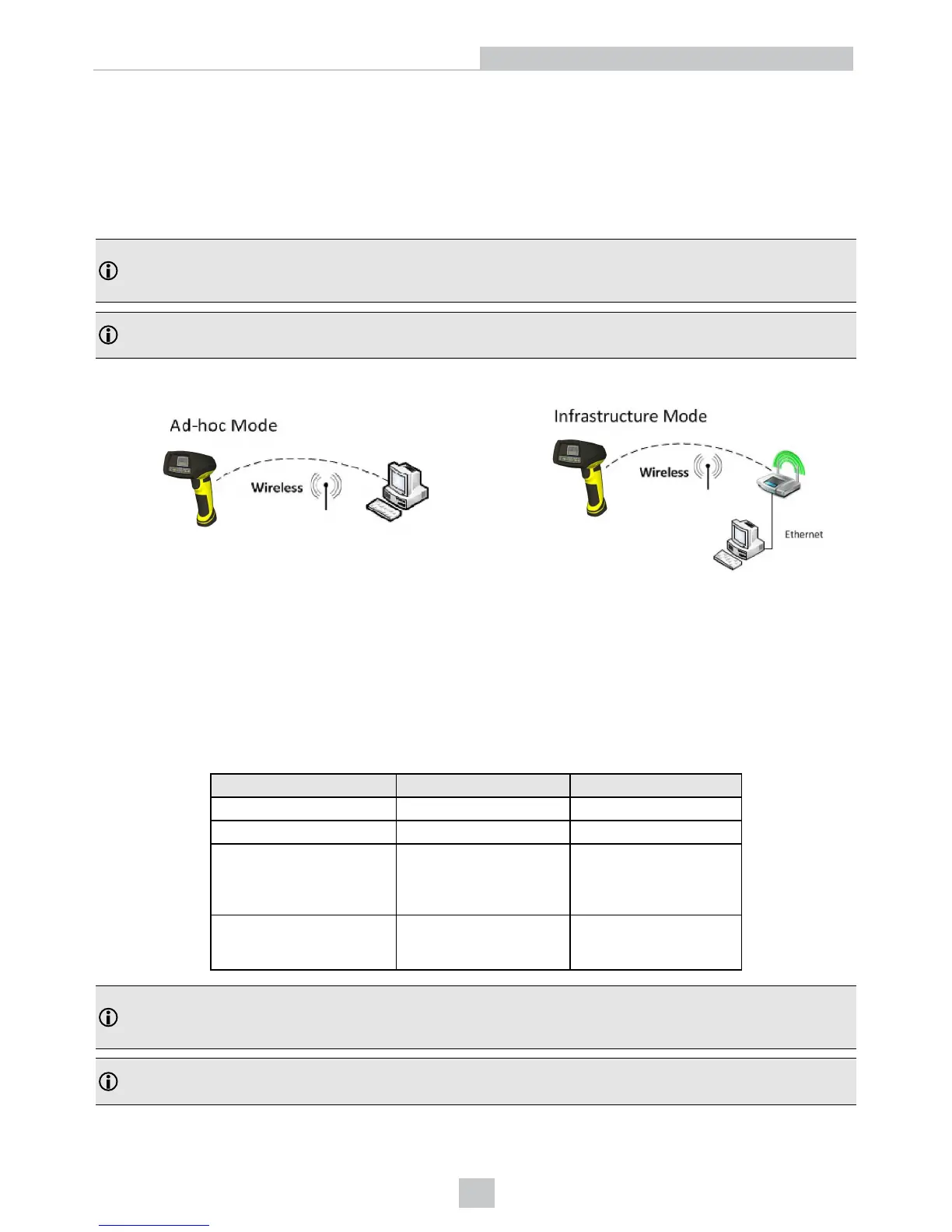
Ad-hoc Mode
It is possible to connect to the reader wirelessly with the computer in ad-hoc mode (using a reader-created WiFi
connection). Reset the reader to factory defaults (this configures the device to ad-hoc mode), and after the device
appears under WiFi connections, connect to it with the DataMan Setup Tool and then use the Wireless tab under
Communication Settings to configure authentication and encryption (which are not configured by default). For more
information, see the Communications and Programming Guide.
Note: The base station is only used for charging the reader in this setup. If an intelligent base station is used, the
reader has to be unassigned in the DataMan Setup Tool (connected to the base station) under Communication
Settings > Wireless tab if the reader has already been placed in the base station.
Note: Placing the reader in the intelligent base station automatically reassigns it to the base station unless the base
station is unplugged from the network first.
Infrastructure Mode
It is possible to connect to the reader in infrastructure mode using WiFi connection. You need to reset the reader to
factory defaults, connect to the device in ad-hoc mode, and then use the Wireless tab under Communication Settings to
activate and configure infrastructure mode.
Infrastructure mode requires a router as an access point. Encryption and authentication are available as seen in the
table below. See the Communications and Programming Guide for detailed information.
Authentication mode Encryption Requirements
Open System WEP-40, WEP-104 passphrase
WPA-PSK, WPA2-PSK TKIP, AES, TKIP/AES passphrase
EAP-TLS TKIP, AES, TKIP/AES
- Client’s certificate
- CA’s certificate
- Client’s private key
- Client’s username
PEAP-MSCHAPV2 TKIP, AES, TKIP/AES
- Client’s certificate
- CA’s certificate
- Client’s username
Note: The base station is only used for charging the reader in this setup. If an intelligent base station is used, the
reader has to be unassigned in the DataMan Setup Tool (connected to the base station) under Communication
Settings > Wireless tab if the reader has already been placed in the base station.
Note: Placing the reader in the intelligent base station automatically reassigns it to the base station unless the base
station is unplugged from the network first.
24
Connection Options













 To Next Page