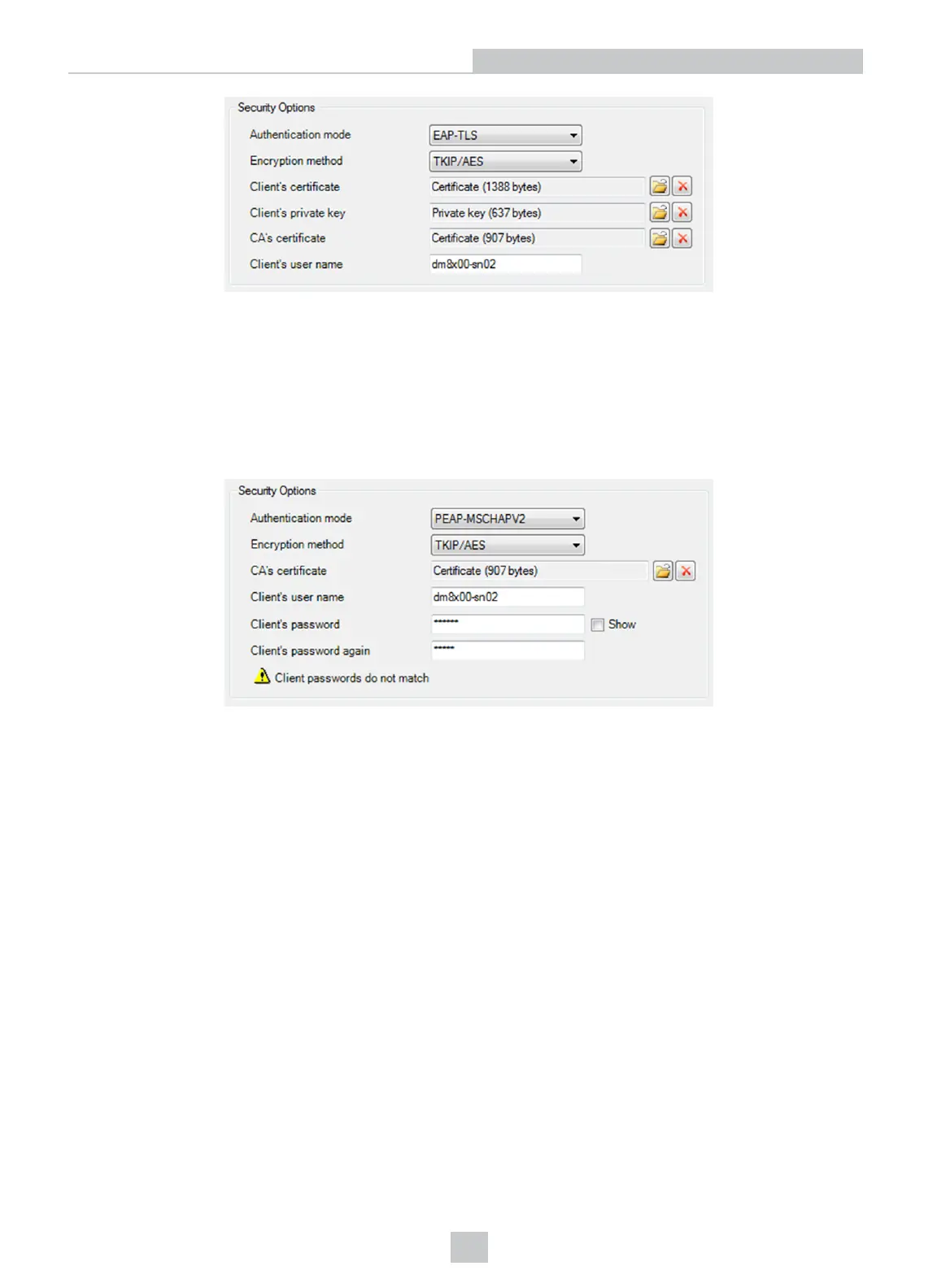
Removing a Certificate File from DataMan
Click the red X button beside the corresponding field to delete an existing certificate from your device. The certificates
are saved into device backups, and may be completely restored.
PEAP-MSCHAPV2 Authentication Mode
Encryption methods: TKIP, AES, TKIP/AES are supported. All these methods require a PEM file containing the CA’s
certificate, the client’s user name, and a password.
Certificate Files
In the DataMan Setup Tool, the following restrictions apply to the PEM files:
l Their format must be the industry-standard PEM format (generated by OpenSSL toolkit).
l The PEM dialect may be either PKCS8 or SSLeay.
l Only an unencrypted private key and certificate files are allowed.
l The Client’s private key and certificate must contain exactly one section; the CA’s certificate can contain one or
more certificates.
l Make sure that you know the user name stored within your own certificate file, and use the same name in the
Client’s user name text box. This is necessary because the Setup Tool does not look into the certificate files to
extract this user name information.
When you leave the Wireless tab, a reboot confirmation window pops up and the settings are saved to the device.
Connecting Your DataMan Intelligent Base Station to the Network
1. If you use DMA-IBASE-00, power up your base station using one of these two options:
l If you want to connect the Ethernet cable directly to the network or your PC, power up the base station
using a 24V power supply.
10
Networking











 To Next Page