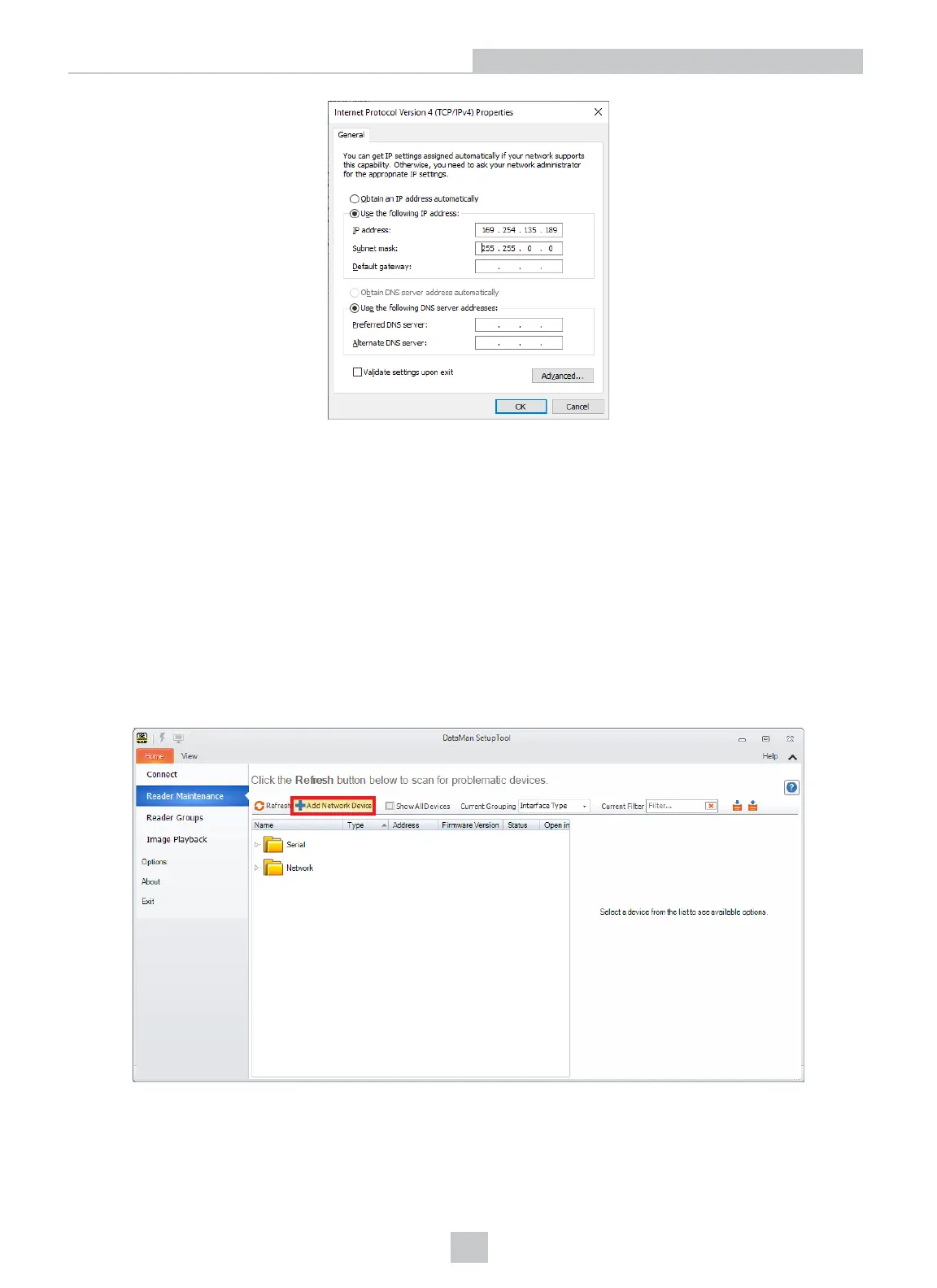
7. Click Close. The network settings of your PC will change to the new specified values.
8. Reboot the DataMan device. It appears under the Discovered Devices node on the Connect page after the
network address has been resolved.
9. If the device does not appear after 1 or 2 minutes, click the Refresh button on the DataMan Setup Tool’s Connect
page. The DataMan Setup Tool scans for DataMan devices connected to the PC or connected to the same
network.
Connecting Your Reader Across Subnets
The following options can be used to connect to the DataMan device with the DataMan Setup Tool across subnets if you
already know the IP Address of the device.
1. In the DataMan Setup Tool’s Reader Maintenance page, click Add Network Device.
2. Enter the IP Address of the target DataMan device.
16
Networking











 To Next Page