Chapter 4 Setting Delay Values
© 2010 Colby Instruments. PDL-100A Operating and Programming Manual Page 21
4.5.0 Working Remotely Through the GPIB Interface
There are three different ways to connect remotely to the PDL-100A:
GPIB (IEEE 488.2)
Ethernet TCP/IP (Winsock)
RS-232 Serial Port
4.5.1 Connecting remotely over GPIB (IEEE488.2)
Each instrument communicating using GPIB (IEEE488.2) protocol requires a
unique hardware address in the range from 1 to 31.
4.5.2 Setting the GPIB (IEEE488.2) Address
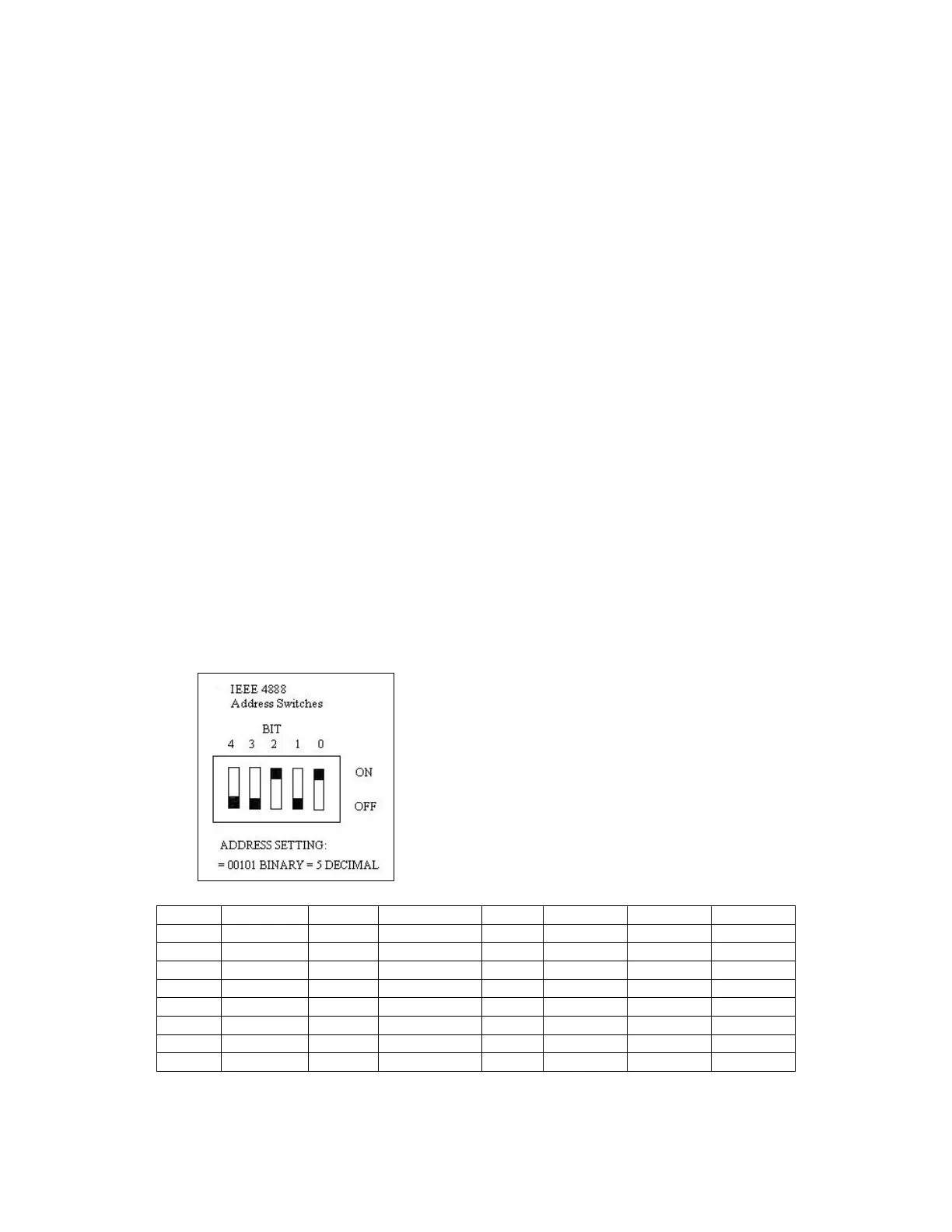
The PDL-100A unit is shipped with the default GPIB address switch settings set
to 5. You can modify this setting with the switches located on the instrument
backpanel. See Section 7.0 Backpanel for diagram and location of GPIB address
switches. The switches are coded in a 5 bit binary fashion where the right-most
switch represents bit 0 (the Least Significant Bit). A bit is ON when the switch is
in the UP position.
Artisan Technology Group - Quality Instrumentation ... Guaranteed | (888) 88-SOURCE | www.artisantg.com



 To Next Page