Chapter 4 Setting Delay Values
© 2010 Colby Instruments. PDL-100A Operating and Programming Manual Page 26
4.6.2 Using HyperTerminal and Ethernet (TCP/IP)
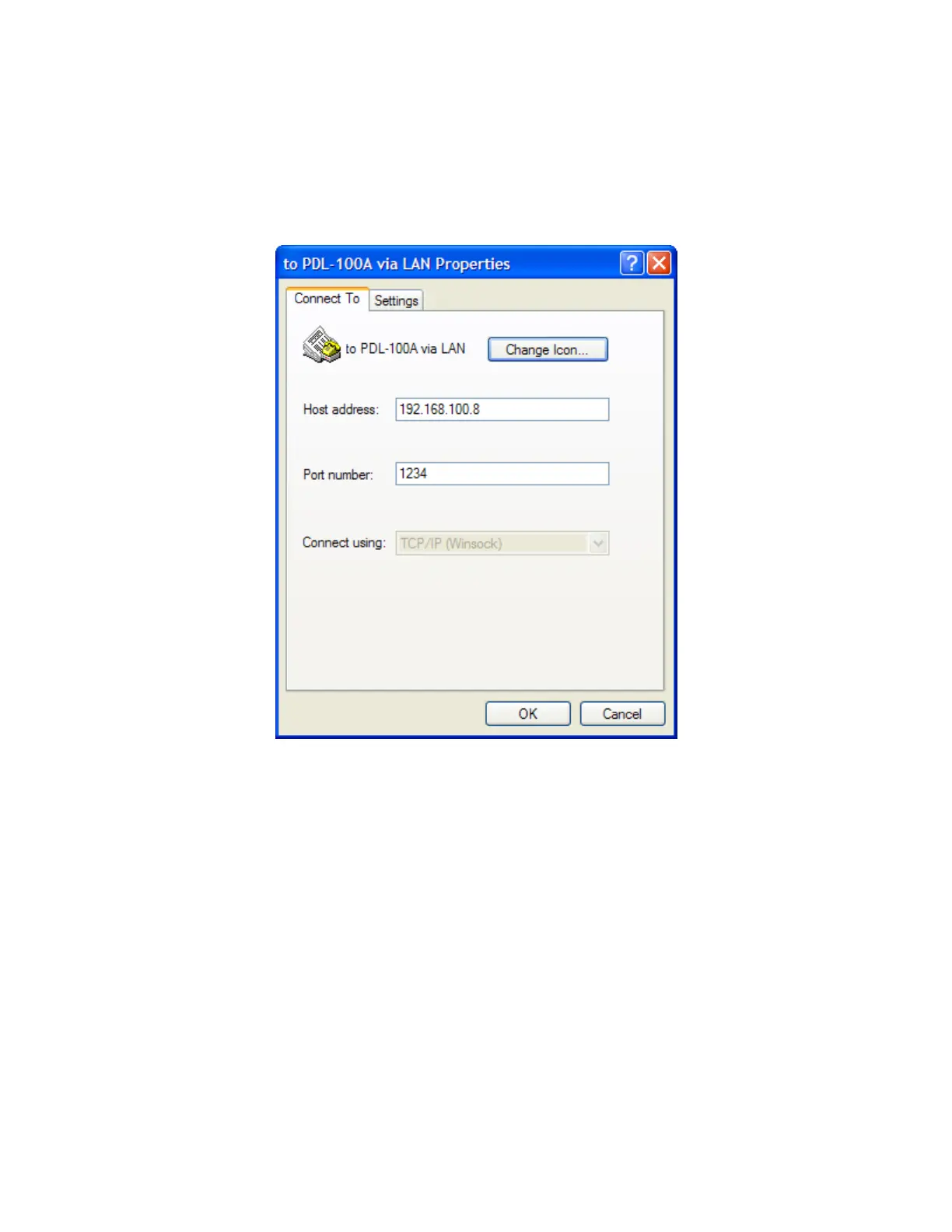
1. From the Windows Desktop, start HyperTerminal on your PC.
2. Click on File and Properties
3. Select TCP/IP(Winsock) in Connect using: drop-down list box
4. Enter the Port Number that corresponds to the Port Number for the
PDL-100A.
5. Enter the Host address that corresponds to the Network IP address for
the PDL-100A.
6. Click on OK to continue.
7. Click on Call to initiate the Winsock Session with the PDL-100A.
Artisan Technology Group - Quality Instrumentation ... Guaranteed | (888) 88-SOURCE | www.artisantg.com



 To Next Page