9.4 Packing
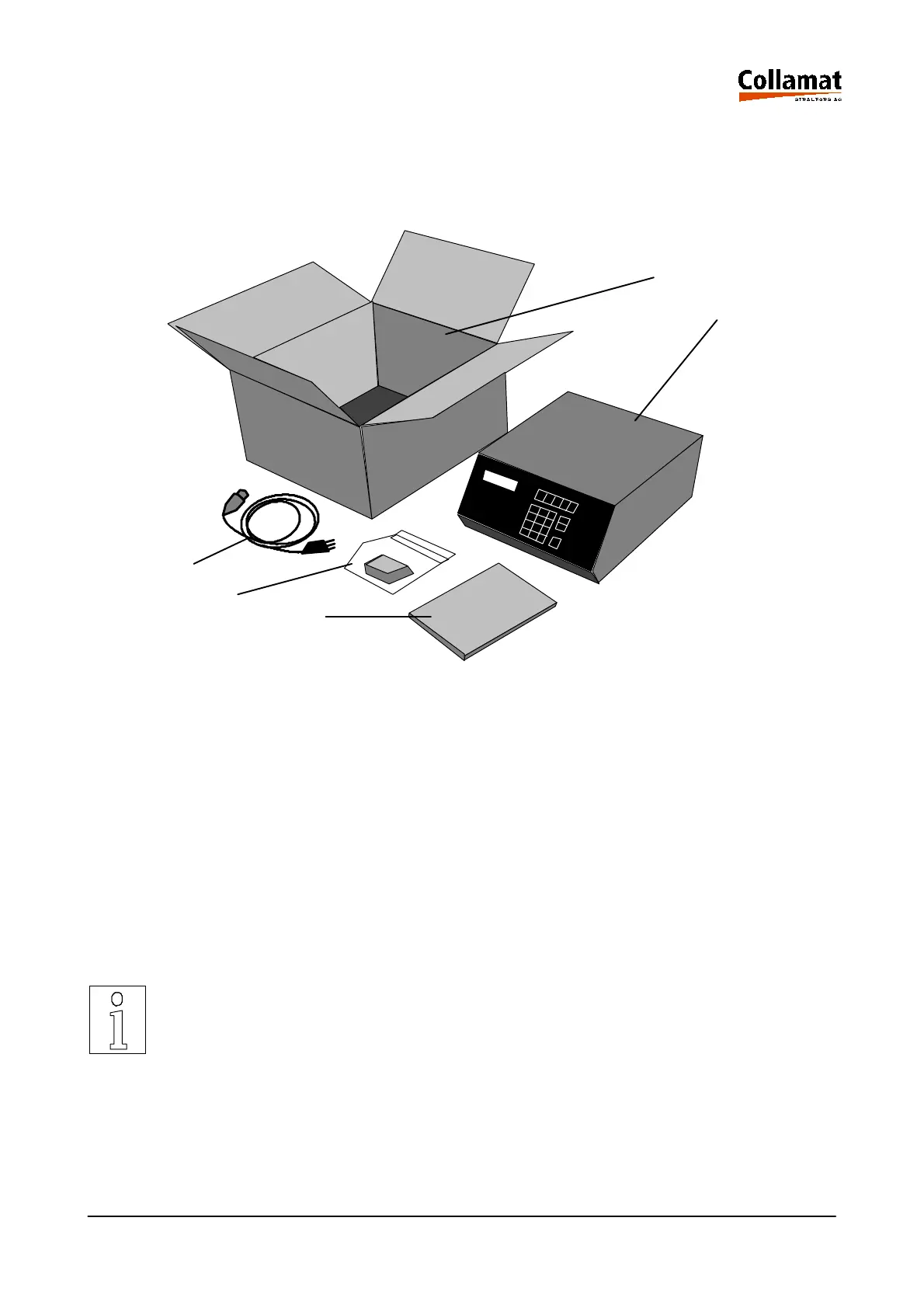
The monitor is shipped in a special shock-proof package. For shipping, only this package may be
used. For damages due to wrong packing and shipping we refuse any guarantee. The following figu-
re shows all parts which are shipped in the package:
1. Packing box 2. Monitor C8600 or C9100
3. Power cord 4. GSC and Relay connectors unassembled
5. Operating Instructions Monitor C8600/C9100
For unpacking place the packing box 1 on a stable table or platform and open it carefully. Be careful
that the monitor 2 is not scratched by tools. Now take the monitor 2 carefully out of the package and
place it on its heatsink in the position as shown in figure above. The monitor must not be placed on
its back panel. This may damage it. Now unpack the Operating Instructions 5, the power cord 3 and
the relay connector 4, and place it on the table as shown in the figure above.
The packaging material and the packing box should be kept for later shipping.
For packing proceed in reverse order. First place the power cord and the relay connector in the box.
Then fix the monitor in the packing box with the packing material and as last put the Operating
Instructions behind the monitor. Now the packing box can be closed for shipping.
For shipping damages due to wrong packing no guaranty will be given. The mo-
nitor must be shipped in its original transportation packing.
Manual
1
2
3
4
5
5999.530-01E 14.01.2004 CSWM 4 53



 To Next Page