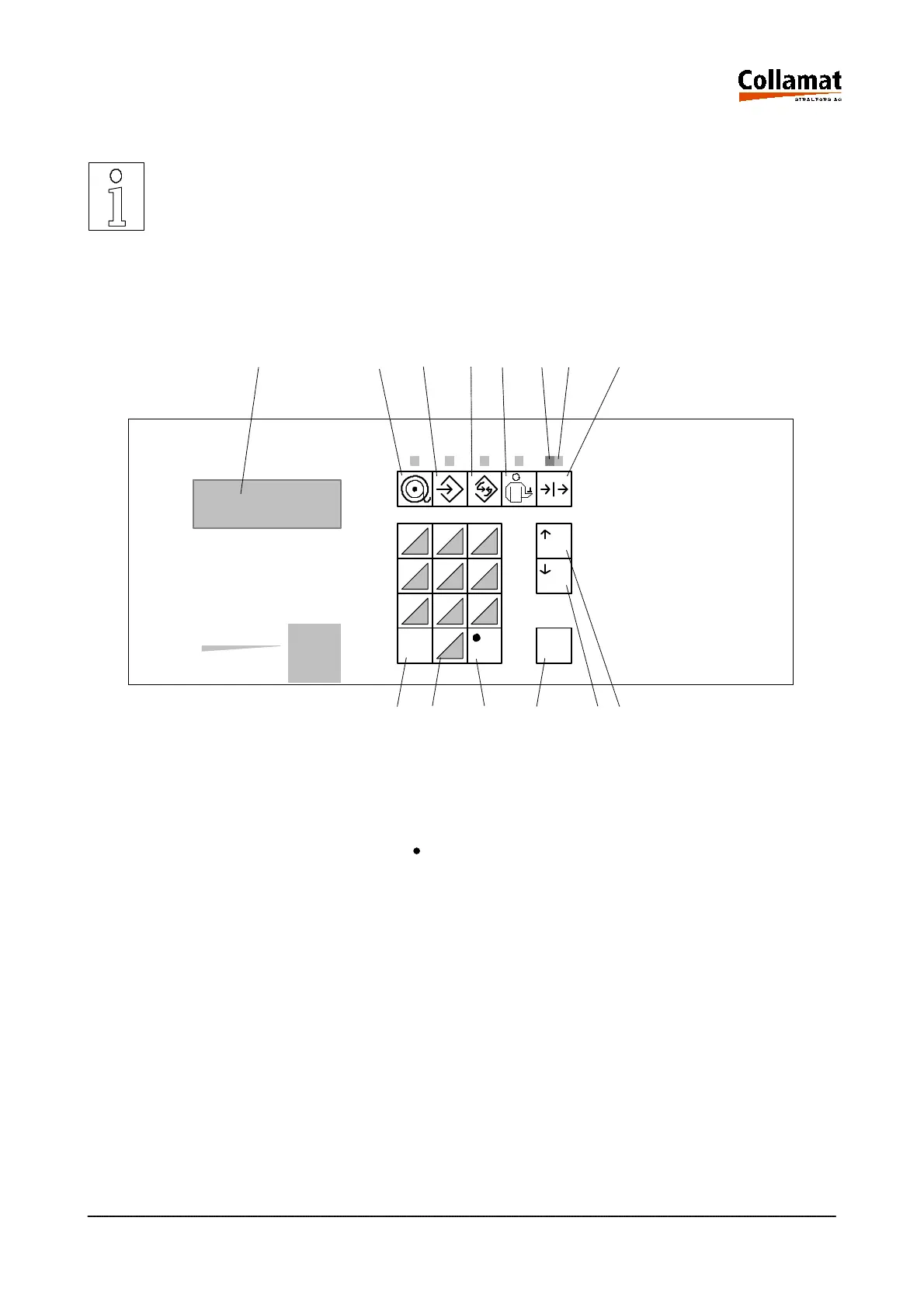
3.1 The controls of the monitor
The mains switch of the monitor is installed on the back panel. Before
switching on check labeller and system signals for correct connection.
All functions and data of the labeller are entered via the controls of the monitor. Monitor data and sta-
tes are indicated by a background lighted LCD-display with four lines with 20 characters each. A foil
keyboard is used to enter data. The keys have a well sensible action point allowing also correct in-
puts in a noisy environment. The controls of the monitor are shown on the following figure:
Legend
1.
4 line LCD
8. RUN LED
2. Labeling mode key 9. ESC key
3. Programming key 10. Keyboard 0...9
4. Configuration key 11. ' ' Key
5. Service indication key 12. ENTER key
6. RUN/STOP key 13. UP key
7. STOP LED 14. DOWN key
0
ESC ENTER
7 8 9
4 5 6
1 2 3
1 2
3 4 5 67 8
9 10 11 12 14 13
Collamat
STRALFORS AG
5999.530-01E 14.01.2004 CSWM 4 8



 To Next Page