MACHINE CODE QTY BRISTLE NOTES
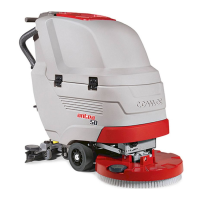
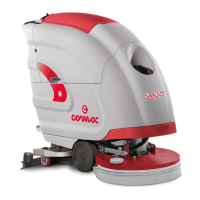
Vega 2019
70Bto
442638 1 - RED ABRASIVE PAD
442663 1 - GREEN ABRASIVE PAD
442664 1 - BLACK ABRASIVE PAD
443713 1 - WHITE ABRASIVE PAD
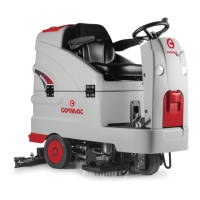
Vega 2019
70Bts
449785 2 PPL 0.3 BLUE CYLINDRICAL BRUSH
448012 2 PPL 0.6 WHITE CYLINDRICAL BRUSH
448013 2 PPL 0.9 BLACK CYLINDRICAL BRUSH
448014 2 ABRASIVE GREY CYLINDRICAL BRUSH
TROUBLESHOOTING
This chapter lists the most common problems linked with the use of the machine. If you are unable to resolve the problems with the information
given here, please contact your nearest assistance centre.
PROBLEM POSSIBLE CAUSE SOLUTION
THE MACHINE
DOES NOT START
The main switch is set to “0”. Make sure the main switch is on “I”. If it isn't, turn the key clockwise.
Check that when switched on there
are no alarm messages on the
command display.
Stop the machine immediately and contact the technician of the specialised
service centre, or press the SOS button if the HFM kit is installed.
Make sure that the batteries are
correctly connected to each other
and that the battery connector is
connected to the electrical system
connector.
Connect the batteries correctly inside the machine (see INSERTING THE
BATTERIES IN THE MACHINE”).
Check the charge level of the
batteries.
If the battery charge level is critical, perform a complete recharge cycle (see
paragraph RECHARGING THE BATTERIES”).
THE BATTERIES
ARE NOT CHARGED
CORRECTLY
(VERSIONS
WITH AN ON
BOARD BATTERY
CHARGER)
The plug on the battery charger's
cable is not correctly inserted into the
socket on the battery charger itself.
Reconnect the battery charger's power cable.
The plug on the battery charger's
power cable is not correctly inserted
into the electrical outlet.
Check that the battery charger power supply cable plug is connected to the
mains socket.
The characteristics of the mains
power supply do not correspond to
those required by the battery charger.
Check that the characteristics in the battery charger plate are the same as
those of the mains supply.
The LEDs of the battery charger blink
repeatedly.
Referring to the battery charger use and maintenance manual, check the
meaning of the ashing signals that the battery charger emits dung the battery
recharge stage.
THE MACHINE HAS
A VERY LOW WORK
AUTONOMY
Check the battery charge level, check
the symbol on the command display.
If the battery charge level is critical, perform a complete recharge cycle (see
"RECHARGING THE BATTERIES”).
THE MACHINE
DOES NOT MOVE
The machine does not start.
Read the section “THE MACHINE DOES NOT START”.
There is an issue on the drive pedal. Contact your nearest service centre.
NOT ENOUGH
DETERGENT
SOLUTION ON THE
BRUSH
The quantity of detergent solution in
the water system is not sucient for
the work to be carried out.
Check that the amount of detergent solution present in the machine's water
system is sucient for the work to be carried out.
Detergent solution lter obstructed.
Check the detergent solution lter isn't obstructed. If it is, clean it (see
“OCLEANING THE WATER SYSTEM FILTER”).
THE MACHINE
DOES NOT CLEAN
CORRECTLY
The machine does not start.
Read the section “THE MACHINE DOES NOT START”.
Not enough detergent solution comes
out.
Read the section “NOT ENOUGH DETERGENT SOLUTION ON THE BRUSH”.
The brushes have not been inserted
correctly in the machine.
Check that the disc brushes are correctly inserted into the machine (see
“ASSEMBLING THE BRUSH (SCRUBBING VERSION)” or “ASSEMBLING
THE BRUSH (SWEEPING VERSION)”).
The type of brush used is not suitable
for the dirt to be cleaned.
Make sure that the brushes tted on the machine are suitable for the work to be
carried out. Read “CHOOSING AND USING THE BRUSHES”.
The brush bristles are excessively
worn.
Check the wear of the brush and if necessary replace it (see “REPLACING THE
BRUSH (SCRUBBING VERSION)” or “REPLACING THE BRUSH (SWEEPING
VERSION)”).
34


 To Next Page