ID-FLX Lite Global Guide
36
5 Controller setup
5.1 Analog inputs 36
5.2 Binary inputs and outputs 44
5.3 Analog outputs 45
5.4 Remote modules - CAN bus connection 46
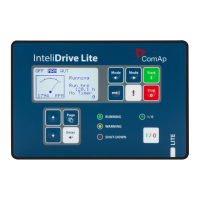
5.5 Front panel elements 47
5.6 Init screens 49
5.7 Display menus 50
5.8 How to select the engine mode? 50
5.9 How to view measured data? 50
5.10 How to view and edit setpoints? 50
5.11 How to find active alarms? 51
5.12 How to list History records? 52
5.13 MEASUREMENT screens description 52
5.14 Display screens and pages structure 57
5.15 Functions 58
6 back to Table of contents
5.1 Analog inputs
On the ID-Lite controller nine analog inputs are available. See the two tables here bellow with specific
characteristics.
All here mentioned properties can be modified by LiteEdit PC tool only, in the window Modify .
5.1.1 Table of controller analog inputs
Input Range Default use
Configurability
of default use
AIN1 0 – 2.4 kΩ Oil pressure NO
AIN2 0 – 2.4 kΩ Engine temperature YES
AIN3 0 – 2.4 kΩ Fuel level YES
AIN4 0 – 40 V Not used - free YES
AIN5 0 – 40 V Not used - free YES
AIN6 0 – 10 V Not used - free YES
AIN7 0 – 10 V Not used - free YES
AIN8 0 – 10 V Not used - free YES
AIN9 0 – 10 V Not used - free YES
Note: The nominal range of Analog inputs measuring resistivity is 0 – 2.4 kΩ, nevertheless the input is able to
measure up to 15 kΩ, but with lower precision.










 To Next Page