System Settings
4-17
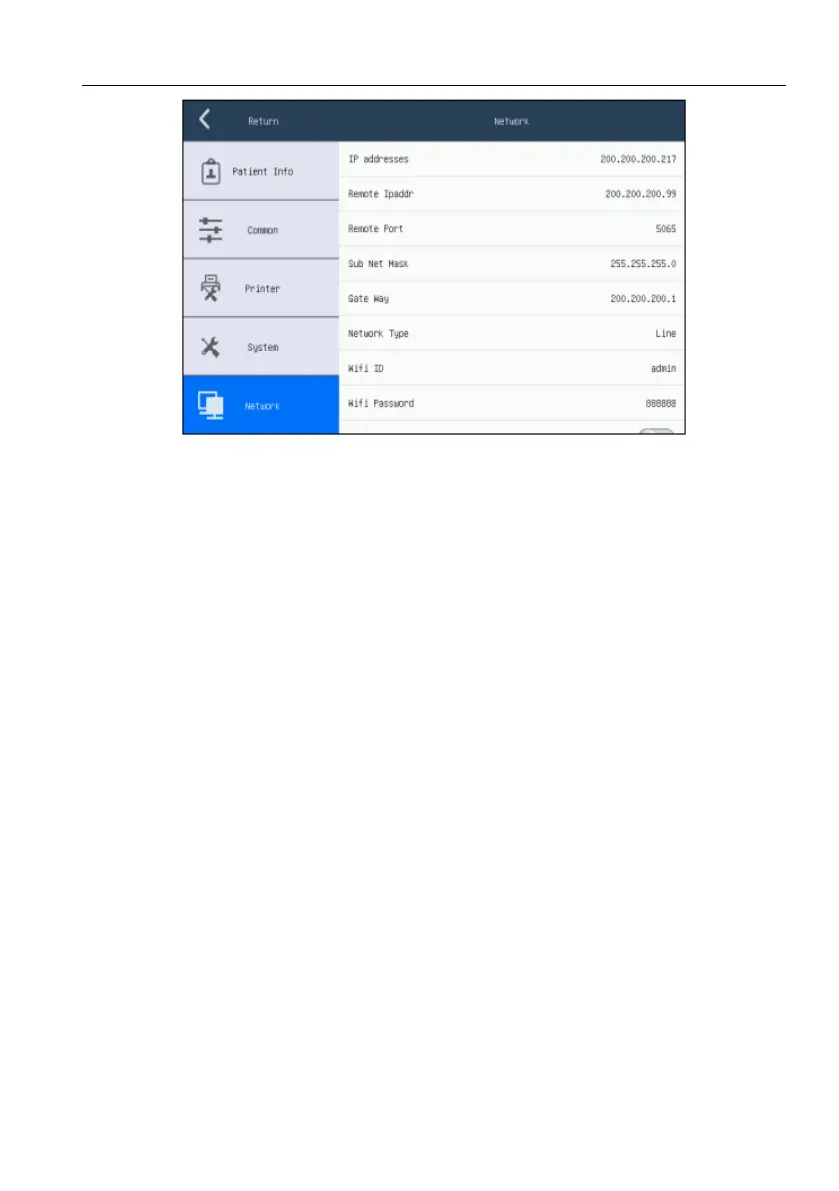
Figure 4-9 Network Settings Screen
[IP address]: 255.255.255.217, the IP address of this electrocardiograph.
[Remote IPaddr]: 200.200.200.99, the IP address of the computer connected
with this electrocardiograph.
[Remote Port]: 5065, the remote port number connected with PCECG
workstation.
[Sub Net Mask]: 255.255.255.0, the sub net mask of the computer connected
with this electrocardiograph
[Gate Way]: 200.200.200.1, the default gateway of the computer connected
with this electrocardiograph
[Network Type]:[Close], [Line], [WIFI](It is necessary to set the WIFI
account number and password if selecting this function only).
[Wifi ID]:view the ID of the wireless network of this electrocardiograph.
[Wifi Password]: view the password of the wireless of this
electrocardiograph.
[FTP Function]: click it to activate or deactivate the FTP function. When the
FTP function is activated, this electrocardiograph can be connected with



 To Next Page