18
4.5 Technical Alarm Check
Before troubleshooting the patient monitor, check for technical alarm message. If an alarm message is
presented, eliminate the technical alarm first. For detailed information on technical alarm message, possible
cause and corrective action, refer to the patient monitor’s User Manual.
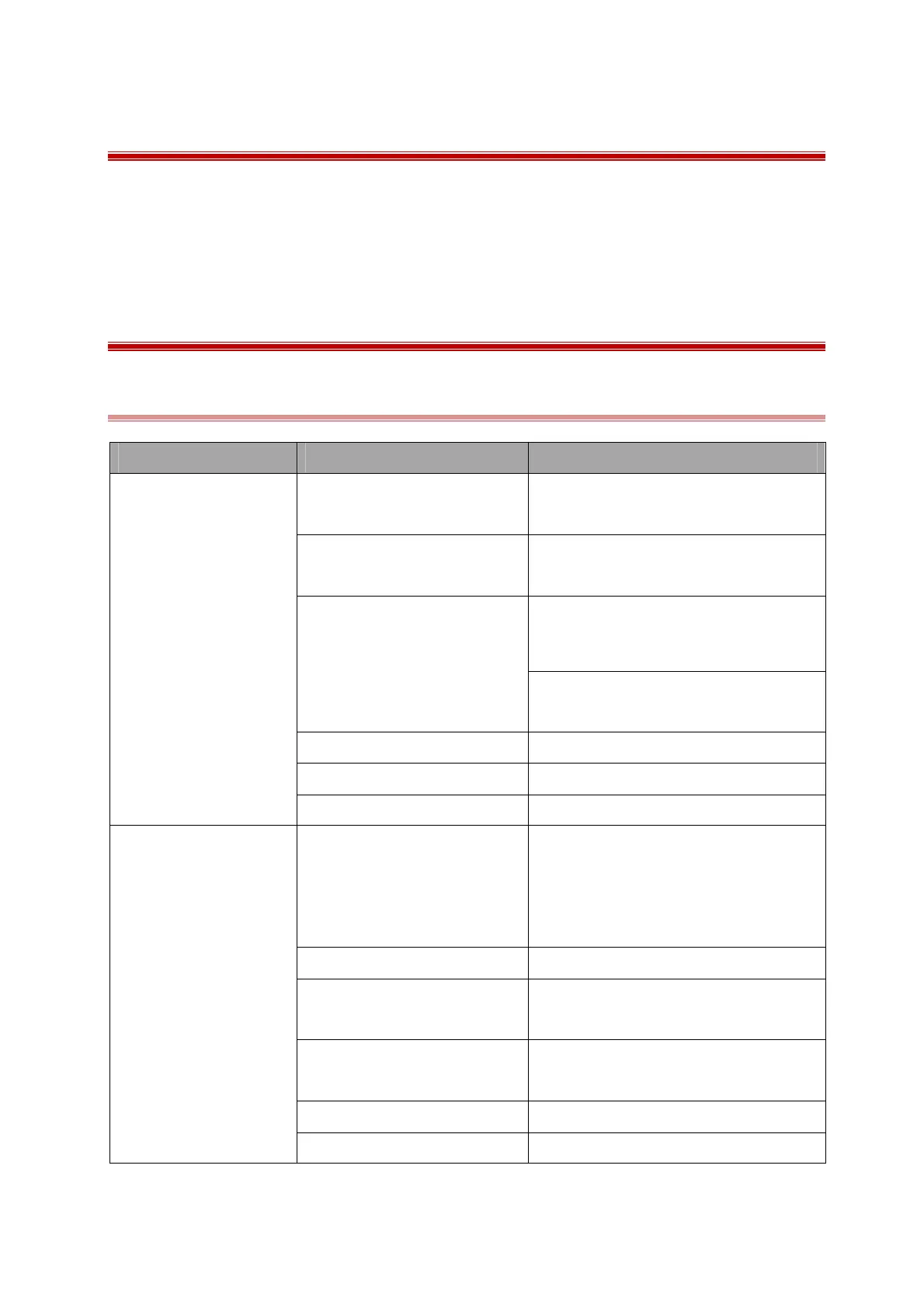
4.6 Troubleshooting Guide
4.6.1 Power On/Off Failures
Symptoms Possible Cause Corrective Action
The patient monitor fails
to start (AC LED or
battery LED does not
light)
AC power cable not connected
Check that AC power is properly
connected
The battery capacity is too low
Check that the battery capacity is
sufficient
Cables defective or poorly
connected
1. Check that cables from button board to
main board and power module to
main board are connected well
2. Check that cables and connectors are
not damaged
KEY board is broken Replace the KEY board
Power on/off board broken Replace the power on/off board
Power module is defective Replace the power module
The patient monitor fails
to start.(AC LED or
battery LED lighting)
The cables Defective or poorly
connected
Reconnect the cable from main board to
power on/off board and reconnect the
cable from power module to the main
board
Power on/off board broken Replace the power on/off board
Power on/off silicon button
defective
Replace the power on/off button
LCD connect socket defective
Replace the socket or replace the bottom
board
Power module is defective Replace the power module
Main board is Defective Replace the Main board



 To Next Page