47
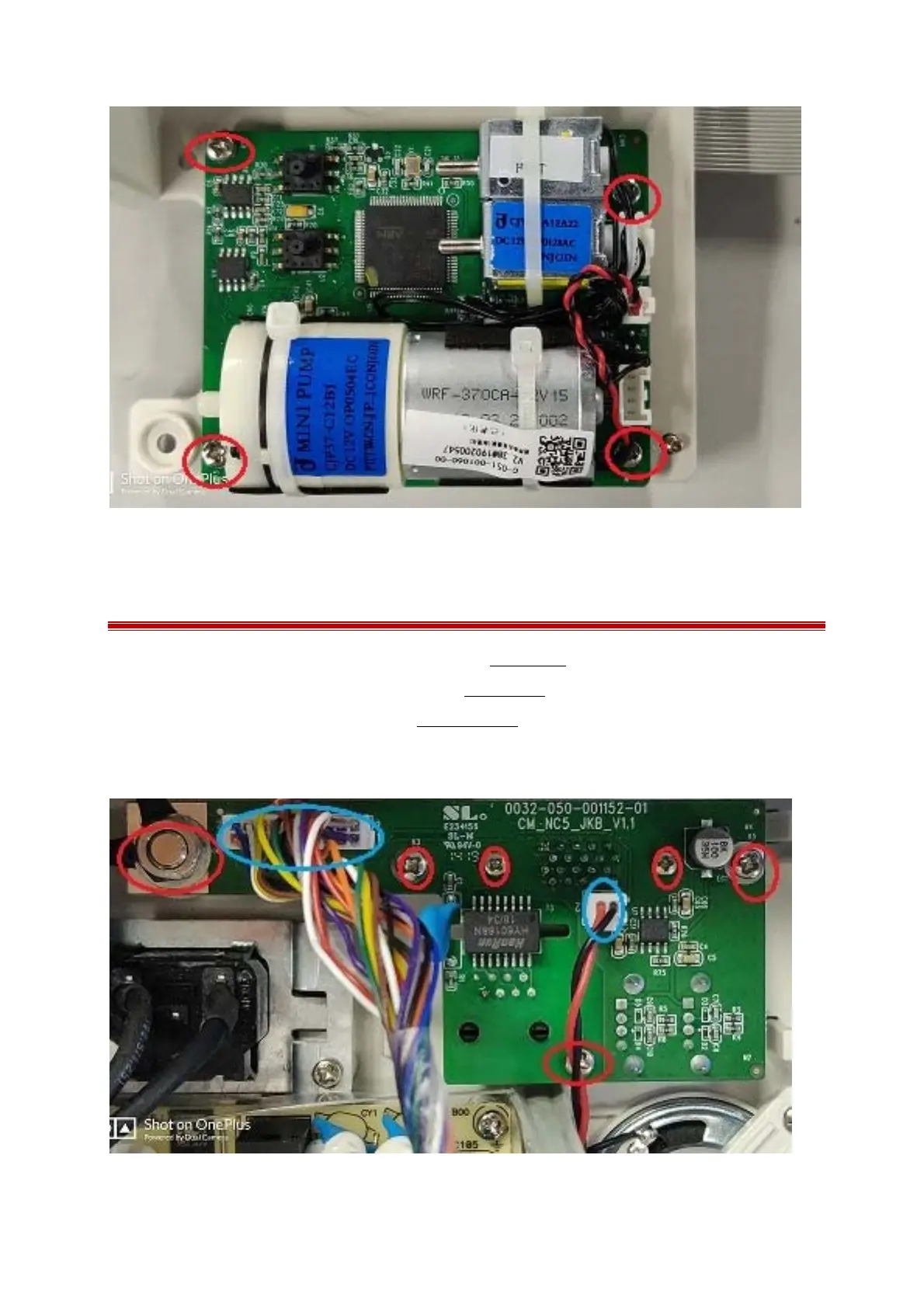
7.16 Removing the data connection board
1 Separating the front and rear housing as described in Chapter 7.2;
2 Removing the power switch board as describe in Chapter 7.9;
3 Remove the function block as describe in Chapter 7.10.1;
4 Remove the cable connection, lose the M8 nut and unscrew the 2PB 3.0×6.0mm screws and 3PM 3.0
×6.0mm screws and then take the connection board out.



 To Next Page