20
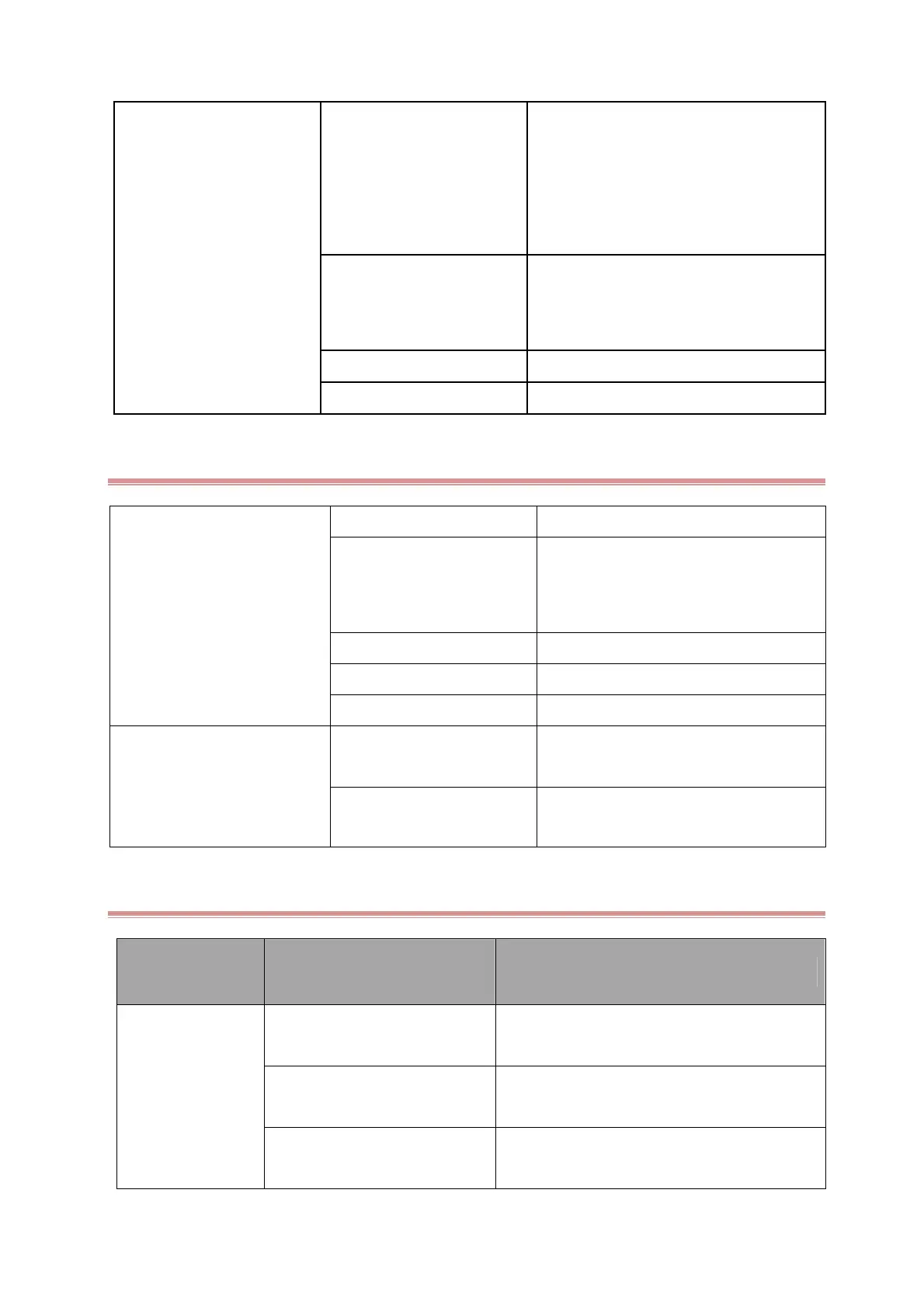
Battery can’ t be recharge
Battery is defective
Recharge the battery for about 4 hours,
check out how long it can operate and
check out its voltage with a multimeter
Please refer to our international after sales
Dept about the exact values
The battery cable or connect
socket poorly connected or
damaged
Check that if battery cable is in good
condition well contacted, and check if the
battery connect socket is in good condition
DC power board failures Replace power board
The main board is defective Replace the main board
4.6.4 Touch screen Failures
Touch screen does not respond
Touch screen disabled Calibrate the touch screen
Cables defective or poorly
connected
Check if the cable between the touch
screen and main board is well connected
Button board defective Replace the button board
Touchscreen defective Replace the touchscreen
Core board defective Replace the core board
Touch position is invalid
Touchscreen not calibrated
Calibrate the touchscreen. refer to the
user manual.
Touchscreen defective Replace the touchscreen
4.6.5 ECG failures
Symptoms Possible Cause Corrective Action
The ECG
Parameter or
waveform
signals cannot be
detected or
incorrect
ECG board J5socket J6 socket
damaged
Weld a new socket or replace the ECG board
ECG cable is defective or is not
connected well
Replace the ECG detector or reconnect the
electrodes
The skin of patient is dry
Clean the skin and paint certain electrode
cream



 To Next Page