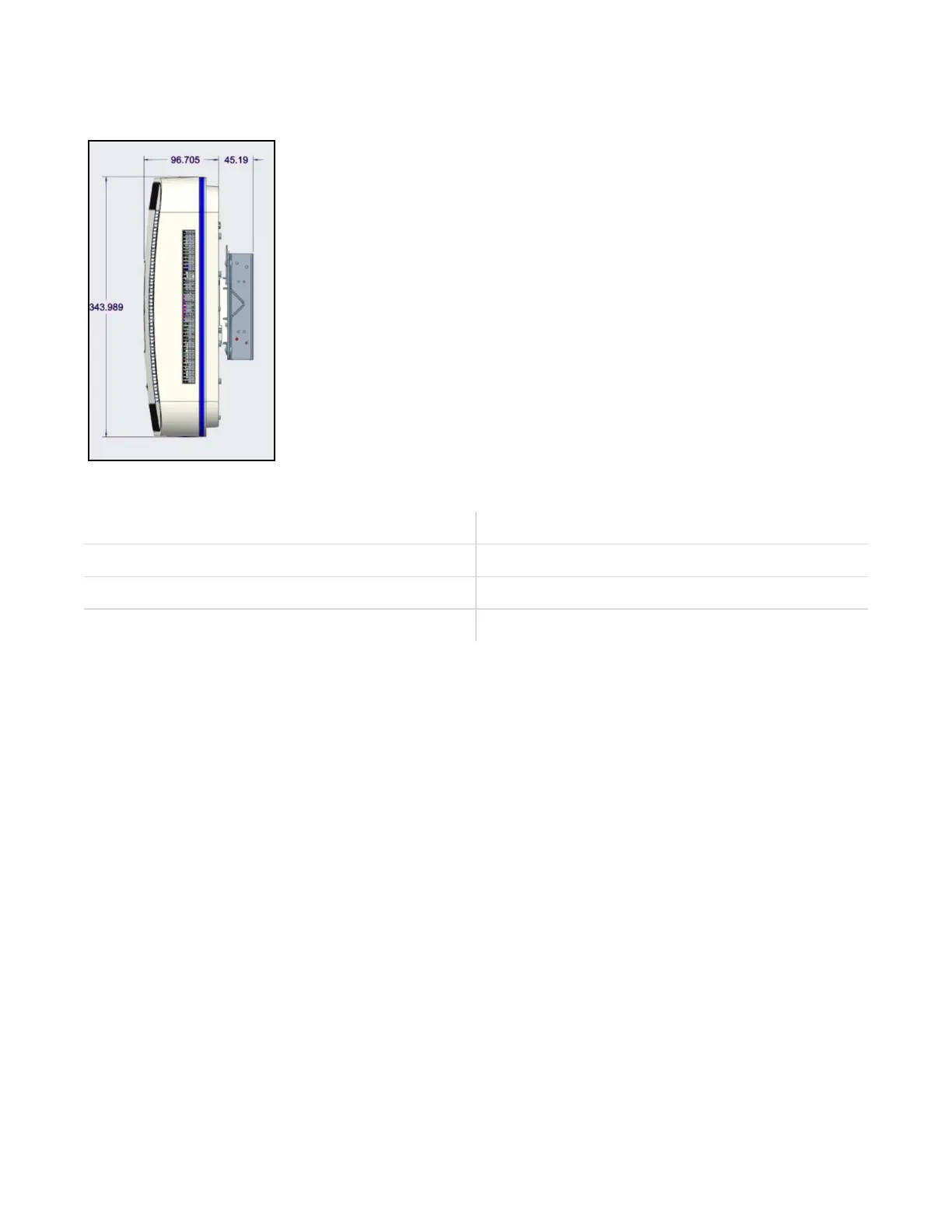
FIGURE 2: Dimensions of the UAP2 with Mounng Kit
TABLE 6: UAP2 Dimensions & Weight
Height 344 mm (13.54")
Width 344 mm (13.54")
Depth 97 mm (3.82") + 45 mm (1.77”) (Mounng Kit)
Weight 6 kg (13.2 lbs)
Unpack and Inspect the UAP2 and Accessories
1. Inspect the exterior of the shipping container(s) for evidence of rough handling that may have damaged
the components in the container.
2. Unpack each container while carefully checking the contents for damage and verify with the packing
slip.
3. If damage is found or parts are missing, le a claim with the commercial carrier and nofy CommScope
Technical Support (see DAS and Small Cell Support). Save the damaged cartons for inspecon by the
carrier.
4. Save all shipping containers for use if the equipment requires shipment at a future date.
Obtain the Required Materials
Contact your local CommScope sales representave to obtain the following components, as required, for
this installaon.
■ Obtain the cable required for this installaon.
● Per the installaon plan, obtain either Single Mode Fiber (SMF) or Mul Mode Fiber (MMF) that is
of sucient length to reach from the UAP2 to the Classic CAN or TEN.
■ Obtain SFP+ Module pairs that are appropriate for this installaon; see SFP+ Modules.
DRAFT: CONFIDENTIAL
Chapter 3: Plan and Prepare For A Fiber UAP2 Installaon
CommScope ERA
®
UAP2 with Fiber Interface Installaon Guide , Release
P/N M0203AB, DRAFT Rev D 19










 To Next Page