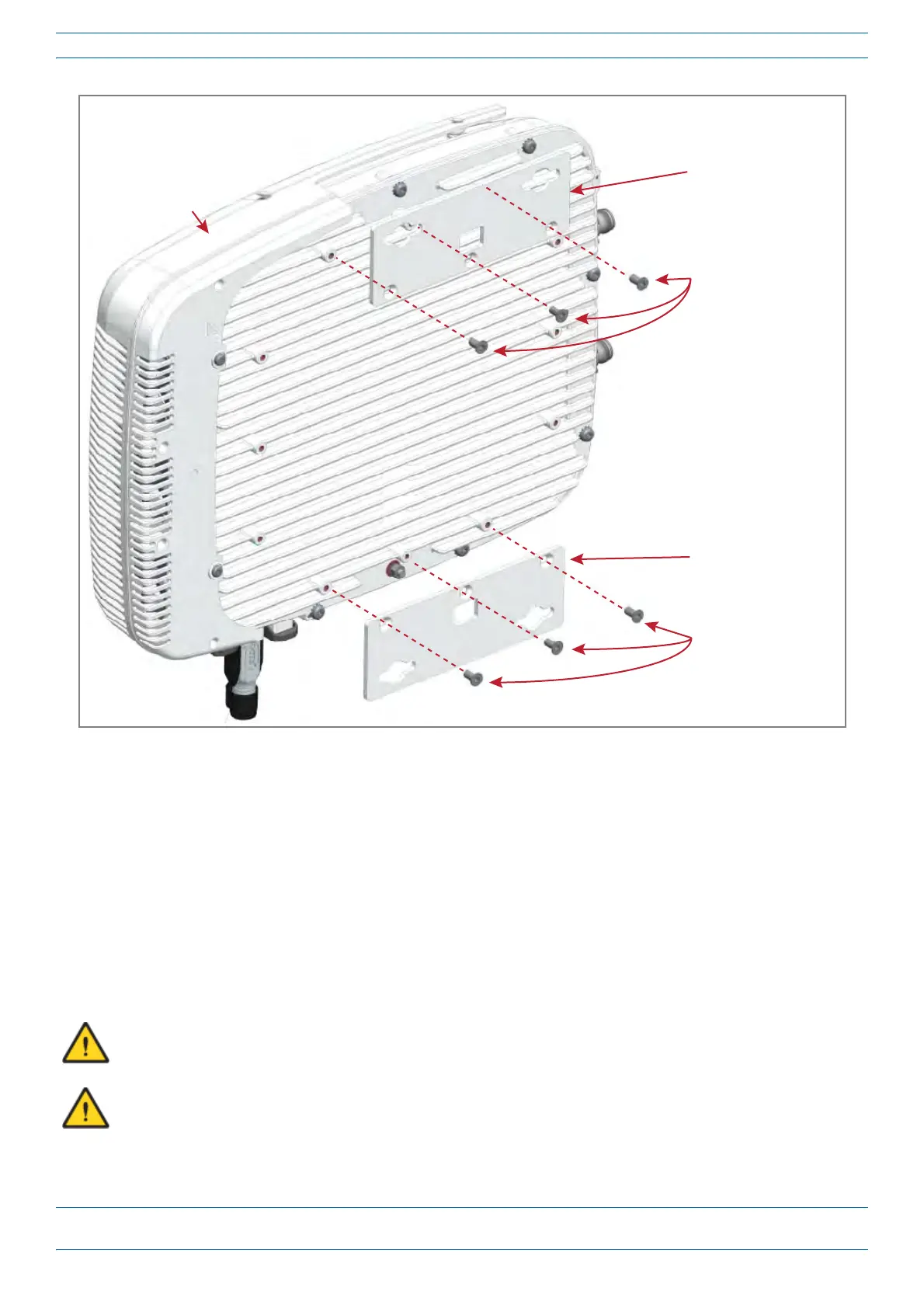
One Mounng bracket
in vercal posion
Three
M6-1.0 x 14mm
screws
One Mounng bracket
in vercal posion
Three
M6-1.0 x 14mm
screws
Fan Kit
M0201ANC_uc CommScope Era
™
Fiber Low Power Carrier Access Point Installation Guide
© June 2019 CommScope, Inc. Page 27
Mount the Fiber CAP L
Figure 8. Fiber AP L with a Fan Kit and Flat Mounting Bracket Kit (PN 7774353-xx)
Flat-Surface Mount a CAP L
You can place a Fiber CAP L on a flat surface, such as a shelf, desk, cabinet, above a ceiling, or any other
horizontal surface that allows stable placement.
Do the following to flat-surface mount a Fiber CAP L:
1 Use "Plan and Prepare for a Fiber CAP L Installation” on page 10 to identify the installation site and
installation requirements, and to prepare for
this
installation.
2 In addition to the cautions listed in
"General Mounting Cautions” on page 24, observe the rules that are
specific to a flat-surface mounts listed below and els
ewhere in this section.
To maintain proper ventilation, keep at least 76 mm (3-inch) clearance around the CAP L.
If a CAP L without a Fan Kit is flat-surface mounted, the minimum clearance above the CAP L is 203.2
millimeters (8 inches).










 To Next Page