M0201ANC_uc CommScope Era
™
Fiber Low Power Carrier Access Point Installation Guide
© June 2019 CommScope, Inc. Page 33
Mount the Fiber CAP L
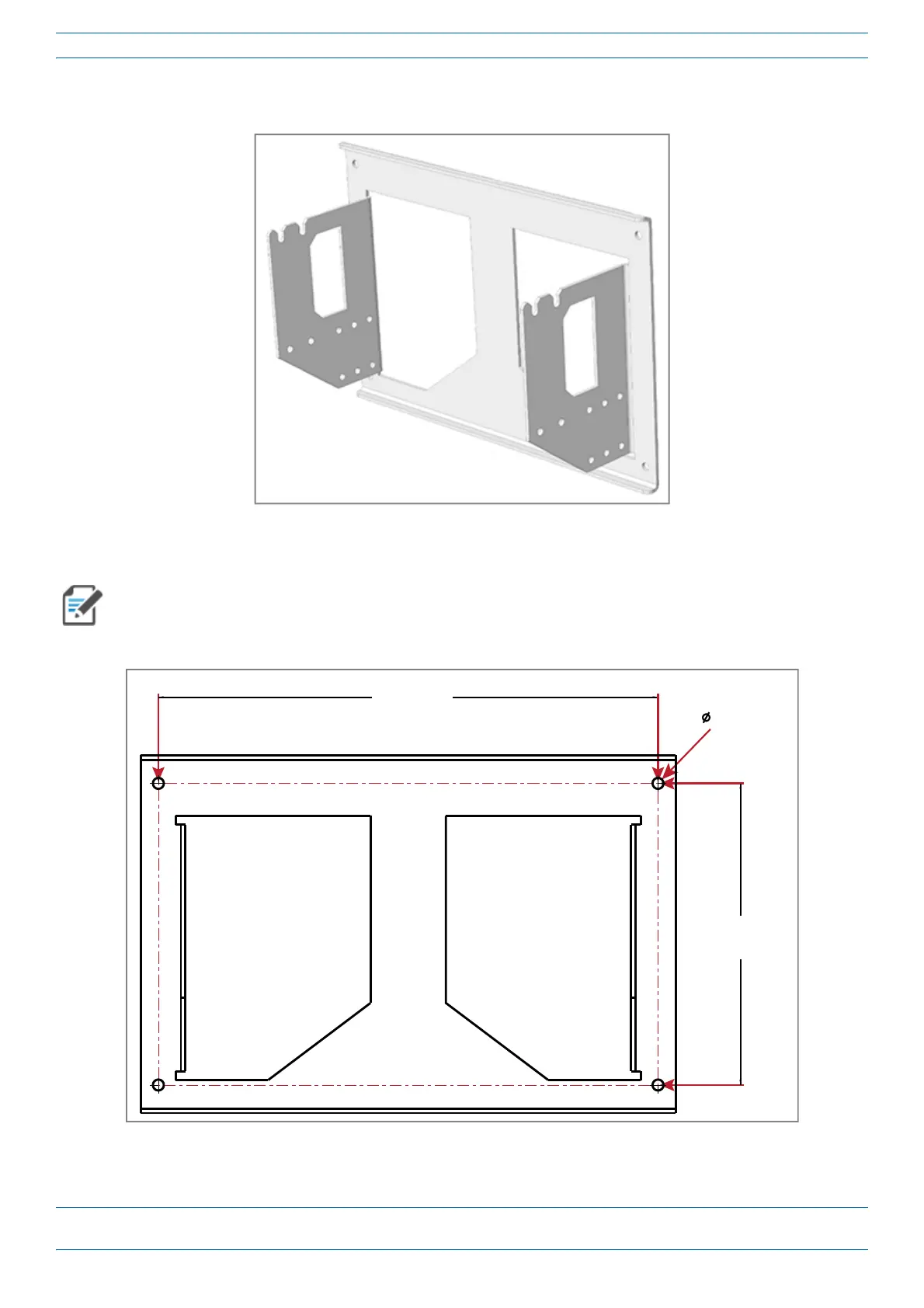
5 Secure the Dual Wall Mount Bracket (shown below) to the wall (or other suitable vertical surface), as
described below.
a Install the Dual Wall Mount Bracket using 4 M8 (or 5/16”) screw anchors (not included) or suitable
lag bolts according to the drilling layout, as shown below.
The M6 screw anchors do not ship with the CAP L as the anchor type is dependent on the on-site
conditions (wall structure and materials). Use screw anchors that are rated for the mounting surface.
10.00 mm
[.394"]
4X
454.00 mm
[17.874"]
274.00 mm
[10.787"]
b Confirm that the Dual Wall Mount Bracket is securely fastened to the wall.










 To Next Page