M0201ANC_uc CommScope Era
™
Fiber Low Power Carrier Access Point Installation Guide
© June 2019 CommScope, Inc. Page 49
Mount the Fiber CAP L
Wire a Hybrid Fiber Splice Box for 2-Wire Power without Limited Power Source
Each CAP L can be powered by 2 wires if LPS from the DC PSU are not required by local regulations..
All four pins of the proprietary CAP L 4-pin 36 to 60 Vdc Power connector must be terminated.
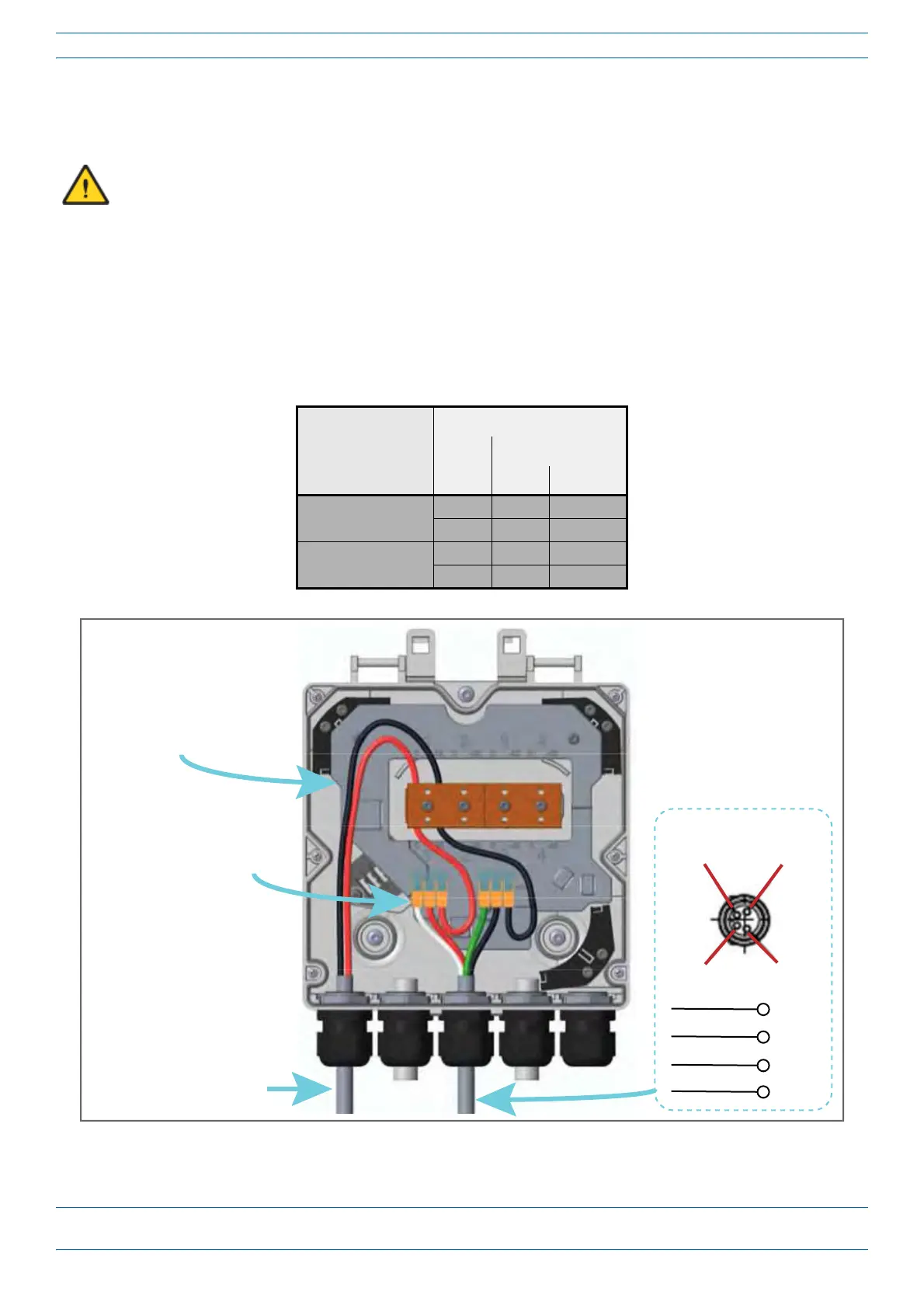
1 Refer to Table 11 and Figure 20 to wire a Hybrid Fiber Splice Box for 2-Wi
re power without an Limited
Power Source (LPS).
In this power variation you must tie the following power cables together:
• V1
+(P
IN1) and V2+(PIN3) (CAP L DC Jumper Power Cable Red and White wires)
• V1-(PIN2)andV2-(PIN4)(CAP
L DC Jumper Power Cable Black and Green wires)
Table 11. Wiring Single Circuit Source to a CAP L
Source Cable
CAP L Power Cable
Connector
Wire Wire Pin Function
Circuit 1 (0V)
Red 1 V1+
White 3 V2+
Circuit 1 (-36 to -60V)
Black 2 V1-
Green 4 V2-
Pin 1
Pin 2
Pin 4
Pin 3
Connector End View
PIN 1
RED
PIN 2
BLACK
PIN 3
WHITE
PIN 4
GREEN
Three-posion wire connectors
(such as, Wago 221-413)
Hybrid Fiber/Composite
cable
Color code of hybrid cable may
differ from example shown.
Figure 20. Wiring a Hybrid Fiber Splice Box for 2-Wire Power without LPS










 To Next Page