CommScope Era
™
Fiber Low Power Carrier Access Point Installation Guide M0201ANC_uc
Page 44 © June 2019 CommScope, Inc.
Mount the Fiber CAP L
Wire the Hybrid Fiber Splice Box
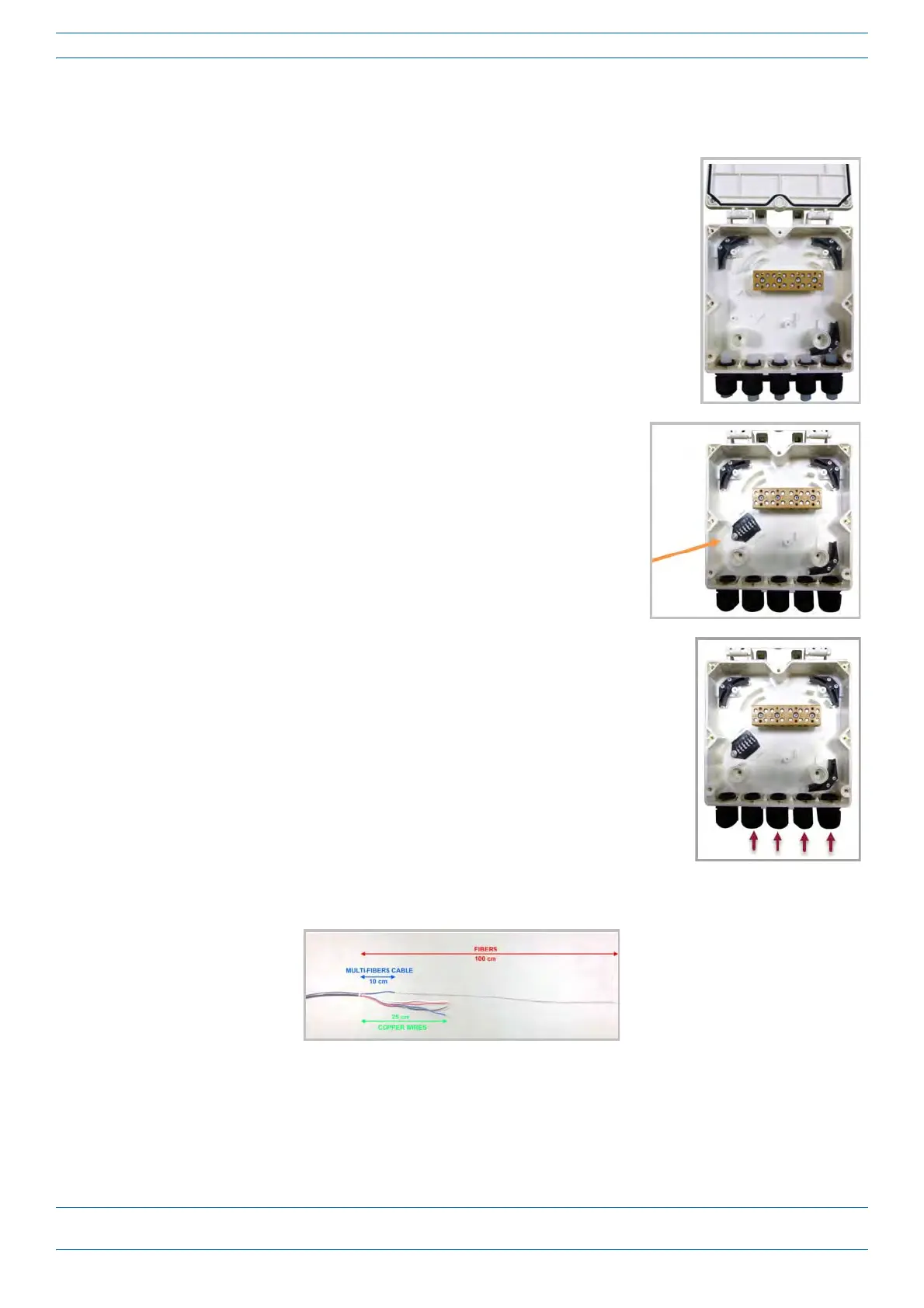
Do the following to assemble and wire the Hybrid Fiber Splice Box.
1 Open the Hybrid Fiber Splice Box and remove the installation kit that is
inside.
2 Using the parts from the Hybrid Fiber Splice Box, insert the Splice
Holder and fasten it using a PTK 30x6
screw and one M4 washer.
3 From the CAP L Hybrid Fiber Splice Box Kit, insert Fiber Patch Cord in
one of the cable glands indicated in the graphic to the right.
4 Strip the insulation of the composite cable for 100 cm and the fibers for 90 cm, and then shorten the
copper cables to 25 cm.










 To Next Page