CommScope Era
™
Fiber Low Power Carrier Access Point Installation Guide M0201ANC_uc
Page 52 © June 2019 CommScope, Inc.
Mount the Fiber CAP L
Wall Mount a CAP L Using a CAP L Hybrid Fiber Splice Box Kit
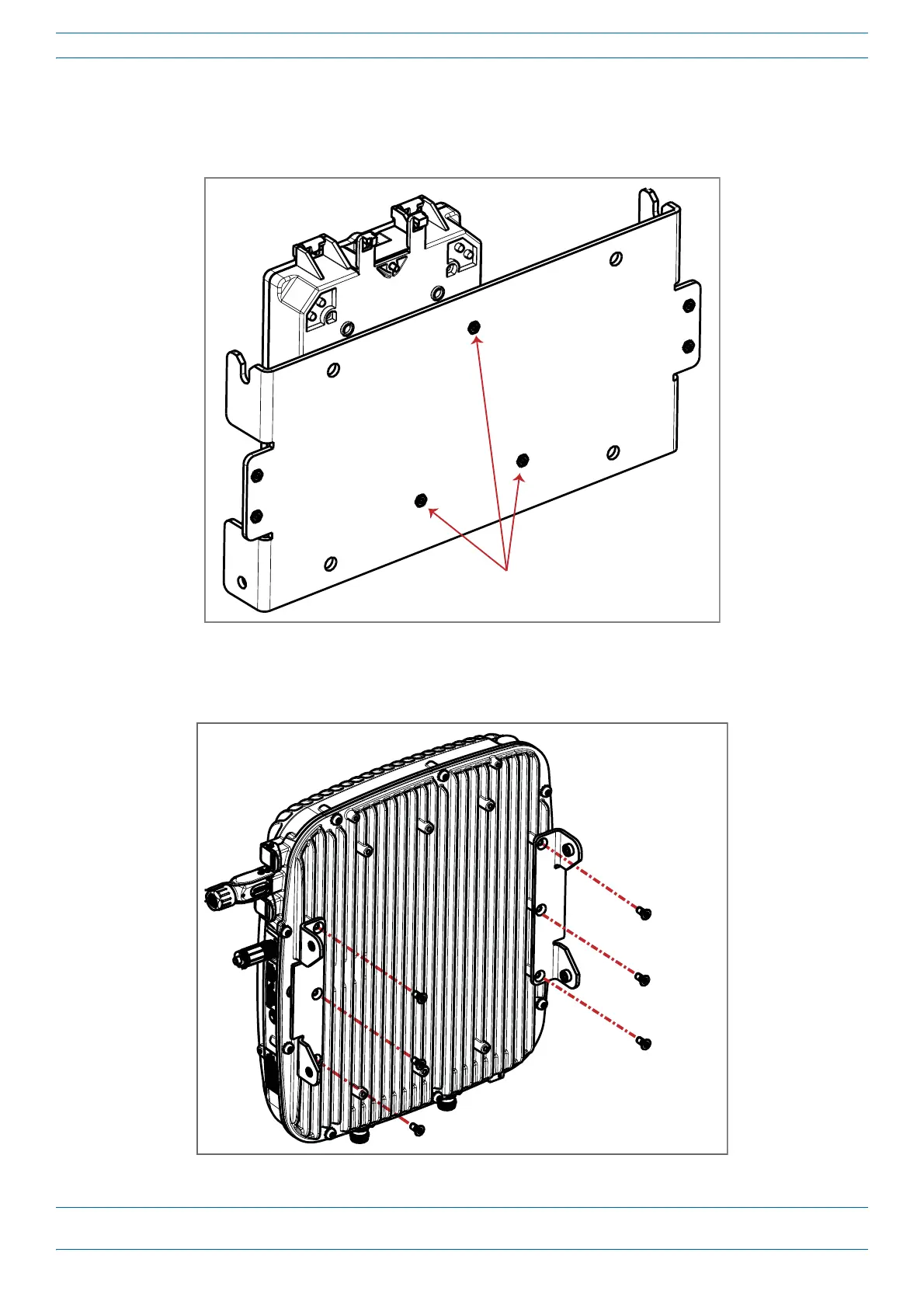
1 Attach the Hybrid Fiber Splice Box to the Wall Bracket with the three captive screws already installed in
the Splice Box.
Connect three capve screws on
Hybrid Fiber Splice Box to Wall Bracket
2 Attach the assembled Wall Mounting Bracket and Hybrid Splice Box to the selected mounting location.
3 Use the six M6-1.0 x14mm screws to attach the two Angled Mounting Brackets to
the back of the CAP L,
as shown below.










 To Next Page