M0201ANC_uc CommScope Era
™
Fiber Low Power Carrier Access Point Installation Guide
© June 2019 CommScope, Inc. Page 29
Mount the Fiber CAP L
Wall Mount a CAP L
The following sections provide the installation methodology and steps required to mount a Fiber CAP L to a
wall.
Mounting Orientation for Wall Mounts
When wall mounting a Fiber CAP L, the recommendations should be observed.
• WallMountOrientationfora
CAPLwithoutaFanKit
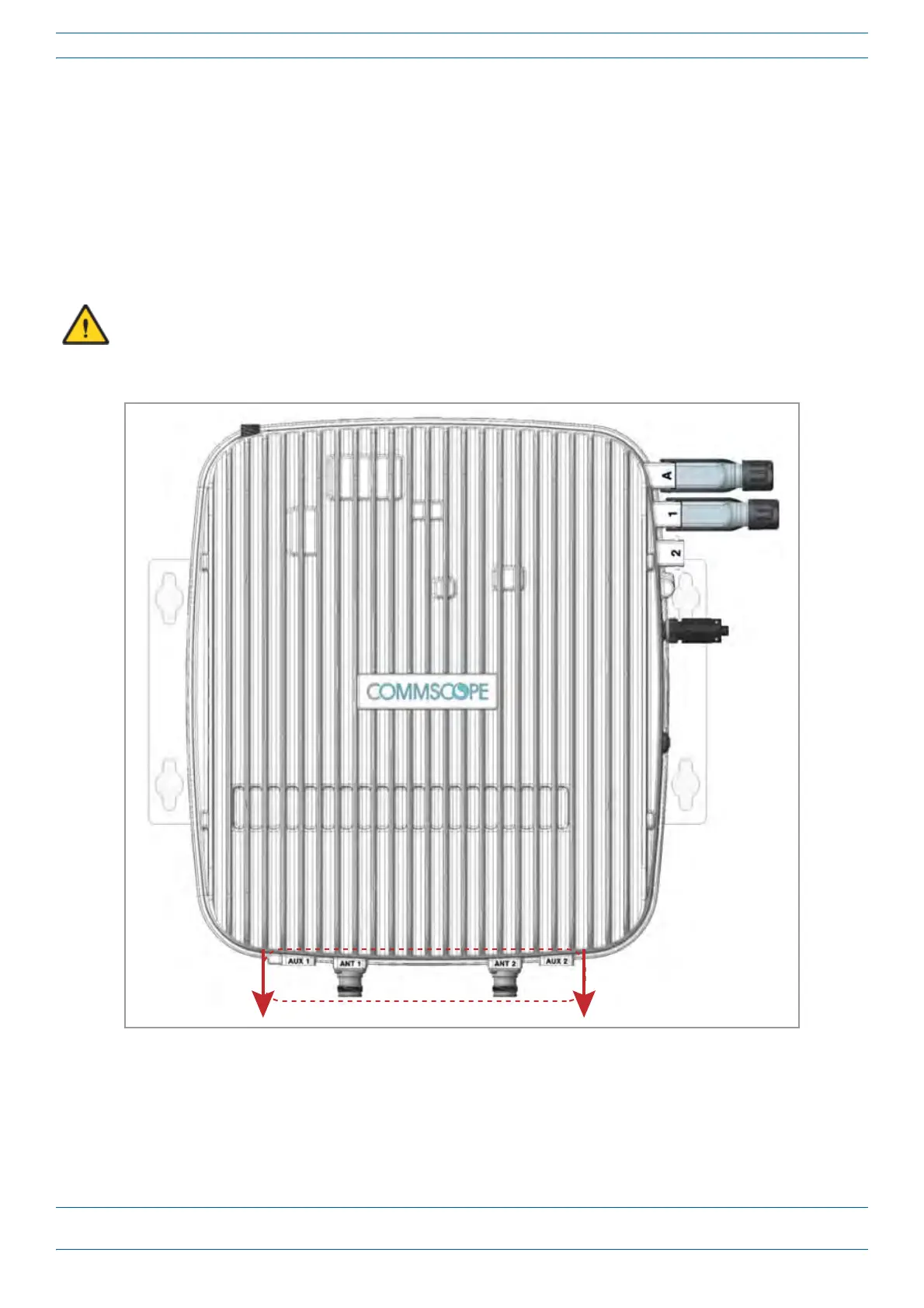
A CAP L that does not have a Fan Kit is passively cooled. You should therefore mount a CAP L that does
not have a Fan Kit with the ANT ports pointing down (see Figure 9). Otherwise, the CAP L will have a
reduced maximum operating temperature of 33°C (91°F).
ANT connectors poinng down
Figure 9. Mounting Orientation for a CAP L without the Optional Fan Kit (Flat Mounting Bracket Shown)










 To Next Page