M0201ANC_uc CommScope Era
™
Fiber Low Power Carrier Access Point Installation Guide
© June 2019 CommScope, Inc. Page 63
CAP L Maintenance
CAP L MAINTENANCE
The following sections tell you how to remove a CAP L from mounting brackets and provides preventative
maintenance instructions.
Remove a CAP L from a Wall or Ceiling Mount
Should you need to remove the CAP L from a wall or ceiling mount, do the following.
1 Unplug the CAP L cables.
2 If a ground wire is installed, loosen the grounding screw an
d remove the ground wire.
3 Reverse the installation steps that correspond to how this CAP L is mo
unted.
Preventative CAP L Maintenance for CAP Ls with the Fan Kit Option
The CAP L does not require extensive preventative maintenance measures. However, checking the
cleanliness of a CAP L that has the Fan Kit option at regularly-scheduled intervals is
recommended,
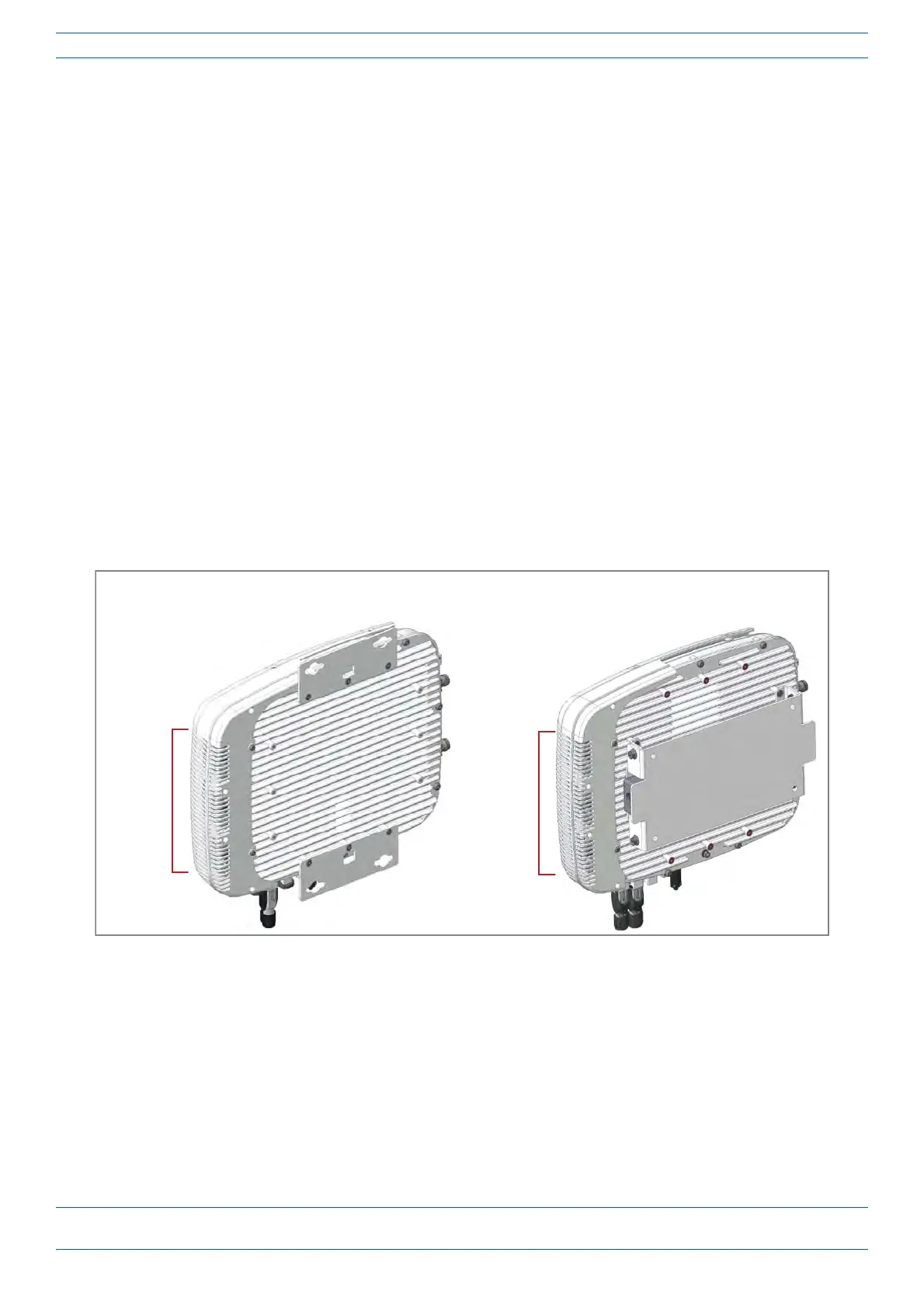
particularly the enclosure vents, which helps maintain the longevity of the fans and heat sinks. Figure 23
shows two different CAP L configurations to help you find the enclosure vents.
Enclosure
vents
Boom of CAP L with
240W AC/DC Power Supply Kit
Boom of CAP L with
Flat Mounng Bracket
Enclosure
vents
Figure 23. Examples of CAP L Fan Vent Locations










 To Next Page