M0201ANC_uc CommScope Era
™
Fiber Low Power Carrier Access Point Installation Guide
© June 2019 CommScope, Inc. Page 45
Mount the Fiber CAP L
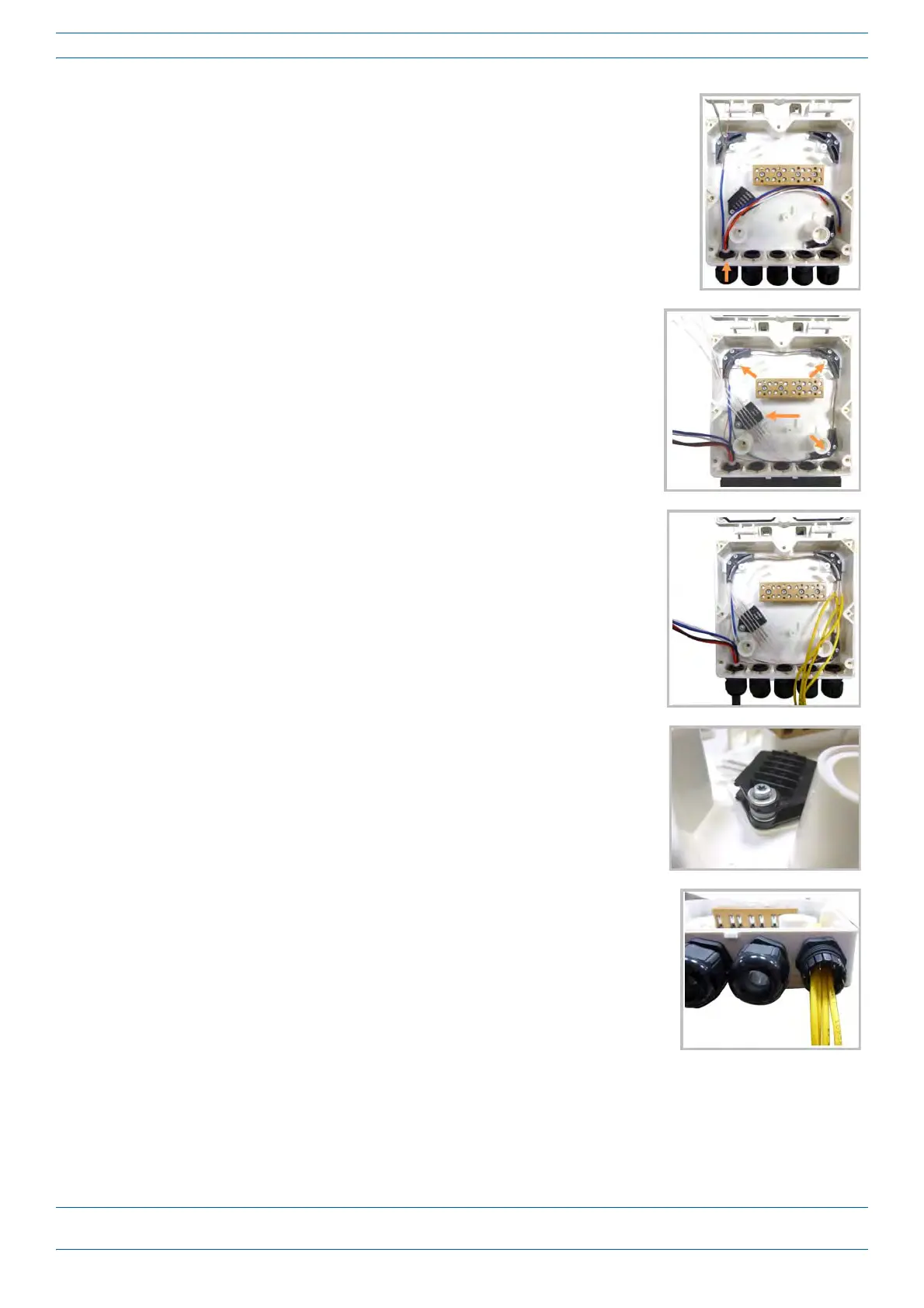
5 Insert the composite cable in the first cable gland and separate the
multi-fibers cable from the copper wires. It is necessary to remove the
nut to perform this action. The cable must be fed through the nut and it
must be retightened once finished.
6 Bend the spliced fibers using the corner guides and fix the splices to the
splice holder.
7 Bend the optical cables as shown in the picture to the right.
8 If a second splice holder is needed, it can be assembled using the M4
insulating washer and two M4 plain washers, as shown to the right. The
required screw is a PTK30 x
12.
9 Remove the sealing nut and rubber of the cable gland and insert the
optical cables.










 To Next Page