CommScope Era
™
Fiber Low Power Carrier Access Point Installation Guide M0201ANC_uc
Page 34 © June 2019 CommScope, Inc.
Mount the Fiber CAP L
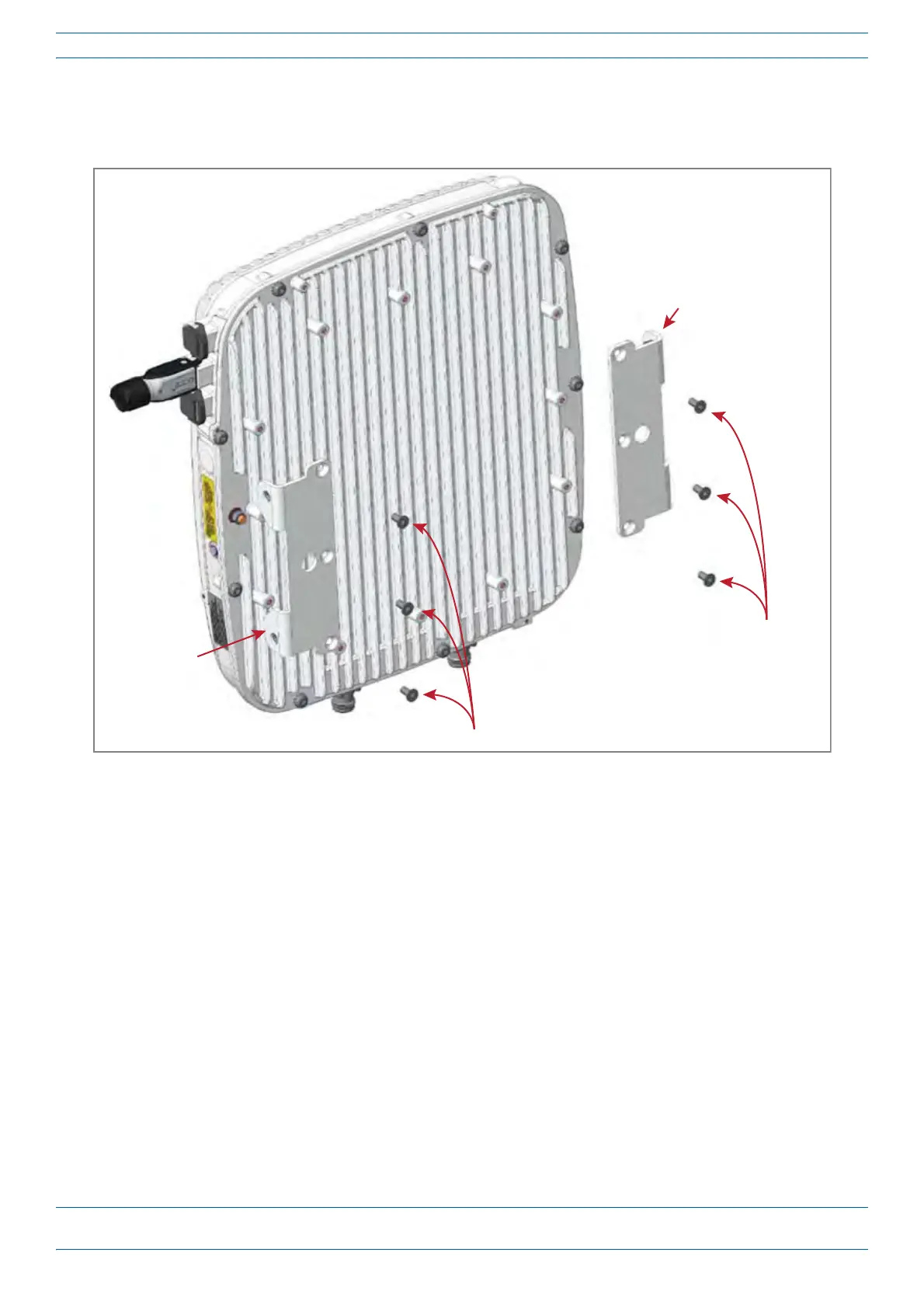
6 Use the six M6-1.0 x14mm screws that came with the Dual Mounting Bracket Kit to attach the two
Mounting Adapters (three screws per bracket) to the vertical M6-1.0 mounting taps on the back of the
CAP L-1 chassis (three taps per side).
Three
M6-1.0 x 14mm
screws
Mounng
Adapter
Three M6-1.0 x 14mm screws
Mounng
Adapter










 To Next Page