ComNav Marine 1420 Autopilot System
Document PN 29010012 V1.3
41
Setting Up the Autopilot System
Setup Routine
The 1420 System must be OFF before you begin the Setup Routine.
The first part of this routine can be done at the dock. If you have a Fluxgate Compass, you
will later repeat the first part out on open water.
If the light above the Pilot Key
flashes at any time during the Setup Routine, the 1420’s
firmware has detected an error in the procedure, or in the system’s wiring. Refer to the
Problems during the Setup Routine section, page 54.
Correct the fault before proceeding to the next Step!
You may stop the Setup Routine at any time by pressing the Off Key
.
Setting Up – Step by Step
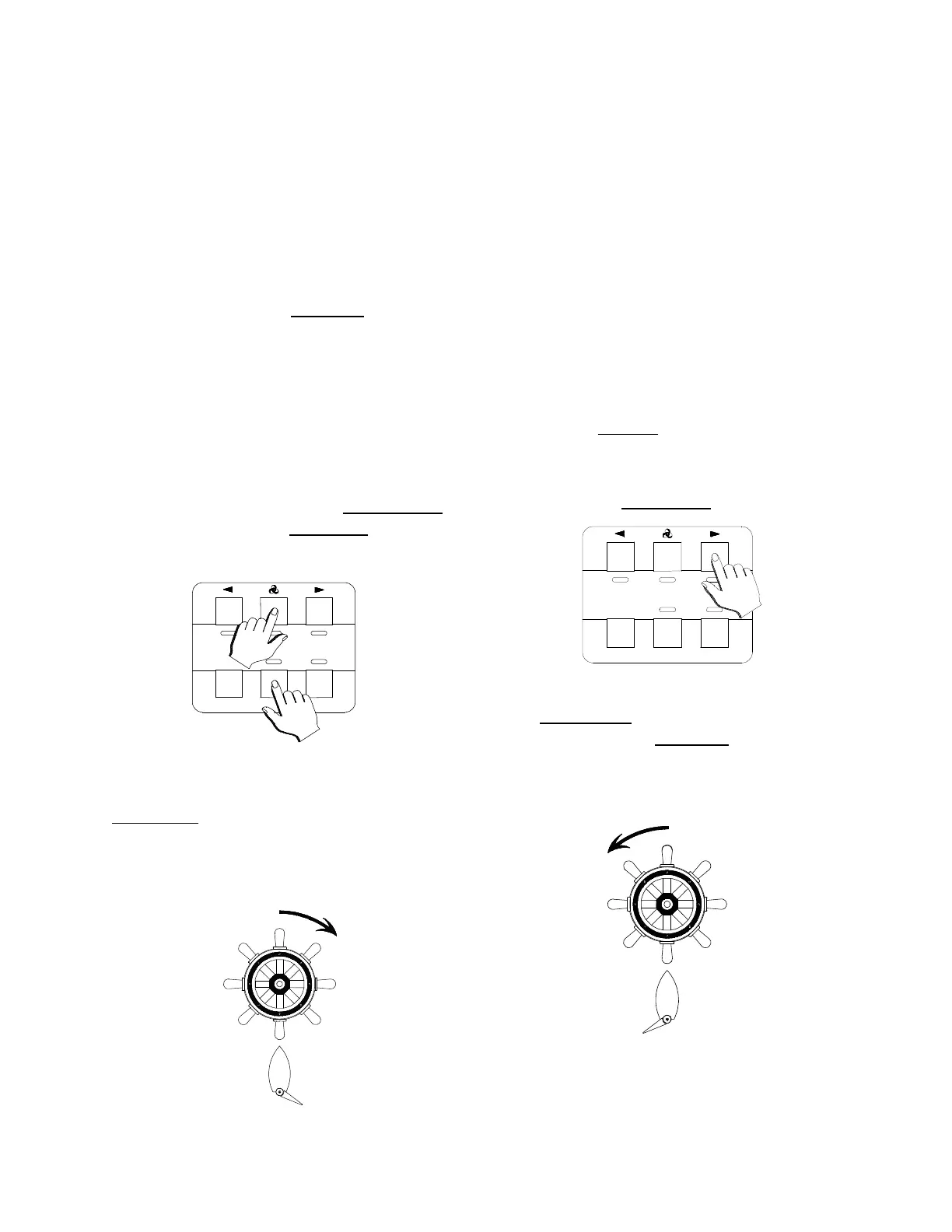
3. Press the Green Key
.
1. Press and hold the Speed Key.
Then press the Pilot Key
until the
Autopilot System turns on.
The Autopilot will beep. The light beneath
the Green Key will stop flashing. The
light beneath the Red Key
will begin to
flash.
The Autopilot will beep. All the lights will
flash briefly. Then the light beneath the
Green Key
will begin to flash.
4. Turn the steering wheel fully to Port.
2. Turn the steering wheel (or tiller)
fully to Starboard.



 To Next Page