ComNav Marine 1420 Autopilot System
Appendix D
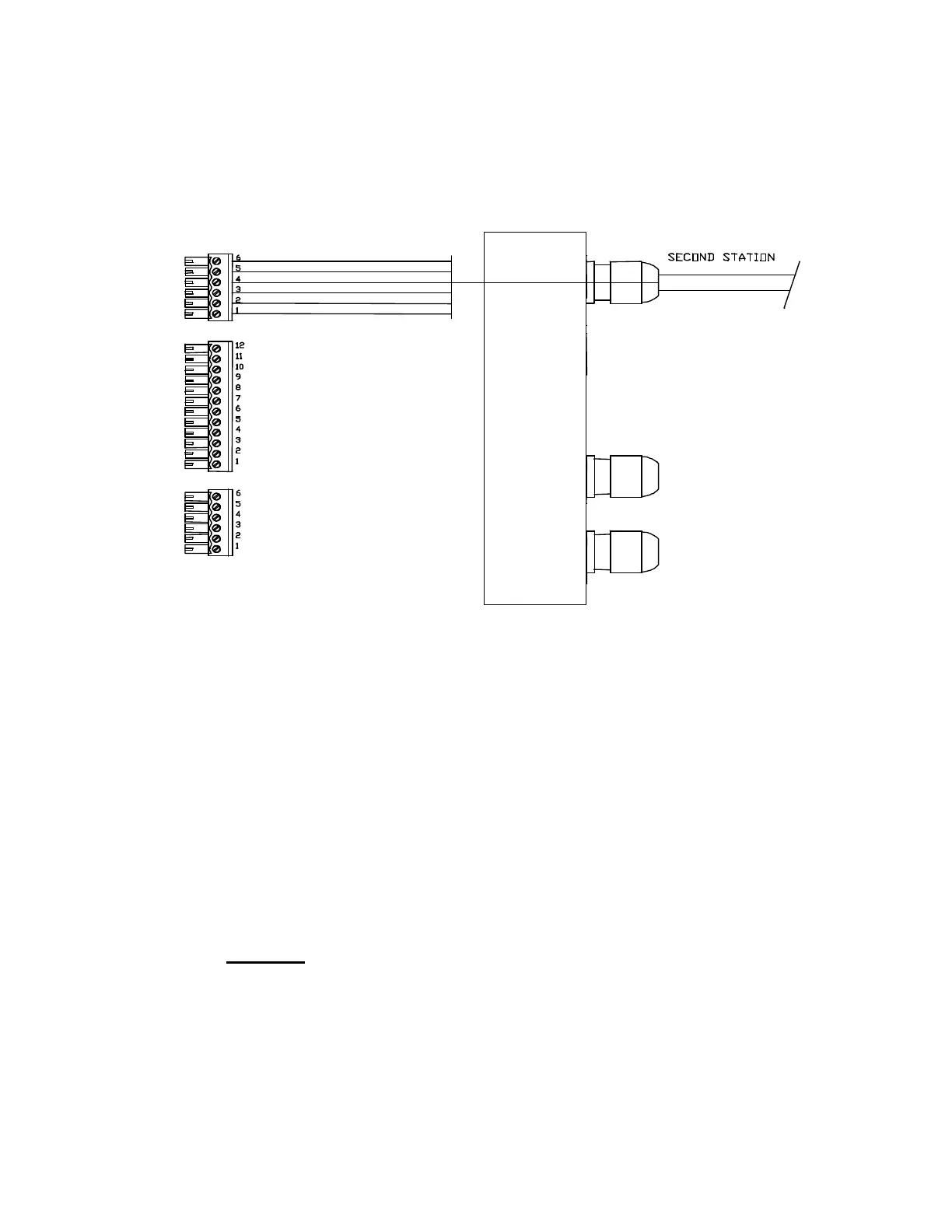
Connecting a Second Station
J8
J6
J7
RED
BLACK OR BROWN
GREEN
BLUE
WHITE OR ORANGE
SHIELD
Right Side, Optional Second Station Connections (J8)
Installation
The cable gland for the Second Station is included in the package with the Second Station
Kit; the gland must be mounted on the end cap.
To locate the hole for the gland, look on the inside of the end cap. You will see several
places where the plastic has been formed so that a hole may be easily drilled. Drill the
hole using a 15/32” (12 mm) drill.
Place the gland in the hole. Fasten it with the supplied plastic nut and tighten securely.
Then, insert the Second Station Head's cable through the gland and tighten the outer
locking nut of the gland by securely by hand.
Warning:
using a wrench may cut the conductors in the cable.
Connect the Second Station according to the diagram above (note that there are different
colour codes that can be used in the Head cable – see page 34).
Document PN 29010012 V1.3
62



 To Next Page