ComNav Marine 1420 Autopilot System
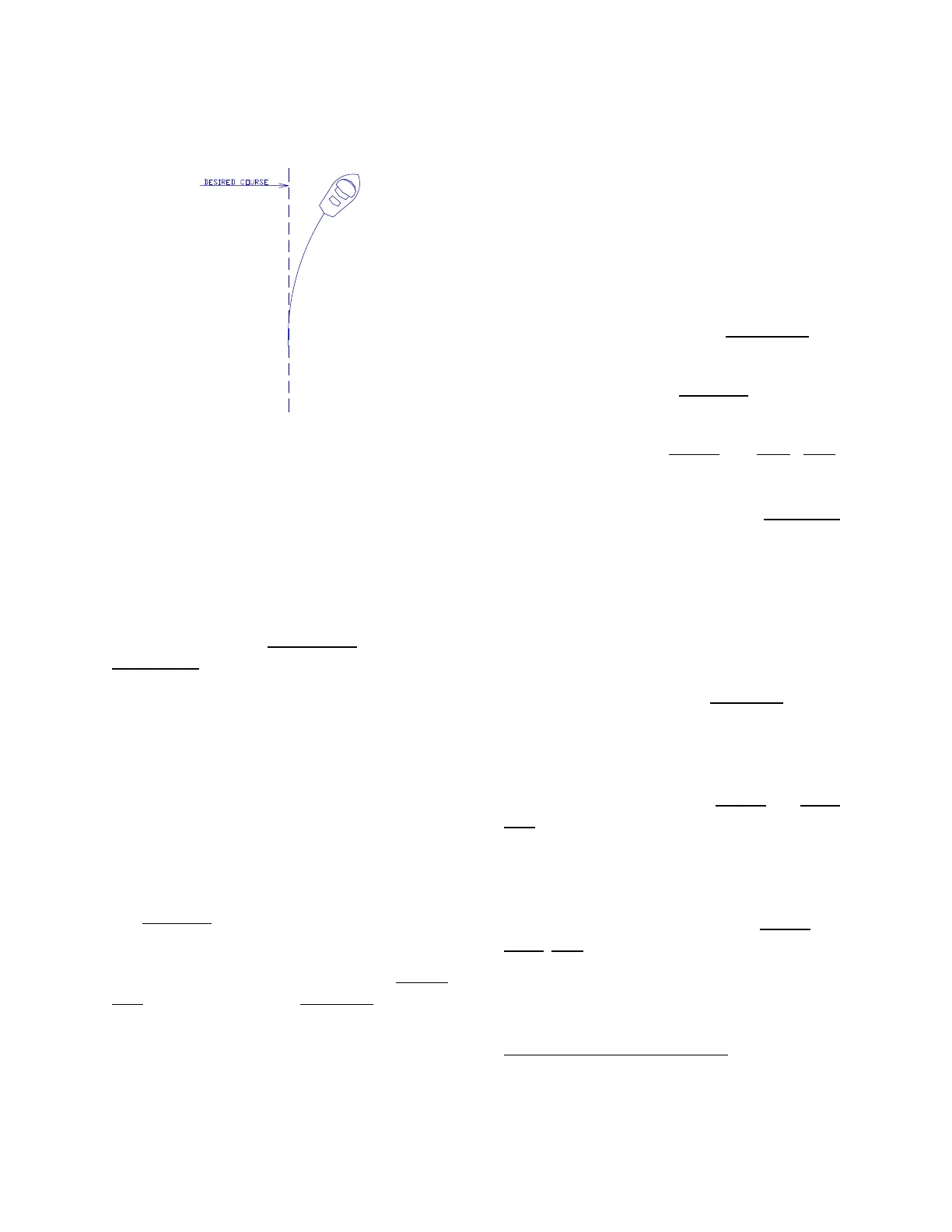
⇒ If your vessel is gradually falling
away from the Course line, like this:
– … the Rudder Response Sensitivity is
set too low. The fall-off occurs because
the Autopilot does not use enough
Rudder movement to correct for the
increasing Course error.
⇒ You must increase the Slow Speed
Rudder Response Sensitivity.
To increase the Sensitivity:
Press and hold the Speed Key
. Press the
Green Key
once: the Sensitivity increases
by one step. Wait for the vessel to settle
on a steady Course. This could take up
to 5 minutes, so please be patient.
Continue this procedure until the boat is
steering satisfactorily.
If the pilot light goes off, followed by
blinking port and starboard lights, you
have reached the highest level of the
Slow Response Sensitivity; from here,
you can only decrease Sensitivity (using
the Red Key
).
If you lose count of which Sensitivity step
you are using: press and hold the Speed
Key. Then press the Red Key 9 times.
This will set the Sensitivity to its lowest
level.
Slow Speed Turns and Course
Changes
At this point – while you are still travelling
slowly, and with the Slow Speed
Response set properly – it’s a good time
to learn how to use your 1420 Autopilot to
make turns and changes in Course at
Slow speed.
To make a one degree Course change to
Starboard, briefly press the Green key
.
To make a one degree course change to
Port, briefly press the Red Key
.
To make a large Course change, press
and hold either the Green
(or Red) Key.
The vessel will turn to Starboard (or Port);
when the bow is pointing in the direction
you wish to travel, press the Pilot Key
once.
With practice, you will find this an easy
way to change Course.
However, another way to make a large
course change is to turn off the Autopilot,
and then use the steering wheel to set the
new Course. Press the Pilot Key
again,
and your 1420 Autopilot will steer your
boat along your new Course.
To dodge around an object in the water,
press and hold either the Green
(or Red)
Key
. The vessel will turn to Starboard (or
Port), and continue to turn until the key is
released – whereupon it will turn back the
other way, until you are back on Course
3
.
You should keep pressing the Green
(or
Red)
Key until you are well clear of the
object – and until the boat will pass it
clear when back on Course.
3
But you will not be on the same Track, rather
on a Track parallel to the one you were on
before the Dodge.
Document PN 29010012 V1.3
47



 To Next Page