ComNav G3 GPS Compass Installation & Operation
Document PN 29010092 V2.3 - 8 -
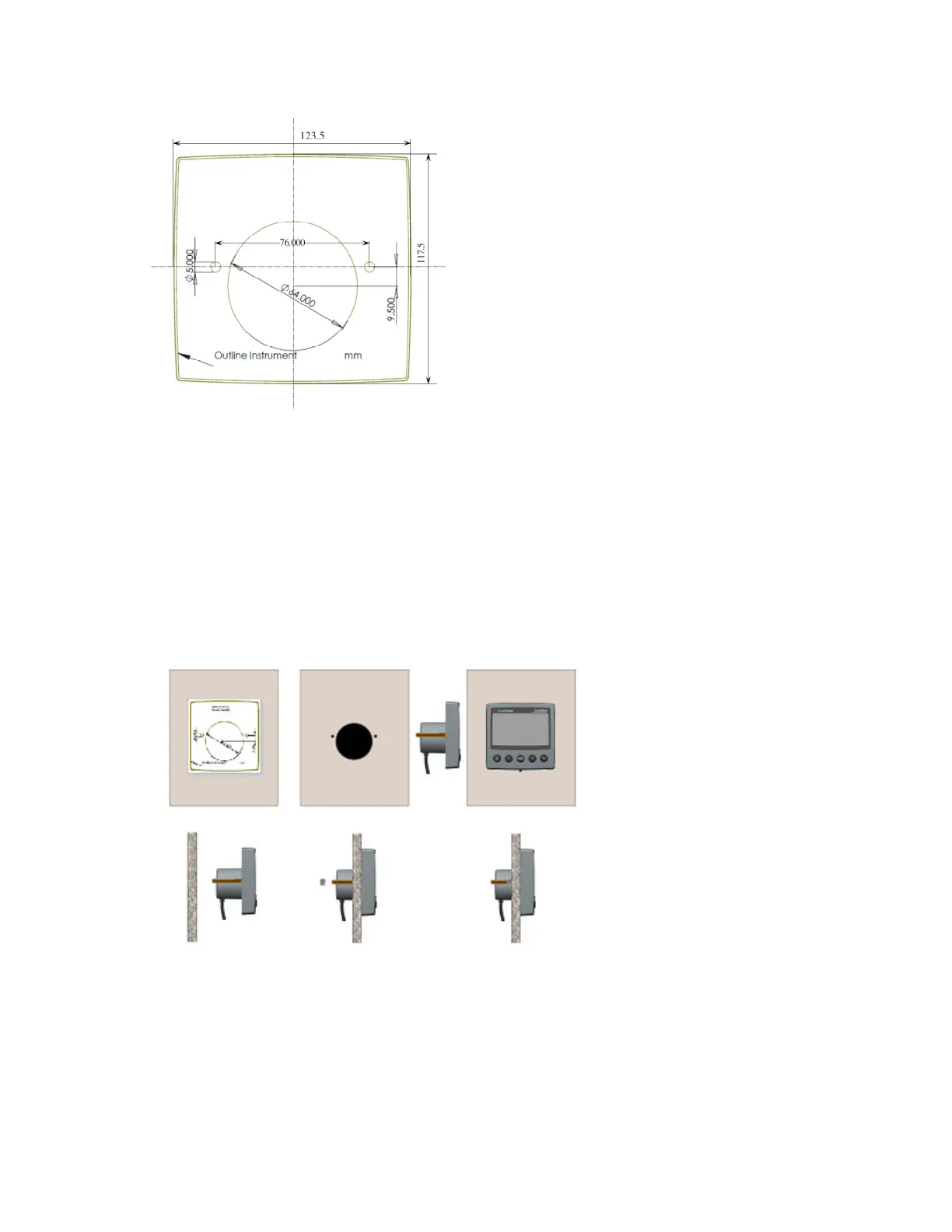
Figure 1 – Mounting template
Follow the following instructions to mount the G3 Display.
• Choose a location for your display unit, ensure the clearance requirement
• Draw with a pencil the outline of mounting position according to the measurements in
Figure 1. Drill the 2 holes using a 3 mm drill for the 2 set screws
• Cut the main cut-out in the panel using a jig-saw or similar tool. De-burr the cut-out’s edge
• Screw the 2 bolts to the display unit
• Put the display in place
• Screw the 2 nuts from the back
Figure 2 – Illustration of mounting process
1.6 Connecting to NMEA 2000 network
If you already have a NMEA 2000 network on your boat, connecting your G3 Display to the
network is easy. Finding a drop point tap that is within the distance of its length, the G3 Display


 To Next Page