3-8
Compro IP55 / 60 / 70 Network Camera
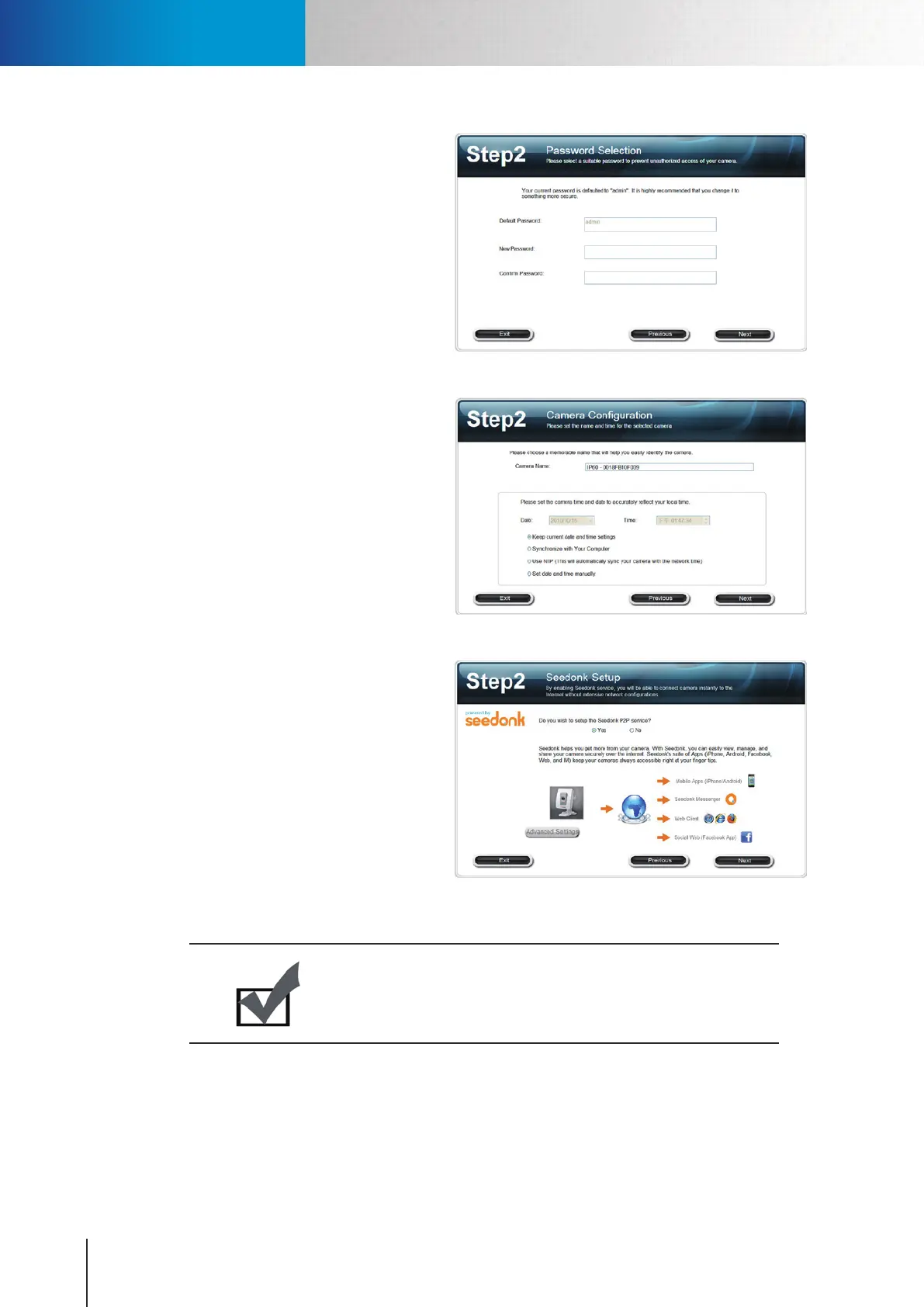
3. The default password is admin. We
strongly recommend you enter a new
password to protect your system. (Please
note down your new password) You can
also click [Next] to skip this step and
retain default password.
Figure 3-11. Password setup
4. Please check the camera name, date
and time setting.
Figure 3-12. Camera conguration
5. When you come to Seedonk setup, you
can choose whether to use Seedonk
service and remotely access your
camera through Seednok platform.
If you choose [Yes], you may opt for
connecting to a dierent Seedonk server
by pressing the [Advanced Settings]
button, and entering a different server
address. (If you enable Seedonk service,
you won’t be able to use iDDNS service.)
Figure 3-13. Seedonk setup
Note:
Seedonk video streams are encrypted end-to-end and most of the
streams are sent through direct channels and don't pass through
Seedonk server, which helps protect user privacy.
Installing Camera Software



 To Next Page