3-9
Chapter 3: Installtion
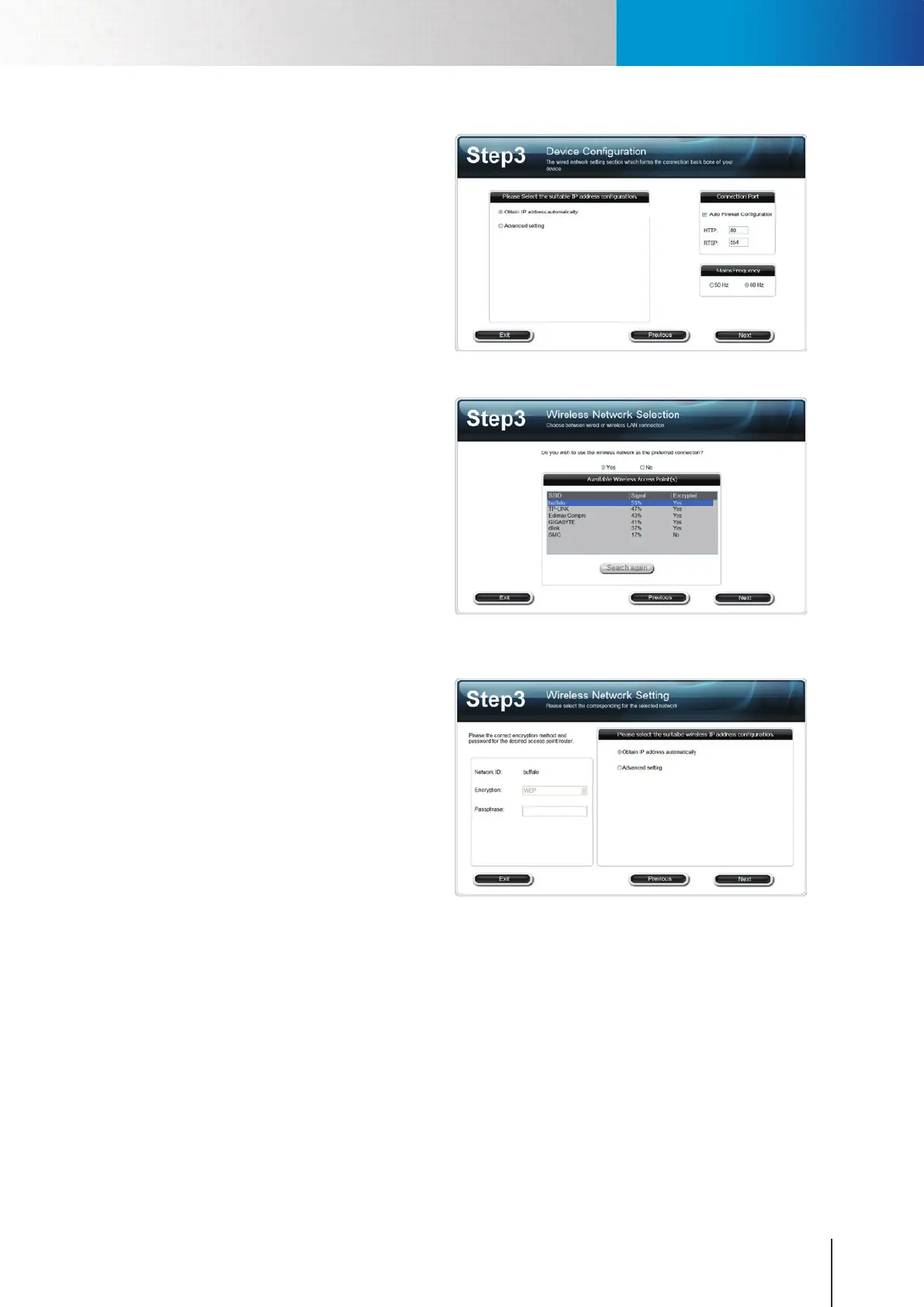
6. Select the configuration of your
IP address to obtain IP address
automatically (DHCP mode) or manually
enter IP address information. Then
choose whether to allow iWizard to
automatically configure your firewall,
configure connection port and the
frequency of your local power. (Note if
you enabled Seedonk service, you won’t
see connection port and frequency
conguration here.)
Figure 3-14. Device conguration
7. (If you are not using wireless connection,
please skip to point 9) If you have
purchased and connected the Compro
wireless adaptor to your IP camera, you
will come to wireless network setup.
Please click[Yes] to connect wirelessly
by default. The wizard will search for
available access points. Then select one
access point.
Figure 3-15. Wireless connection setup
8. The wizard will select an appropriate
encryption method automatically. You
need to input the correct passphrase,
and then select a suitable IP address
conguration in order to continue with
setup. (For Wireless connection only.)
Figure 3-16. Wireless connection setup
Installing Camera Software



 To Next Page