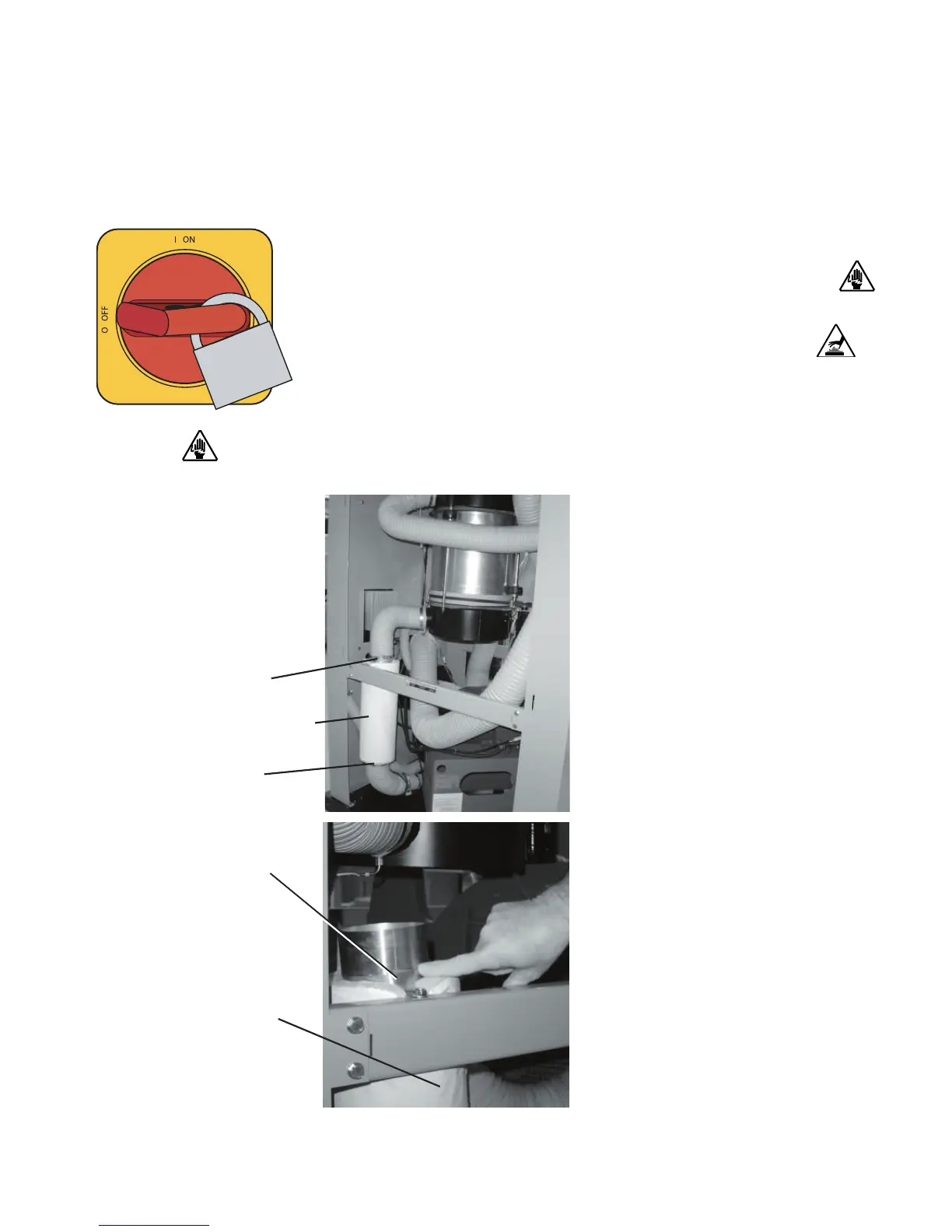
Replacing the Regeneration Heater
(W600 - 1000)
1 Stop the dryer, disconnect the power, and follow proper lockout
procedures.
2 Remove the right side panel of the dryer, as viewed from the
front of the dryer, to gain access to the regeneration heater.
3 Disconnect the regeneration heater power wires from the terminal
block in the control cabinet. Feed the regeneration power cable out of the
control cabinet.
4 Unplug the quick disconnect for the
high temperature switch cable at the
switch.
5 Loosen the hose clamps then remove
the hoses from the top and bottom of
the regeneration heater tube. Remove
and check the bottom heater hose for
loose debris or fragments, these frag-
ments can damage the newly installed
heater if not removed.
6 While supporting the heater tube,
loosen the hose clamp supporting the
regeneration tube to the mounting
bracket, then remove the heater tube
from the dryer.
7 Slide the insulation off the heater
tube, or make a cut the entire length of
the insulation sleeve to aid removal.
6-26 l Troubleshoot ing
IMPORTANT
: Always refer
to the wiring diagrams
that came with your dryer
to locate specific electri-
cal components.
Illustrations in the User
Guide are intended to be
representative only.
Regeneration
Heater
Insulation
Clamp
Clamp
Clamp






 To Next Page