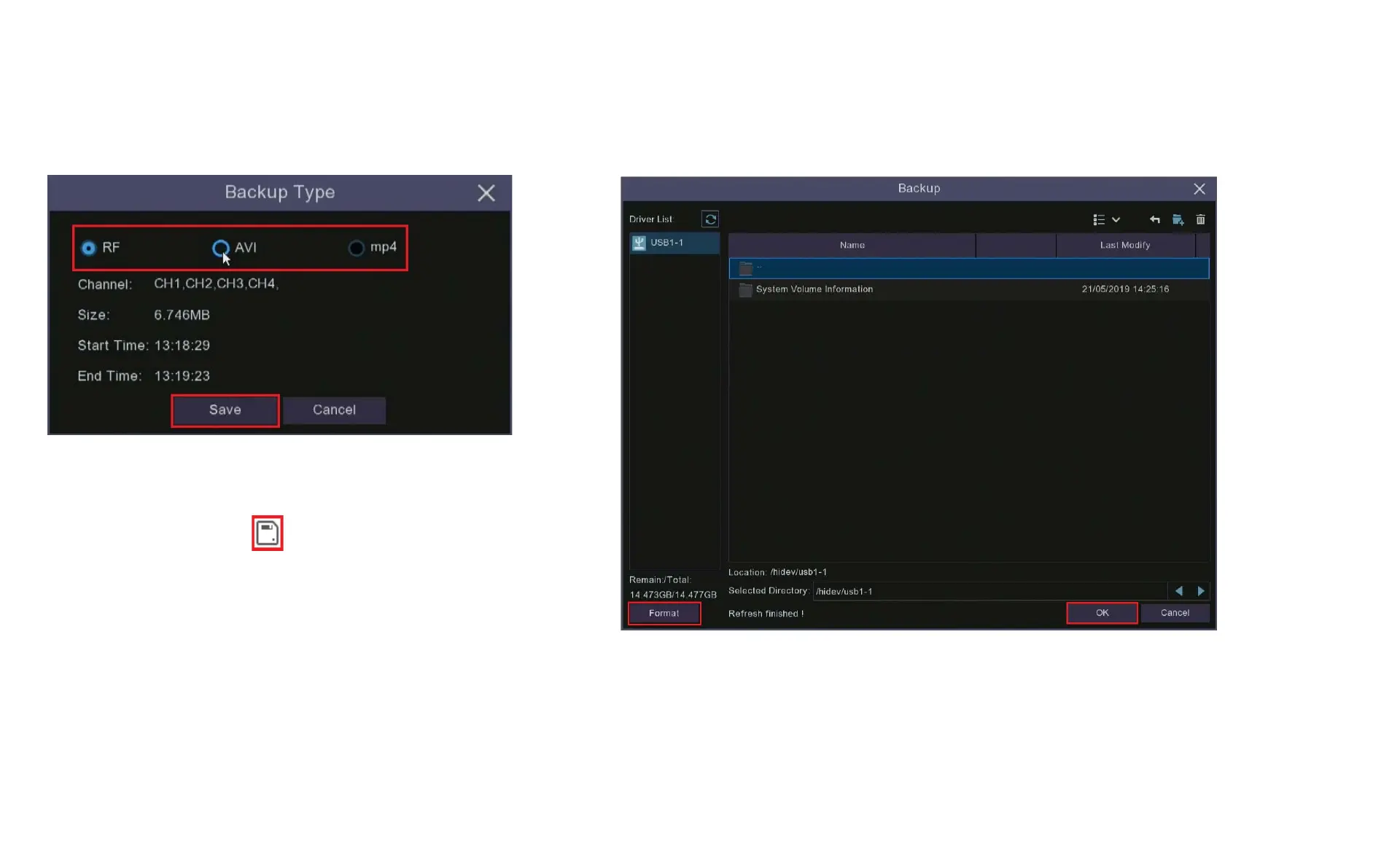
7. When you have finished selecting the recordings
you want to back up the Video Clip icon will change to
the Save Video Clip icon , clicking on this icon will
bring up the Backup Type window. Select a file type
for your backup files, when you click the Save button
the Backup window will open.
Chapter 8 Playback & Search
8. If you are unsure whether your USB storage is correctly formatted
click the Format button. Check the directory to make sure the video is
being saved to the correct location and click OK. The system will
automatically assign file names to your video clips.



 To Next Page